STEAMDB NEXUS

Steam app 993090 · updated 11 Oct 2026, 14:17 UTC

Lossless Scaling

All-in-one gaming utility for frame generation and scaling

Lossless Scaling Steam header artwork
THSTHS
6,518playing now
6,51824-hour peak
20,899all-time peak
4,875average, last 30 days

The last 30 days

+3.4Gain+0.07%% gain7,949Peak

718 hourly samples, with the daily peak drawn over them. Weekends are shaded.

02k4k6k9k16 Sep21 Sep26 Sep01 Oct06 Oct11 Oct16 OctWednesday 16 September 20265,872 peakThursday 17 September 20266,303 peakFriday 18 September 20266,641 peakSaturday 19 September 20267,747 peakSunday 20 September 20267,630 peakMonday 21 September 20266,675 peakTuesday 22 September 20266,473 peakWednesday 23 September 20266,560 peakThursday 24 September 20266,580 peakFriday 25 September 20266,856 peakSaturday 26 September 20267,633 peakSunday 27 September 20267,514 peakMonday 28 September 20266,577 peakTuesday 29 September 20266,426 peakWednesday 30 September 20266,623 peakThursday 01 October 20266,663 peakFriday 02 October 20267,104 peakSaturday 03 October 20267,834 peakSunday 04 October 20267,949 peakMonday 05 October 20267,263 peakTuesday 06 October 20266,868 peakWednesday 07 October 20266,849 peakThursday 08 October 20266,690 peakFriday 09 October 20266,971 peakSaturday 10 October 20267,919 peakSunday 11 October 20267,868 peakMonday 12 October 20266,797 peakTuesday 13 October 20266,481 peakWednesday 14 October 20266,188 peakThursday 15 October 20266,175 peakFriday 16 October 20266,518 peak
Daily peakEvery hourly sample

All time

95 months, December 2018 to October 2026. The highest number of people in the game at once, each month, on a time axis -- a gap in the record stays a gap.

06k11k17k23k2018202020212022202320252026December 20184 monthly peakJanuary 201917 monthly peakFebruary 201910 monthly peakMarch 201911 monthly peakApril 20199 monthly peakMay 201910 monthly peakJune 201910 monthly peakJuly 201911 monthly peakAugust 201915 monthly peakSeptember 201912 monthly peakOctober 201918 monthly peakNovember 201914 monthly peakDecember 201916 monthly peakJanuary 202015 monthly peakFebruary 202018 monthly peakMarch 202014 monthly peakApril 202015 monthly peakMay 202016 monthly peakJune 202016 monthly peakJuly 202019 monthly peakAugust 202018 monthly peakSeptember 202016 monthly peakOctober 202018 monthly peakNovember 202015 monthly peakDecember 202019 monthly peakJanuary 202121 monthly peakFebruary 202122 monthly peakMarch 202121 monthly peakApril 202118 monthly peakMay 202126 monthly peakJune 202122 monthly peakJuly 202122 monthly peakAugust 2021105 monthly peakSeptember 2021143 monthly peakOctober 2021147 monthly peakNovember 2021154 monthly peakDecember 2021108 monthly peakJanuary 2022108 monthly peakFebruary 2022103 monthly peakMarch 202291 monthly peakApril 202291 monthly peakMay 202295 monthly peakJune 202298 monthly peakJuly 2022109 monthly peakAugust 2022123 monthly peakSeptember 2022125 monthly peakOctober 2022120 monthly peakNovember 2022145 monthly peakDecember 2022131 monthly peakJanuary 2023115 monthly peakFebruary 2023112 monthly peakMarch 2023126 monthly peakApril 2023126 monthly peakMay 2023166 monthly peakJune 2023130 monthly peakJuly 2023122 monthly peakAugust 2023114 monthly peakSeptember 2023117 monthly peakOctober 2023118 monthly peakNovember 2023116 monthly peakDecember 2023119 monthly peakJanuary 2024787 monthly peakFebruary 2024830 monthly peakMarch 2024990 monthly peakApril 2024923 monthly peakMay 20242,531 monthly peakJune 20243,709 monthly peakJuly 20244,042 monthly peakAugust 20244,546 monthly peakSeptember 20244,287 monthly peakOctober 20244,064 monthly peakNovember 20244,479 monthly peakDecember 20244,121 monthly peakJanuary 20257,183 monthly peakFebruary 202513,992 monthly peakMarch 202520,899 monthly peakApril 202513,825 monthly peakMay 202510,052 monthly peakJune 20259,526 monthly peakJuly 20259,711 monthly peakAugust 20259,250 monthly peakSeptember 20258,242 monthly peakOctober 20258,262 monthly peakNovember 202510,601 monthly peakDecember 20259,976 monthly peakJanuary 20269,702 monthly peakFebruary 20268,558 monthly peakMarch 20268,027 monthly peakApril 20267,705 monthly peakMay 20267,583 monthly peakJune 20267,423 monthly peakJuly 20268,666 monthly peakAugust 20268,699 monthly peakSeptember 20268,339 monthly peakOctober 20267,949 monthly peak
Monthly peak

The last four months

Show:

The highest number of people in the game at once, each month. Four, because four is as far back as the source keeps anything finer than one figure a month.

02k5k7k9kJuly 2026August 2026September 2026October 2026July 20268,666 peak — daily detail belowAugust 20268,699 peak — daily detail belowSeptember 20268,339 peak — hourly detail belowOctober 20267,949 peak — hourly detail below
Monthly peakHas finer data

July 2026

14 days, each one the highest figure that day. The source keeps no hourly detail this far back. Weekends are shaded.

02k5k7k9k01 Jul20 Jul22 Jul24 Jul26 Jul28 Jul30 JulWednesday 01 July 20268,666 peakSunday 19 July 20267,641 peakMonday 20 July 20266,966 peakTuesday 21 July 20266,748 peakWednesday 22 July 20266,733 peakThursday 23 July 20266,691 peakFriday 24 July 20266,804 peakSaturday 25 July 20267,515 peakSunday 26 July 20267,542 peakMonday 27 July 20266,786 peakTuesday 28 July 20266,638 peakWednesday 29 July 20266,757 peakThursday 30 July 20266,592 peakFriday 31 July 20266,709 peak

August 2026

31 days, each one the highest figure that day. The source keeps no hourly detail this far back. Weekends are shaded.

02k5k7k9k01 Aug06 Aug11 Aug16 Aug21 Aug26 Aug31 AugSaturday 01 August 20267,329 peakSunday 02 August 20267,617 peakMonday 03 August 20266,658 peakTuesday 04 August 20266,666 peakWednesday 05 August 20266,562 peakThursday 06 August 20266,740 peakFriday 07 August 20266,743 peakSaturday 08 August 20267,340 peakSunday 09 August 20267,625 peakMonday 10 August 20266,803 peakTuesday 11 August 20266,779 peakWednesday 12 August 20267,113 peakThursday 13 August 20266,931 peakFriday 14 August 20267,030 peakSaturday 15 August 20267,487 peakSunday 16 August 20267,726 peakMonday 17 August 20266,961 peakTuesday 18 August 20267,369 peakWednesday 19 August 20267,449 peakThursday 20 August 20267,831 peakFriday 21 August 20267,598 peakSaturday 22 August 20268,629 peakSunday 23 August 20268,699 peakMonday 24 August 20267,516 peakTuesday 25 August 20267,345 peakWednesday 26 August 20267,123 peakThursday 27 August 20267,130 peakFriday 28 August 20267,211 peakSaturday 29 August 20267,841 peakSunday 30 August 20268,237 peakMonday 31 August 20267,236 peak

September 2026

30 days as the curve, each the highest figure that day. Behind it, 344 hourly samples from 16 Sep, which is as far back as the source keeps every hour. Weekends are shaded.

02k5k7k9k01 Sep06 Sep11 Sep16 Sep21 Sep26 SepTuesday 01 September 20267,129 peakWednesday 02 September 20266,915 peakThursday 03 September 20267,081 peakFriday 04 September 20267,243 peakSaturday 05 September 20268,295 peakSunday 06 September 20268,339 peakMonday 07 September 20267,207 peakTuesday 08 September 20266,720 peakWednesday 09 September 20266,622 peakThursday 10 September 20266,462 peakFriday 11 September 20266,661 peakSaturday 12 September 20267,885 peakSunday 13 September 20267,886 peakMonday 14 September 20266,656 peakTuesday 15 September 20266,361 peakWednesday 16 September 20266,228 peakThursday 17 September 20266,303 peakFriday 18 September 20266,641 peakSaturday 19 September 20267,747 peakSunday 20 September 20267,630 peakMonday 21 September 20266,675 peakTuesday 22 September 20266,473 peakWednesday 23 September 20266,560 peakThursday 24 September 20266,580 peakFriday 25 September 20266,856 peakSaturday 26 September 20267,633 peakSunday 27 September 20267,514 peakMonday 28 September 20266,577 peakTuesday 29 September 20266,426 peakWednesday 30 September 20266,623 peak

October 2026

16 days as the curve, each the highest figure that day. Behind it, 374 hourly samples. Each dip is a night. Weekends are shaded.

02k4k6k9k01 Oct03 Oct05 Oct07 Oct09 Oct11 Oct13 Oct15 OctThursday 01 October 20266,663 peakFriday 02 October 20267,104 peakSaturday 03 October 20267,834 peakSunday 04 October 20267,949 peakMonday 05 October 20267,263 peakTuesday 06 October 20266,868 peakWednesday 07 October 20266,849 peakThursday 08 October 20266,690 peakFriday 09 October 20266,971 peakSaturday 10 October 20267,919 peakSunday 11 October 20267,868 peakMonday 12 October 20266,797 peakTuesday 13 October 20266,481 peakWednesday 14 October 20266,188 peakThursday 15 October 20266,175 peakFriday 16 October 20266,518 peak
Nothing here is interpolated or estimated; where a sample is missing the line is broken.

Game information

Updated 11 Oct 2026, 14:17 UTC
App ID
993090
Last updated
19 Aug 2025 build 19655272
Update pace
Quiet no update while we have been watching · 0 in 34 days watched
Developer
THS
Publisher
THS
Release date
Dec 28, 2018
Platforms
Windows
Download size
121 MB
Install size
349 MB
Genres
Utilities
Game modes
Controller support
Unknown

Features & support

Steam features

Controllers & input

Accessibility

Popular tags

UtilitiesSoftwarePixel Graphics3DFPS2DFamily FriendlySingleplayerHentai
About this gameFull description from Steam
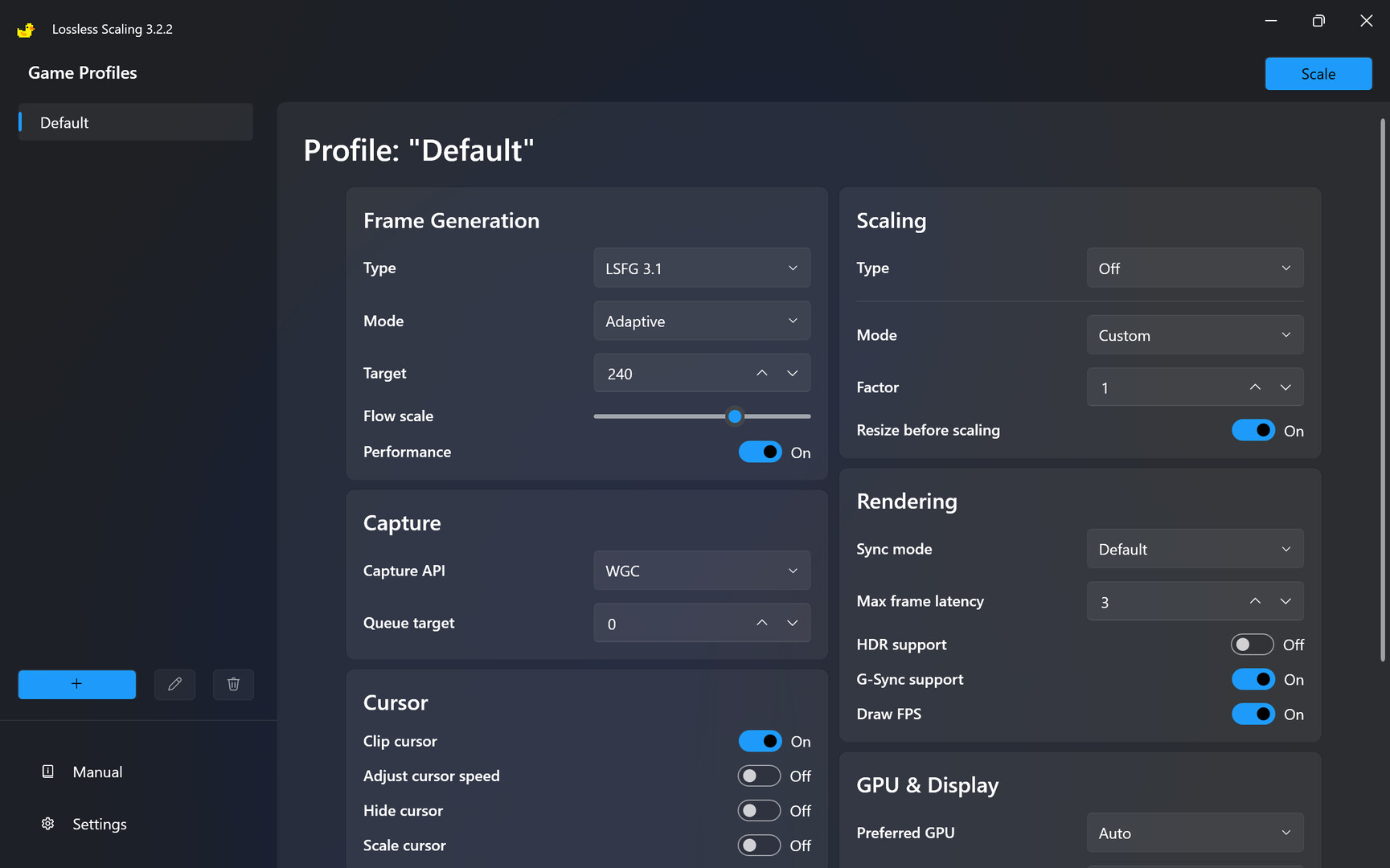
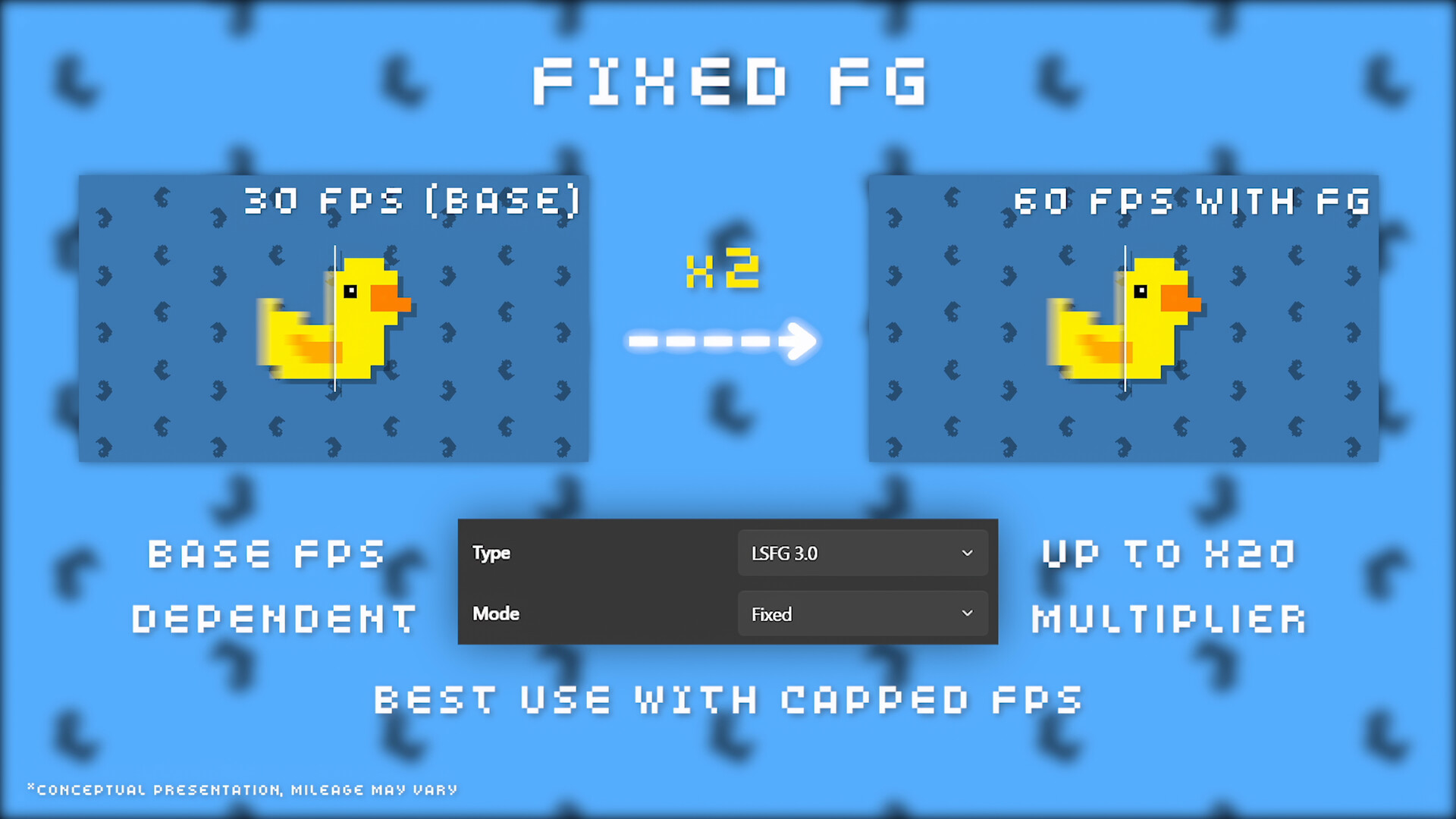
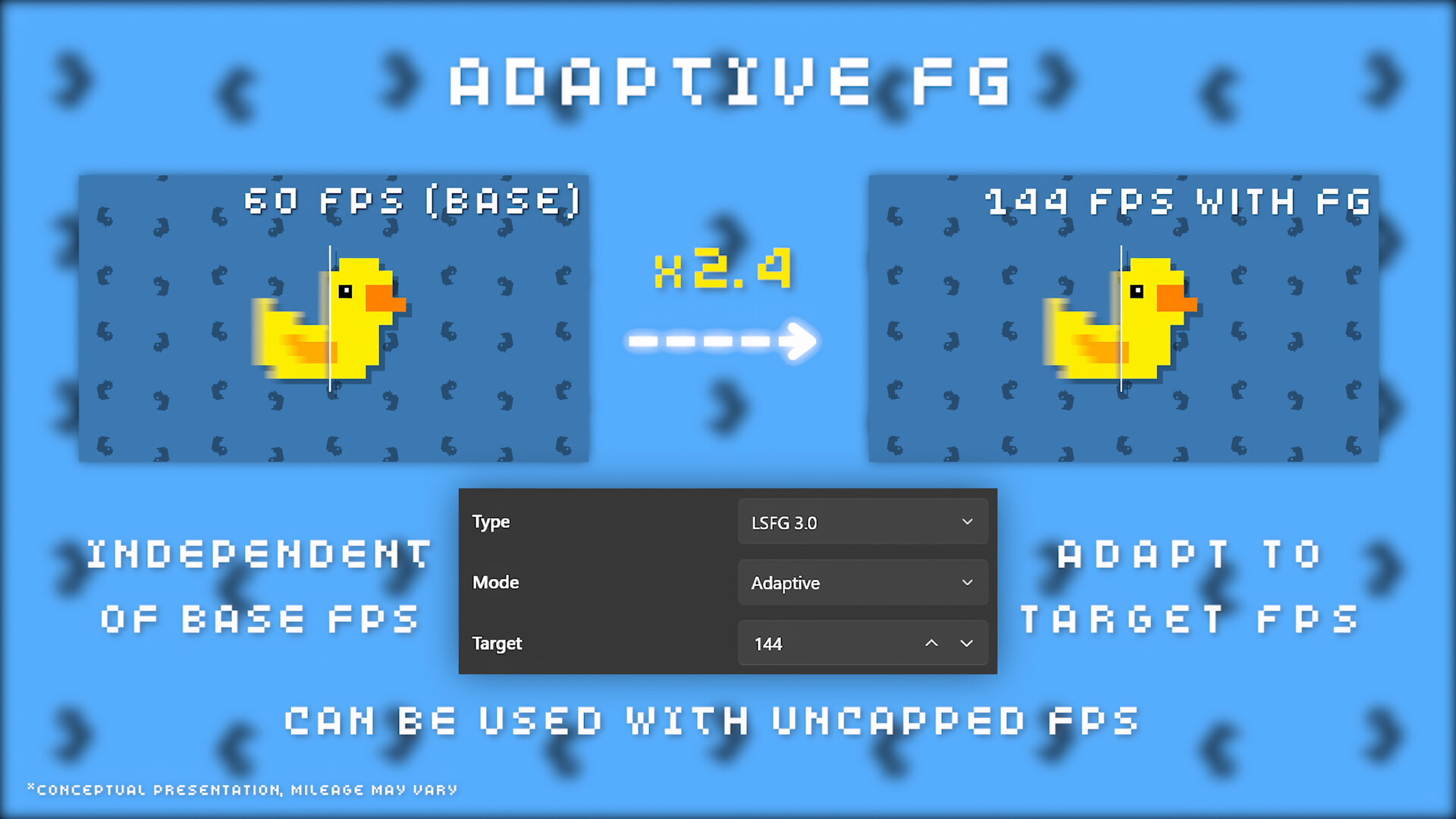
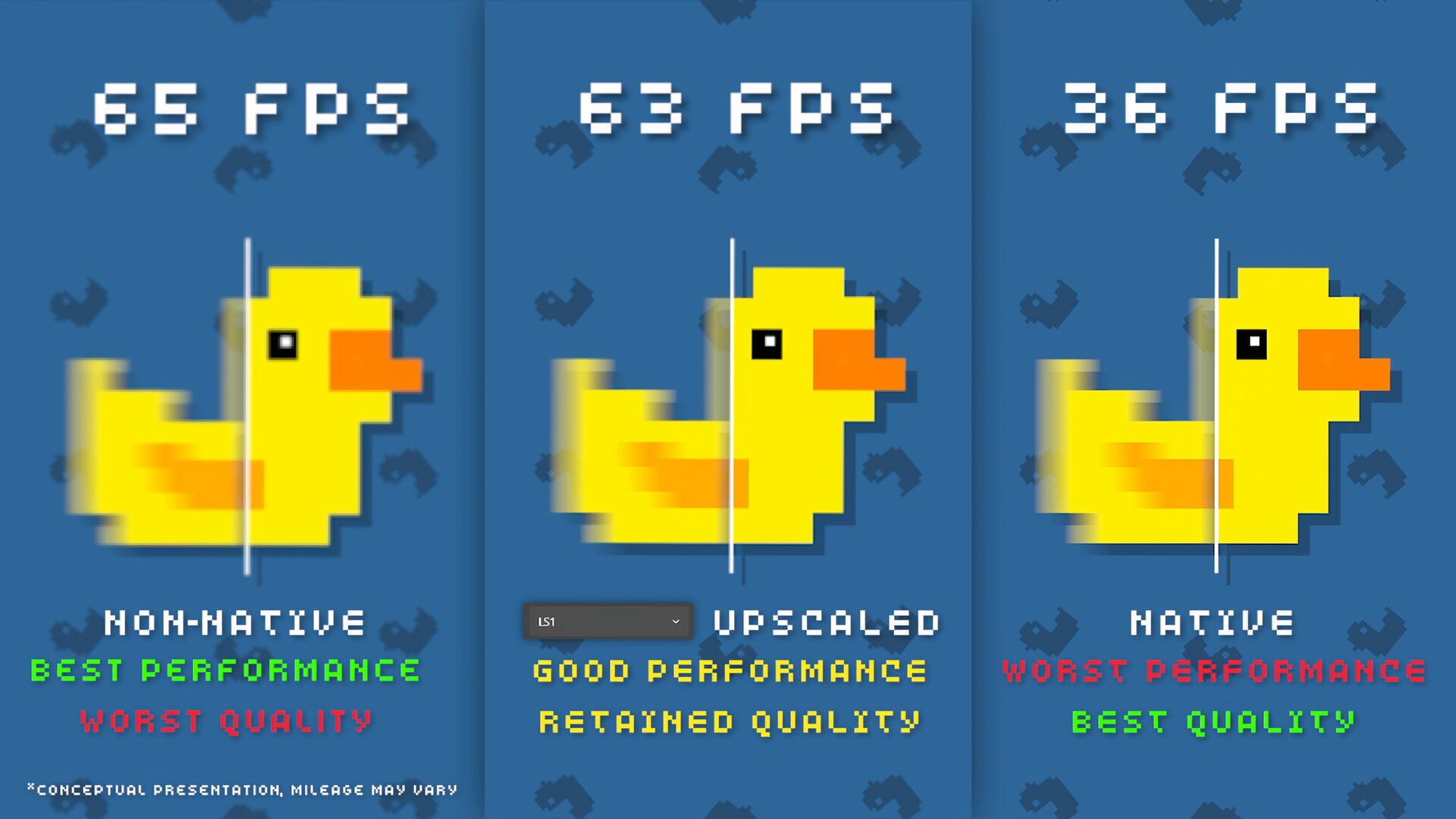
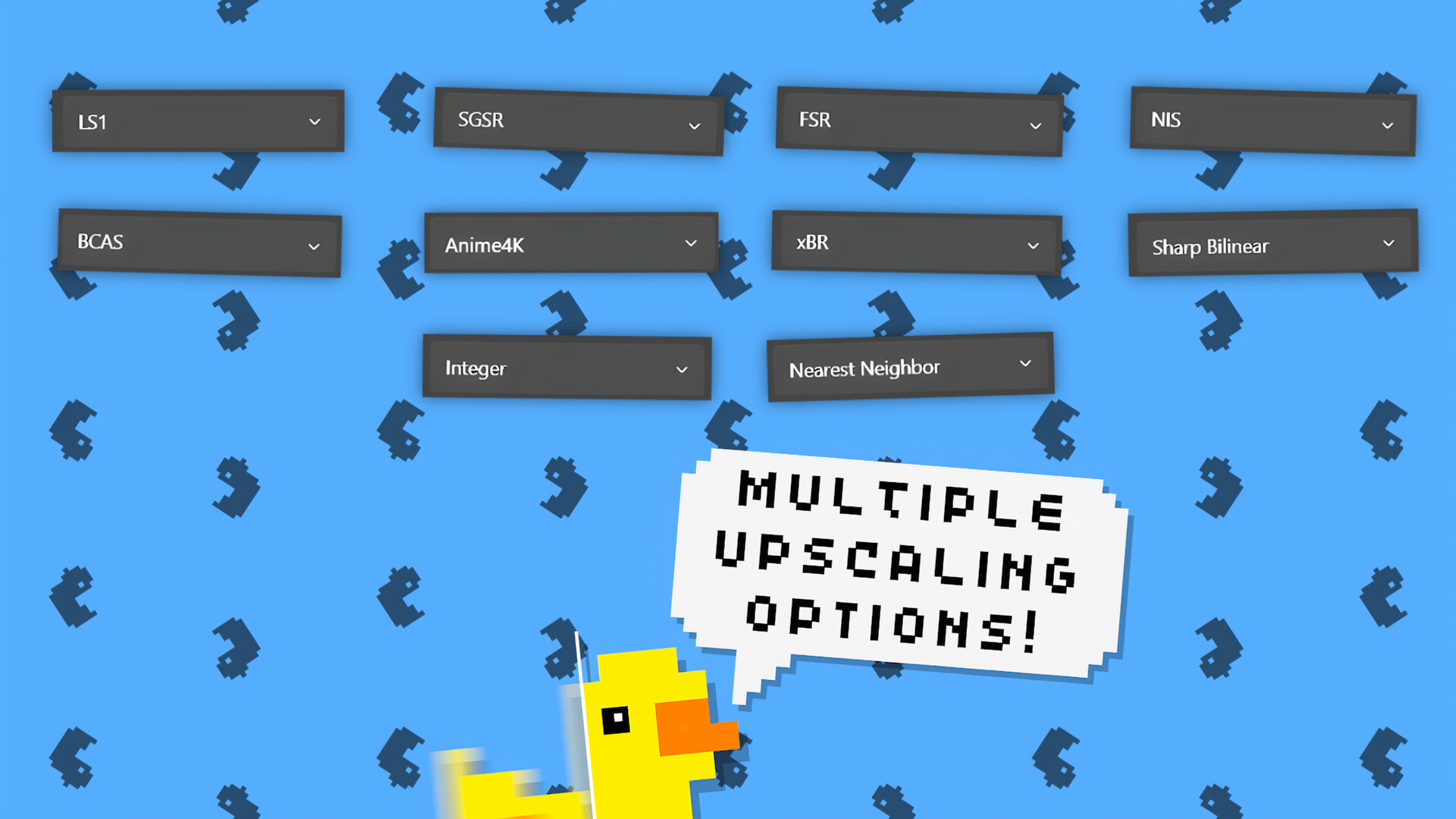
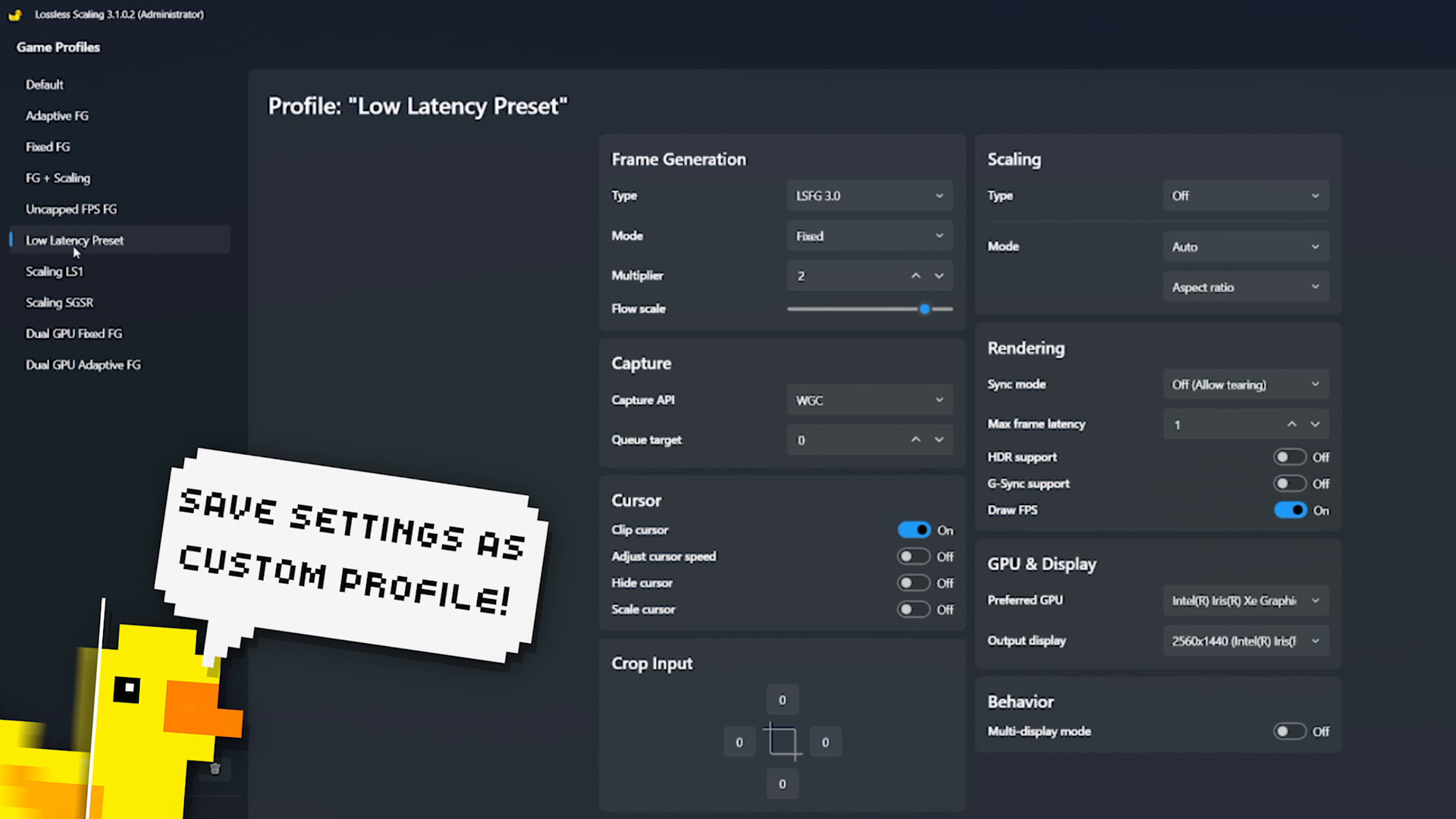
Lossless Scaling is a powerful tool that enhances your gaming experience by making games smoother with LSFG frame generation and optionally improving quality or performance with various scaling algorithms and machine learning models like LS1. It's compatible with most games, even those that don't have built-in frame generation or scaling, as well as with other applications and a wide range of hardware. LSFG 3 Frame Generation This feature creates additional frames to make games look smoother. It’s perfect for games that lack a built-in solution or require new hardware, as well as for older games and emulators with a locked frame rate. LSFG is a proprietary machine learning model developed from scratch specifically for Lossless Scaling and has received several significant updates. It’s compatible with a wide range of hardware and has a separate performance model for low-power GPUs. The Fixed mode allows you to multiply the original frame rate, while the Adaptive mode lets you specify a desired frame rate that may not be a multiple of the original. Scaling Scaling allows you to improve performance by lowering the original resolution and applying upscaling to recover some of the quality. It's also great for older games and pixel art games that don’t support modern resolutions or fullscreen mode. LS1, FSR, NIS are well-suited for modern games. Integer, XBR are ideal for pixel art games. Anime4K is great for cartoons or anime. Dual GPU Support A great feature of Lossless Scaling is the ability to offload computations to a second GPU. This means applying frame generation or scaling won't affect the game's original frame rate and may reduce latency. Compatibility with Online Games The community has found Lossless Scaling to be safe to use with online games that have built-in anti-cheat systems. However, this cannot be guaranteed and should be used with user discretion. Customization Lossless Scaling provides extensive configuration options through Game Profiles, allowing you to save per-game or grouped settings. Profiles eliminate the need for repetitive manual adjustments by automatically applying your chosen settings and scaling whenever the game executable is detected, ensuring consistent and automated operation. Requirements Only windowed and borderless fullscreen modes are supported. Exclusive fullscreen mode may work only if the Lossless Scaling output is configured for a second display. Free GPU resources are preferred, otherwise Lossless Scaling will affect the game's original frame rate. Windows 10, version 2004 or newer. Linux The LSFG feature of Lossless Scaling is available on Linux through a community-driven port. For more information, visit lsfg-vk.dev
Content & age ratings2 regional ratings

Regional ratings

DEJUSl
IGRS3
System requirementsMinimum and recommended hardware

Minimum

Minimum: Requires a 64-bit processor and operating system OS: Windows 10 version 2004 Graphics: Modern integrated graphics DirectX: Version 11

Recommended

Recommended: Requires a 64-bit processor and operating system OS: Windows 11 version 24H2 Graphics: GeForce RTX 30 series / Radeon RX 6000 series / Arc series DirectX: Version 11

macOS

Minimum: Recommended:

Linux

Minimum: Recommended:
Supported languages35 languages
LanguageFull audio
English
Simplified Chinese
French
German
Spanish - Spain
Portuguese - Brazil
Korean
Turkish
Ukrainian
Japanese
Italian
Polish
Portuguese - Portugal
Romanian
Traditional Chinese
Vietnamese
Arabic
Bulgarian
Czech
Indonesian
Croatian
Hebrew
Lithuanian
Persian
Serbian
Hungarian
Danish
Dutch
Swedish
Thai
Finnish
Greek
Norwegian
Georgian
Slovak

A blank audio cell means full audio was not marked in the returned language list.

Screenshots & trailersScreenshots and trailers

Trailers

AchievementsTotal count and selected achievements

35 developer announcements, Dec 2018 to Jul 2025 · times in UTC

July

  1. Performance Mode Hotfix

    Resolved a critical bug that impacted quality in LSFG 3.1 Performance mode.Fixed an issue where holding down a key wouldn’t repeat input if it was part of a scaling hotkey combo.Added Macedonian localization.Big thanks to everyone helping…

    Patch notes

June

  1. LSFG 3.1

    This update introduces significant architectural improvements, with a focus on image quality and performance gains.Quality ImprovementsEnhanced overall image quality within a specific timestamp range, with the most noticeable impact in…

    (ノ°□°)ノ

March

  1. Adaptive Frame Generation

    AFG Introducing Adaptive Frame Generation (AFG) mode, which dynamically adjusts fractional multipliers to maintain a specified framerate, independent of the base game framerate. This results in smoother frame pacing than fixed multiplier…

    (ノ°□°)ノ

January

  1. LSFG 3

    Happy anniversary, LSFG! LSFG 3 is built on a new, efficient architecture that introduces significant improvements in quality, performance, and latency. Key improvements include: Better quality: Reduced flickering and border artifacts, with…

    (ノ°□°)ノ
  2. Announcing LSFG 3

    We’re excited to unveil LSFG 3, featuring significant improvements in quality, performance, and latency! It will officially launch on January 10, celebrating the anniversary of the LSFG 1 release. Thank you for being part of our journey…

    (ノ°□°)ノ

November

  1. Resolution Scale, SGSR v1, and Windows 11 24H2 Compatibility

    Introduced a new "Resolution Scale" option for LSFG. This feature allows input frames to be processed at a reduced resolution while generating output at the original resolution. For example, when playing at 1440p, setting the scale to 50%…

    (ノ°□°)ノ

August

  1. X4 Frame Generation & G-Sync Support

    - LSFG 2.3 introduces X4 frame generation mode, generating three intermediate frames. The recommended usage scenario starts with the game's base framerate of 60 frames and for monitors with a high refresh rate of 240 and above, but can also…

    (ノ°□°)ノ
  2. Quality fixes

    - Reduction of LSFG artifacts on patterned textures and in dark scenes, especially noticeable when HDR is enabled. - LS1 sharpening correction, now the value 0 should match the original. Improved colors with HDR. - Added Portuguese and…

    (ノ°□°)ノ

July

  1. Framepacing and LSFG updates

    This version aims to improve smoothness, framerate stability and latency for a wide range of GPUs. - LSFG 2.2 updates the UI detection part by reducing the level of over-detection, which eliminates some artifacts caused by UI detection and…

    (ノ°□°)ノ

June

  1. X3 Frame Generation

    - Introducing the X3 frame generation mode. LSFG 2.1 can now generate two intermediate frames, effectively tripling the framerate. X3 has increased GPU load by approximately 1.7 times compared to X2 mode. At the same time, LSFG 2.1…

    (ノ°□°)ノ

May

  1. Introducing LSFG 2.0

    - Enhanced architecture for processing large-scale movements, enabling efficient usage at lower frame rates. Hence, the minimum recommended base frame rates are 30/40 for 1080p/1440p resolutions respectively, with 60 FPS and higher…

    (ノ°□°)ノ

April

  1. General improvements and bug fixes

    Reduced distortion/ghosting artifacts for LSFG that could occur at certain resolutions and low frame rates. Changes to DXGI capture that may improve frame rate stability and address possible other issues. Read the full changelog here.

    (ノ°□°)ノ

March

  1. LSFG 1.1 – New UI detection model

    Part of the LSFG has been reworked to detect UI more effectively. As a result, a significant reduction in UI ghosting and less impact on the main image in case of incorrect detection. Read the full changelog here.

    (ノ°□°)ノ

February

  1. New frame capture API

    New DXGI frame capture API, that should fix most performance issues, also allows the LS to be tied to the game's framerate and simply double the number of frames when frame generation is used. For the best LSFG experience, it is still…

    (ノ°□°)ノ

January

  1. Introducing Frame Generation - LSFG

    Introducing LSFG 1.0 - a universal frame generator that can be used for most games and not only. Designed from the ground up using machine learning to run on a wide range of GPUs, including integrated graphics cards. Can be used with or…

    (ノ°□°)ノ

August

  1. Introducing a new scaling type - LS1

    Based on machine learning, LS1 is a small and fast general-purpose neural network optimized for scaling factors in the 1x–2x range. LS1 has similar performance and image quality to FSR, while surpassing it in many cases. There have also…

    (ノ°□°)ノ

March

  1. Stand with Ukraine!

    Due to the attack of the Russian Federation, I was forced to leave my home. Program development has been suspended indefinitely. You can support Ukraine, all income from sales of this program during the war will be directed to the needs of…

    (ノ°□°)ノ

December

  1. 2.0 released!

    What's new: UI: Completely new UI with themes support; Support for game profiles: you can still use the hotkey or scale button - game profile will be applied automatically, or you can use the auto scale option to let the game window to be…

    (ノ°□°)ノ

November

  1. 1.6.0 released - NVIDIA Image Scaling is here!

    Added another great upscaler - NIS (NVIDIA Image Scaling). Notes: The sharpness setting is unified for both FSR and NIS in the range , where 1.0 is the maximum sharpness. Have fun!

    (ノ°□°)ノ

September

  1. 1.5.7 Released

    This is the 20th update since the release of the first version 1.4.0 with FSR support. I decided to post it as a major update to tell about the main changes that happened during this time for those who do not follow the forum. The main…

    (ノ°□°)ノ

August

  1. 1.4.0 released - AMD FSR is here!

    - Added AMD FSR 1.0 scaling type; - LS is now run with administrator privileges by default to set the GPU scheduling priority; Notes: AMD FSR 1.0 is a GPU demanding type of scaling compared to integer scaling, but produces a higher quality…

    (ノ°□°)ノ

January

  1. 1.3.2 released

    - Fixed bug in "Cursor speed" calculations. When you turned off "Enhanced Pointer Precision" in the mouse settings in Windows, the sensitivity calculation was incorrect; - Fixed gray window background in high contrast mode; - When starting…

    Patch notes

December

  1. Integer Scaling from AMD!

    AMD released the Radeon Software Adrenalin Edition 2020 Driver with Integer Scaling support for games. Unlike Nvidia or Intel, who made this feature available only for the new generation of their graphics cards, AMD has delivered Integer…

    THS

November

  1. 1.3.1 released

    - Now you can use "Force resize" while scale factor is 1; - Changed "Cursor speed" calculations. Windows mouse sensetivity is set as integer. There used to be a ceiling of new sensitivity, but now it is rounded.

    Patch notes

October

  1. 1.3.0 released

    {STEAM_CLAN_IMAGE}/34089147/4d03be904a6ba461c9c6e553b98daab6695b843f.png - Now you can use the nearest neighbor option for the Auto setting. This option will calculate a non-integer scale factor to scale your game to full screen while…

    THS

August

  1. 1.3.0 Beta - For multi-display users

    Everyone who has multiple displays, especially if the main display has a high refresh rate, please test this beta for performance. Changes were made, a user with a 144 hz monitor confirmed that his problems with a jerky mouse and low FPS…

    THS
  2. Nvidia adds integer scaling support.

    Following Intel, which announced that will support integer scaling in its new Graphics Gen11, Nvidia just added support for integer scaling to its drivers... for Turing only. Despite the fact that in general these are positive changes for…

    THS
  3. 1.2.9 released

    This is a bug fix release. Most of the bugs appeared with the Windows 10 version 1903 release, such as inability to turn off anti-aliasing as soon as you turned it on and a jittery mouse in the multi-display mode. This has been fixed. Also…

    Patch notes

July

  1. 1.2.8 released

    Now you can create shortcuts to start and scale the game easily without launching the app and selecting individual settings for each game. Note: only games that run without a launcher are supported (i.e., if launching the .exe file of the…

    Patch notes

February

  1. 1.2.6 released

    Changelog: - Added alignment option. In some situations, you can use a larger integer scale factor to fill the screen more, but the game may slightly exceed the height of the screen. With the alignment option you can decide which part of…

    Patch notes
  2. Lossless Scaling Demo

    Now you can download the free demo version of Lossless Scaling. It allows you to use only the “Auto” function - automatic selection of an integer scale factor for your game, all other settings are set by default and cannot be changed.…

    THS

January

  1. 1.2.5 released

    Changelog: - Added "Auto" option. Calculates the maximum integer scale factor that can be used to fit the game on the screen. If you do not need the use of a non-integer scale factor or the "Force Resolution" option, you can use this option…

    Patch notes
  2. 1.2.4 released

    Changelog: - Multi-display support; - 'Clip Cursor' option (for multi-display users); - Mouse speed now taken into account. Can be disabled via option; - Custom scale factor (non-integer values can be used); - New "Scale in 5 seconds"…

    Patch notes
  3. Multi-display users are invited to the beta test

    Multi-display support is finally here. To participate in open beta testing, go to Library - Software - Lossless Scaling - Properties - Beta and select "beta" from the drop-down list. Version 1.2.0 Beta will automatically download to your…

    THS

December

  1. App released

    30% launch discount! Many thanks to all beta testers for your feedback and reports. Happy Holidays!

    THS

All games on this site