STEAMDB NEXUS

Steam app 2375780 · updated 12 Sep 2026, 18:14 UTC

Beam Eye Tracker

Enjoy more immersion in hundreds of PC games. Works with your webcam or phone, no extra hardware needed. Free demo.

Beam Eye Tracker Steam header artwork
Eyeware Tech SAEyeware Tech SA
453playing now
45324-hour peak
584all-time peak
296average, last 30 days

The last 30 days

−3.9Gain−1.31%% gain508Peak

719 hourly samples, with the daily peak drawn over them. Weekends are shaded.

013727441154913 Aug18 Aug23 Aug28 Aug02 Sep07 Sep12 SepThursday 13 August 2026308 peakFriday 14 August 2026355 peakSaturday 15 August 2026404 peakSunday 16 August 2026419 peakMonday 17 August 2026370 peakTuesday 18 August 2026354 peakWednesday 19 August 2026360 peakThursday 20 August 2026368 peakFriday 21 August 2026362 peakSaturday 22 August 2026415 peakSunday 23 August 2026416 peakMonday 24 August 2026360 peakTuesday 25 August 2026367 peakWednesday 26 August 2026374 peakThursday 27 August 2026406 peakFriday 28 August 2026404 peakSaturday 29 August 2026468 peakSunday 30 August 2026508 peakMonday 31 August 2026374 peakTuesday 01 September 2026368 peakWednesday 02 September 2026378 peakThursday 03 September 2026400 peakFriday 04 September 2026386 peakSaturday 05 September 2026460 peakSunday 06 September 2026481 peakMonday 07 September 2026448 peakTuesday 08 September 2026407 peakWednesday 09 September 2026357 peakThursday 10 September 2026349 peakFriday 11 September 2026400 peakSaturday 12 September 2026453 peak
Daily peakEvery hourly sample

All time

38 months, August 2023 to September 2026. The highest number of people in the game at once, each month, on a time axis -- a gap in the record stays a gap.

0158315473631Aug 2023Feb 2024Aug 2024Feb 2025Aug 2025Feb 2026Aug 2026August 20231 monthly peakSeptember 20235 monthly peakOctober 20239 monthly peakNovember 202312 monthly peakDecember 202313 monthly peakJanuary 202419 monthly peakFebruary 202426 monthly peakMarch 202433 monthly peakApril 202457 monthly peakMay 202477 monthly peakJune 202481 monthly peakJuly 202465 monthly peakAugust 202471 monthly peakSeptember 2024105 monthly peakOctober 2024121 monthly peakNovember 2024170 monthly peakDecember 2024188 monthly peakJanuary 2025172 monthly peakFebruary 2025194 monthly peakMarch 2025252 monthly peakApril 2025274 monthly peakMay 2025272 monthly peakJune 2025265 monthly peakJuly 2025326 monthly peakAugust 2025301 monthly peakSeptember 2025322 monthly peakOctober 2025333 monthly peakNovember 2025401 monthly peakDecember 2025444 monthly peakJanuary 2026433 monthly peakFebruary 2026494 monthly peakMarch 2026559 monthly peakApril 2026521 monthly peakMay 2026584 monthly peakJune 2026509 monthly peakJuly 2026510 monthly peakAugust 2026508 monthly peakSeptember 2026481 monthly peak
Monthly peak

The last four months

Show:

The highest number of people in the game at once, each month. Four, because four is as far back as the source keeps anything finer than one figure a month.

0138275413551July 2026August 2026September 2026October 2026July 2026510 peak — daily detail belowAugust 2026508 peak — hourly detail belowSeptember 2026481 peak — hourly detail below
Monthly peakHas finer data

July 2026

31 days, each one the highest figure that day. The source keeps no hourly detail this far back. Weekends are shaded.

013827541355101 Jul06 Jul11 Jul16 Jul21 Jul26 Jul31 JulWednesday 01 July 2026396 peakThursday 02 July 2026393 peakFriday 03 July 2026413 peakSaturday 04 July 2026471 peakSunday 05 July 2026510 peakMonday 06 July 2026372 peakTuesday 07 July 2026373 peakWednesday 08 July 2026382 peakThursday 09 July 2026411 peakFriday 10 July 2026390 peakSaturday 11 July 2026425 peakSunday 12 July 2026448 peakMonday 13 July 2026400 peakTuesday 14 July 2026371 peakWednesday 15 July 2026349 peakThursday 16 July 2026381 peakFriday 17 July 2026386 peakSaturday 18 July 2026494 peakSunday 19 July 2026501 peakMonday 20 July 2026418 peakTuesday 21 July 2026384 peakWednesday 22 July 2026399 peakThursday 23 July 2026381 peakFriday 24 July 2026402 peakSaturday 25 July 2026457 peakSunday 26 July 2026495 peakMonday 27 July 2026401 peakTuesday 28 July 2026399 peakWednesday 29 July 2026396 peakThursday 30 July 2026373 peakFriday 31 July 2026401 peak

August 2026

31 days as the curve, each the highest figure that day. Behind it, 438 hourly samples from 13 Aug, which is as far back as the source keeps every hour. Weekends are shaded.

013727441154901 Aug06 Aug11 Aug16 Aug21 Aug26 Aug31 AugSaturday 01 August 2026455 peakSunday 02 August 2026487 peakMonday 03 August 2026403 peakTuesday 04 August 2026404 peakWednesday 05 August 2026396 peakThursday 06 August 2026383 peakFriday 07 August 2026390 peakSaturday 08 August 2026419 peakSunday 09 August 2026459 peakMonday 10 August 2026354 peakTuesday 11 August 2026372 peakWednesday 12 August 2026318 peakThursday 13 August 2026312 peakFriday 14 August 2026355 peakSaturday 15 August 2026404 peakSunday 16 August 2026419 peakMonday 17 August 2026370 peakTuesday 18 August 2026354 peakWednesday 19 August 2026360 peakThursday 20 August 2026368 peakFriday 21 August 2026362 peakSaturday 22 August 2026415 peakSunday 23 August 2026416 peakMonday 24 August 2026360 peakTuesday 25 August 2026367 peakWednesday 26 August 2026374 peakThursday 27 August 2026406 peakFriday 28 August 2026404 peakSaturday 29 August 2026468 peakSunday 30 August 2026508 peakMonday 31 August 2026374 peak

September 2026

12 days as the curve, each the highest figure that day. Behind it, 281 hourly samples. Each dip is a night. Weekends are shaded.

013026039051901 Sep03 Sep05 Sep07 Sep09 Sep11 SepTuesday 01 September 2026368 peakWednesday 02 September 2026378 peakThursday 03 September 2026400 peakFriday 04 September 2026386 peakSaturday 05 September 2026460 peakSunday 06 September 2026481 peakMonday 07 September 2026448 peakTuesday 08 September 2026407 peakWednesday 09 September 2026357 peakThursday 10 September 2026349 peakFriday 11 September 2026400 peakSaturday 12 September 2026453 peak

October 2026

Beam Eye Tracker was released on 2 Aug, 2023.

Not out yet.There is nothing to draw for this month.
Nothing here is interpolated or estimated; where a sample is missing the line is broken.

Game information

Updated 12 Sep 2026, 18:14 UTC
App ID
2375780
Developer
Eyeware Tech SA
Publisher
Eyeware Tech SA
Release date
2 Aug, 2023
Platforms
WindowsmacOSLinux
Genres
Racing, Simulation, Utilities, Video Production, Game Development
Game modes
Controller support
Unknown

Features & support

Steam features

Steam Workshop

Controllers & input

Accessibility

Popular tags

SimulationUtilitiesVideo ProductionGame DevelopmentSoftwareGamingTrackIRVRFPSHardwareImmersiveRealisticDrivingSurvivalSpaceHuntingImmersive SimTrains
About this gameFull description from Steam
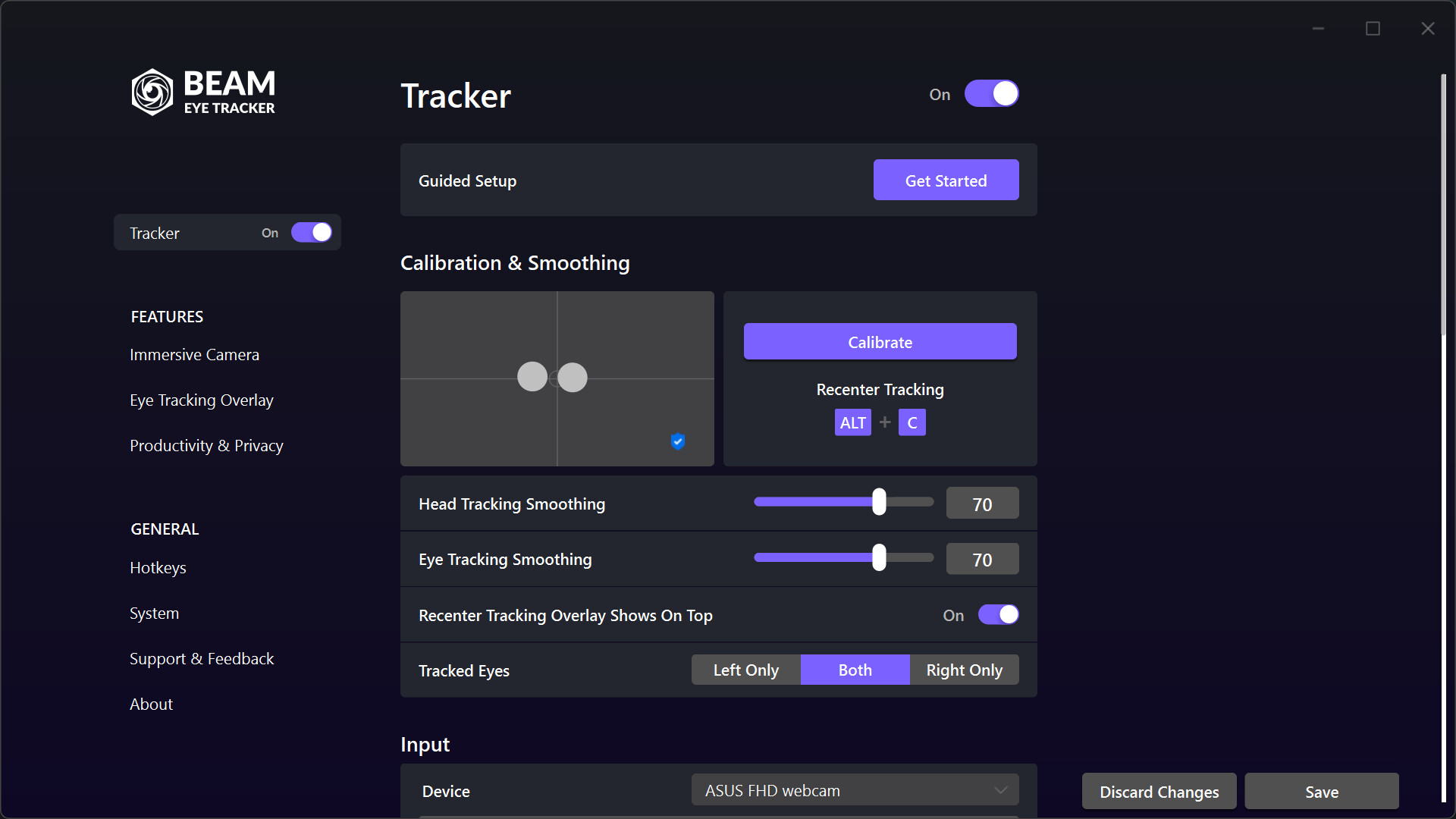
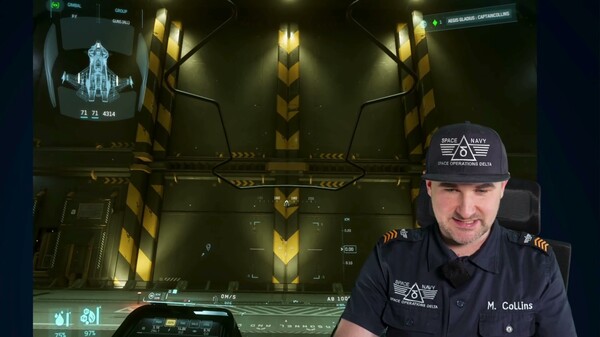
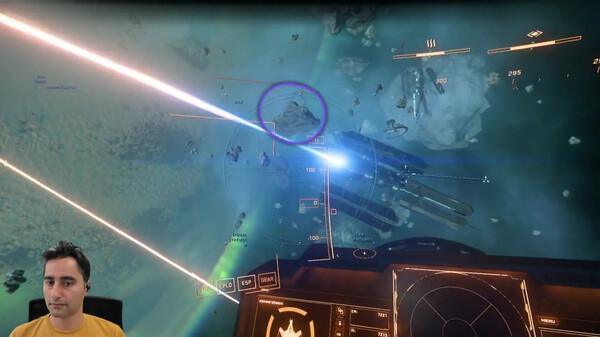
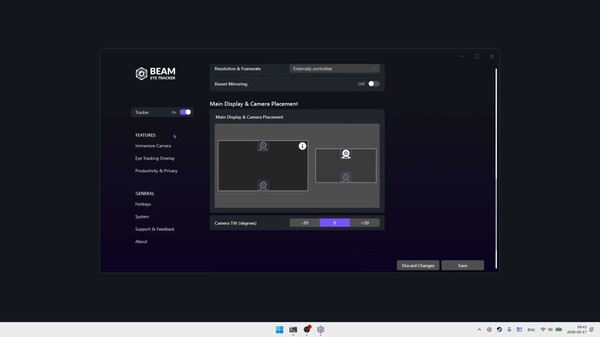
TURN YOUR WEBCAM INTO AN EYE TRACKER Look around naturally with head and eye tracking in hundreds of PC games. No extra hardware. Works with your webcam or phone. Scan Your Cockpit, Check Mirrors, Look Behind You with Head & Eye Tracking Hands stay on the wheel or stick. The in-game camera tracks your head and eyes naturally. Built for Sim Gamers and Streamers Sim racers track mirrors mid-corner. Flight pilots scan instruments mid-flight. Truckers and farmers watch the road, mirrors, and dashboard at a glance. Streamers share their gaze with viewers. Use Your Webcam or Phone. No tracker hardware required. Any standard webcam works, built-in or external. No webcam? Use your phone. Try Before You Buy Try the demo first with full feature access. 3 hours of active tracking. Remove the limit with a one-time purchase, no subscription. New: Linux and macOS Public Beta. Opt into the beta branch to try it. Supports Hundreds of Head and Eye Tracking Games A selection of compatible games across flight, space, racing, driving, trucking, farming, combat, FPS, and other simulator genres. The full game list is available on our website Driving, Trucking, and Farming Check side mirrors, watch the road, glance at the dashboard and GPS. Euro Truck Simulator 2 American Truck Simulator BeamNG.drive Farming Simulator 25 Farming Simulator 22 Bus Simulator 21 Train Sim World 5 Space Simulation Look around the ship, track targets, check your radar. Star Citizen Elite Dangerous Star Wars: Squadrons X4: Foundations Kerbal Space Program Flight Simulation Look around the cockpit, check instruments, scan for traffic and threats. DCS World Nuclear Option Microsoft Flight Simulator 2024 Microsoft Flight Simulator 2020 Microsoft Flight Simulator X: Steam Edition X-Plane 12 X-Plane 11 Top Gun: Maverick Expansion IL-2 Sturmovik AeroFly FS 2 Racing Simulation Check your mirrors, spot the competition, look through the corner. A wider field of view without lifting your hands off the wheel. Le Mans Ultimate Assetto Corsa Assetto Corsa Competizione Automobilista 2 F1 25 F1 24 F1 23 F1 22 iRacing rFactor 2 Project CARS DiRT 3 FPS and Combat Lean around corners, scan rooms, check your six. War Thunder Arma 3 Arma Reforger DayZ Insurgency Get Started in Minutes (1) Install Beam → (2) Run the Guided Setup → (3) Launch your game Game setup guides on our website cover every supported game. Support page with troubleshooting for anything else. IMMERSIVE CAMERA Webcam Eye Tracking Eye tracking to control your in-game camera with no dedicated hardware. Supports 60 FPS or higher on compatible webcams for smoother, lower-latency tracking. 6DoF Head Tracking Yaw, pitch, roll, plus lean forward, sideways, and up. Use it on its own or combined with eye tracking. Direct Game Camera Control Games see the Beam Eye Tracker directly. No third-party software running alongside. Phone as a Webcam Use your phone via Android or iOS built-in options. For Face ID iPhones, the dedicated Beam Eye Tracker iOS app runs tracking on your phone so your PC stays free. Hotkeys Pause, resume, and recenter tracking without leaving your game. Assign any key or button on your peripherals. Demo Profiles and Community Profiles Built-in Demo Profiles get you tracking right away. Adjust sensitivity, smoothing, and eye/head blend to match how you play. Access Community Profiles on the Steam Workshop after purchase for a head start. EYE TRACKING OVERLAY Stream Where You Look: Show viewers exactly what catches your eye in real time. Makes your reactions easier to follow and turns gameplay moments into stronger clips. Customize color, opacity, and size. Hide it on your screen while OBS or Streamlabs captures it. Review Your Focus: Record gameplay with gaze data to spot what you missed. Improve faster. E-Sports Training: The Minimap Awareness Trainer extension helps you build better map-checking habits. PRODUCTIVITY & PRIVACY Use eye tracking outside of games: Multi-Screen Pointer: cursor follows your gaze across monitors. Mouse Jump: hotkey teleports your cursor to where you're looking. Privacy Filter: blurs parts of your screen you're not looking at. Presence Detection: locks your screen when you step away. · · · We Protect Your Privacy All processing happens locally on your device. No biometric data is generated or stored. We're based in Switzerland, home to some of the world's strictest privacy laws. Frequently Asked Questions What webcam do I need for the Beam Eye Tracker? For most users, a standard 720p webcam, built-in or external, is a cost-effective and instant option. It offers solid performance and simple setup at 30 FPS. You can also use free apps that turn your phone into a webcam. Test the Demo first. Make sure you are happy with the app before buying any hardware. If the demo does not run, contact us for help. Does the Beam Eye Tracker work with glasses? Yes. Most users with glasses have no issues. Strong prescriptions or glare from lenses can reduce accuracy slightly, and thick frames may block your eyes at certain angles. If that happens, try positioning your webcam below the monitor instead of above it. Try the Demo first to see how it works with your glasses. How do I set up the Beam Eye Tracker with my game? Most games work automatically. Start the Beam Eye Tracker, launch your game, and the in-game camera will respond to your head and eye movements. A few games (like Star Citizen, F1, and Farming Simulator) need a quick in-game setting change. Check the game setup guides for game-specific instructions. Does the app collect biometric data? No, the Beam Eye Tracker does not generate or store any biometric data. Join the Community Help shape what we build next. Share feedback on Discord or in the Steam Community Hub. Our SDK is open to developers who want to build their own extensions. Browse the Extensions page on our website to see what's already out there.
Content & age ratings2 regional ratings

Regional ratings

DEJUSl
IGRS3
System requirementsMinimum and recommended hardware

Minimum

Minimum: Requires a 64-bit processor and operating system OS: Windows 10 Processor: Intel i5-4590 / AMD FX 8350 equivalent or greater Memory: 500 MB RAM Storage: 450 MB available space Additional Notes: Standard Webcam (built-in or external) or use phone as a webcam. Webcam min. resolution VGA.

Recommended

Recommended: Requires a 64-bit processor and operating system OS: Windows 10 or 11 Processor: Intel Core i5-6600 / AMD Ryzen 5 1600 or better Memory: 1 GB RAM Storage: 1 GB available space Additional Notes: Standard Webcam (built-in or external) or use phone as a webcam. Webcam min. recommended resolution 720p.

macOS

Minimum: Recommended:

Linux

Minimum: Recommended:
Supported languages13 languages
LanguageFull audio
English
French
Italian
German
Spanish - Spain
Japanese
Korean
Portuguese - Brazil
Portuguese - Portugal
Russian
Simplified Chinese
Spanish - Latin America
Polish

A blank audio cell means full audio was not marked in the returned language list.

Screenshots & trailersScreenshots and trailers

Trailers

AchievementsTotal count and selected achievements
DemosPlayable demos on Steam

20 developer announcements, Aug 2023 to Sep 2026 · times in UTC

September

  1. Beam Eye Tracker 2.6: Native Linux and macOS support

    Beam Eye Tracker 2.6 brings native support for Linux and macOS. The new Game Connection tab lets you choose how Beam sends tracking data to games, including a new Optimized driver for lower-latency, smoother in-game camera movement with…

    Bastjan (Beam Eye Tracker)

July

  1. Beam Eye Tracker 2.6.3 Beta: Linux and macOS enter public beta

    Native support for Linux and macOS is now available as a public beta. New Game Connection tab including an Optimized driver for a smoother experience. This version enables the new SDK 2.2.0. Linux and macOS spent a long time in private…

    Bastjan (Beam Eye Tracker)
  2. Beam Eye Tracker v2.5.12: Up to 40% Lower CPU Usage

    Performance Lower CPU usage: Up to 40% less CPU usage in some tracking and camera preview cases, leaving more resources available for your game and the rest of your system. Lighter camera preview: The camera preview is easier on your CPU…

    Bastjan (Beam Eye Tracker)

March

  1. Beam Eye Tracker v2.5.8: Community Profiles

    Community Profiles are here. You can now browse, download, and publish Immersive Camera profiles through the Steam Workshop. This update also adds demo profiles for newcomers, updated hotkeys, individual head and eye tracking toggles, and…

    Bastjan (Beam Eye Tracker)

February

  1. Beam Eye Tracker v2.5.6 Beta: Community Profiles

    This beta brings community profile sharing via Steam Workshop, hotkey updates for the Immersive Camera, individual head and eye tracking toggles, a Start Tracker at App Launch option, and a Revert Mirroring option for webcams with mirrored…

    Bastjan (Beam Eye Tracker)
  2. Beam Eye Tracker v2.5.5: Direct Game Camera Control

    Beam Eye Tracker v2.5.5 now connects directly with compatible games. Opentrack is not required to run in parallel. This update concludes the recent open beta and thus includes all changes since 2.4.5.This is probably our biggest release so…

    Bastjan (Beam Eye Tracker)

January

  1. Beam Eye Tracker v2.5.3 Beta Update: Profiles & Hotkey Overhaul

    Overhauling hotkeys and introducing profiles! 📁 ProfilesProfiles allow to create sets of customized settings. Easily switch, share, duplicate, etc.- Freetrack 2.0 toggle: turn it ON/OFF in the profile — replaces "Install Opentrack…

    Bastjan (Beam Eye Tracker)

November

  1. Beam Eye Tracker v2.5.0: Direct Game Camera Control

    Beam Eye Tracker v2.5.0 Beta now connects directly with compatible games. No Opentrack required. This update has been a long time coming and marks a major step toward making Beam as seamless as possible. It also includes many other…

    Bastjan (Beam Eye Tracker)

June

  1. Beam Eye Tracker v2.4.5: Nvidia Broadcast Support & Stability Fixes

    Features - Added compatibility with Nvidia Broadcast for enhanced streaming and recording capabilities - Foveated rendering API now fully functional for game developers Bug Fixes - Fixed freezing bug that could occur during system sleep or…

    Patch notes

March

  1. Beam Eye Tracker v2.4.2: Faster Game Integration & Foveated Rendering Support

    Beam Eye Tracker v2.4.2 is here, now with an upgraded API & SDK v2.0 for seamless game integration and foveated rendering support for game devs. New API & SDK v2.0 Brings Powerful Upgrades for Game and Extension Developers - Foveated…

    Patch notes

October

  1. Enhanced Webcam Compatibility

    We are excited to announce this major update, which expands Beam's compatibility with an even wider range of webcams, making it easier than ever to use your preferred setup with the Beam Eye Tracker. Enhanced Webcam Compatibility Beam now…

    bastjan

June

  1. Minor Bug Fixes Release 2.2.1

    Fixed a bug that occasionally caused Gaming Extensions to crash when Windows switched from desktop mode to fullscreen game mode. The tray icon now reacts to clicks for the Steam Demo, bringing the welcome screen to the front. Enhanced…

    Patch notes

May

  1. 0% GPU Load

    We are excited to announce the release of Beam Eye Tracker v2.2.0. This update ensures 0% GPU load for the Eye Tracking Overlay and all other functionalities, except for the Privacy Filter feature, while bringing other enhancements designed…

    bastjan

February

  1. Multilingual Support for Beam Eye Tracker v2.1.0

    Multilingual support Added support for 10 languages: English, Chinese, Russian, Spanish, Portuguese, German, French, Japanese, Korean, and Italian. Beam Eye Tracker by default will now use your Windows system language. You can change this…

    Patch notes
  2. Beam Eye Tracker 2.0: New Branding, Multi-Camera Support

    No Webcam! No Problem. We've enhanced user experience and simplified branding by merging our iOS and Webcam editions into a streamlined app. Now, it's easier to start with support for more input devices, including webcam apps and the iOS…

    bastjan

November

  1. 60FPS+ Eye Tracking for Supported Webcams, 50% Reduced Jitter & Facecam Support

    Eyeware Beam v1.6.0 is out and it's a doozy for this Black Friday. Advanced Camera Management 60FPS+ tracking on webcams that support higher frame rates. Make sure to set the performance mode to "high performance" for the best experience.…

    bastjan

October

  1. Free Trial for Eyeware Beam Webcam Edition is Now Available!

    {STEAM_CLAN_IMAGE}/44391980/a526831ec8d78da4656bd2a917d6103a8753be57.png Turn Your Webcam Into a Gaming Eye Tracker Unlock the full power of your webcam! Try all features of Eyeware Beam Webcam Edition for free—get 120 minutes of use or a…

    bastjan

September

  1. Minor UI quality of life improvements

    Added a menu on the tray window to easily access actions like quitting, leaving feedback, seek support or refer the app to friends.

    Patch notes

August

  1. Enhanced Eye Tracking Fine-Tuning for OpenTrack

    Beam 1.4.0 Release: Enhanced Eye Tracking Fine-Tuning for OpenTrack Range and responsiveness parameters now replace previous head and eye tracking sensitivity settings, offering improved customization. Reduced default head tracking…

    Patch notes
  2. Added UI to help users learn more about gaming extensions

    You might see a pop-up next time you launch the app. You can always select "Do not show again" in the bottom right of the pop-up window.

    Patch notes

All games on this site