STEAMDB NEXUS

Steam app 388080 · updated 26 Sep 2026, 06:21 UTC

Borderless Gaming

Borderless Gaming: Seamlessly play games in borderless full-screen mode for uninterrupted gaming and effortless multitasking.

Borderless Gaming Steam header artwork
AndrewMD5Codeusa, viorae
522playing now
52224-hour peak
1,241all-time peak
503average, last 30 days

The last 30 days

−238.2Gain−32.12%% gain703Peak

718 hourly samples, with the daily peak drawn over them. Weekends are shaded.

019038056975927 Aug01 Sep06 Sep11 Sep16 Sep21 Sep26 SepThursday 27 August 2026681 peakFriday 28 August 2026656 peakSaturday 29 August 2026679 peakSunday 30 August 2026703 peakMonday 31 August 2026668 peakTuesday 01 September 2026658 peakWednesday 02 September 2026638 peakThursday 03 September 2026607 peakFriday 04 September 2026615 peakSaturday 05 September 2026658 peakSunday 06 September 2026642 peakMonday 07 September 2026670 peakTuesday 08 September 2026626 peakWednesday 09 September 2026557 peakThursday 10 September 2026471 peakFriday 11 September 2026495 peakSaturday 12 September 2026528 peakSunday 13 September 2026582 peakMonday 14 September 2026509 peakTuesday 15 September 2026475 peakWednesday 16 September 2026451 peakThursday 17 September 2026467 peakFriday 18 September 2026493 peakSaturday 19 September 2026495 peakSunday 20 September 2026554 peakMonday 21 September 2026478 peakTuesday 22 September 2026511 peakWednesday 23 September 2026496 peakThursday 24 September 2026490 peakFriday 25 September 2026514 peakSaturday 26 September 2026522 peak
Daily peakEvery hourly sample

All time

135 months, July 2015 to September 2026. The highest number of people in the game at once, each month, on a time axis -- a gap in the record stays a gap.

03356701k1k2015201720192021202220242026July 2015543 monthly peakAugust 2015443 monthly peakSeptember 2015246 monthly peakOctober 2015247 monthly peakNovember 2015257 monthly peakDecember 2015255 monthly peakJanuary 2016286 monthly peakFebruary 2016285 monthly peakMarch 2016277 monthly peakApril 2016366 monthly peakMay 2016357 monthly peakJune 2016358 monthly peakJuly 2016342 monthly peakAugust 2016256 monthly peakSeptember 2016259 monthly peakOctober 2016297 monthly peakNovember 2016325 monthly peakDecember 2016315 monthly peakJanuary 2017342 monthly peakFebruary 2017355 monthly peakMarch 2017691 monthly peakApril 2017553 monthly peakMay 2017504 monthly peakJune 2017629 monthly peakJuly 2017673 monthly peakAugust 20171,169 monthly peakSeptember 2017601 monthly peakOctober 2017614 monthly peakNovember 2017658 monthly peakDecember 2017683 monthly peakJanuary 2018709 monthly peakFebruary 2018668 monthly peakMarch 2018749 monthly peakApril 2018678 monthly peakMay 2018646 monthly peakJune 2018673 monthly peakJuly 2018716 monthly peakAugust 2018712 monthly peakSeptember 2018682 monthly peakOctober 2018659 monthly peakNovember 2018668 monthly peakDecember 2018674 monthly peakJanuary 2019716 monthly peakFebruary 2019671 monthly peakMarch 2019837 monthly peakApril 2019727 monthly peakMay 2019622 monthly peakJune 2019630 monthly peakJuly 2019682 monthly peakAugust 2019677 monthly peakSeptember 2019624 monthly peakOctober 2019546 monthly peakNovember 2019543 monthly peakDecember 2019603 monthly peakJanuary 2020671 monthly peakFebruary 2020659 monthly peakMarch 2020662 monthly peakApril 2020695 monthly peakMay 2020727 monthly peakJune 2020706 monthly peakJuly 2020726 monthly peakAugust 2020683 monthly peakSeptember 2020750 monthly peakOctober 2020826 monthly peakNovember 2020765 monthly peakDecember 2020728 monthly peakJanuary 2021765 monthly peakFebruary 2021819 monthly peakMarch 2021812 monthly peakApril 2021745 monthly peakMay 2021815 monthly peakJune 2021718 monthly peakJuly 2021774 monthly peakAugust 2021753 monthly peakSeptember 2021802 monthly peakOctober 2021795 monthly peakNovember 2021718 monthly peakDecember 2021722 monthly peakJanuary 2022809 monthly peakFebruary 2022757 monthly peakMarch 2022643 monthly peakApril 2022663 monthly peakMay 2022663 monthly peakJune 2022641 monthly peakJuly 2022671 monthly peakAugust 2022650 monthly peakSeptember 2022656 monthly peakOctober 2022671 monthly peakNovember 2022636 monthly peakDecember 2022638 monthly peakJanuary 2023721 monthly peakFebruary 2023692 monthly peakMarch 2023651 monthly peakApril 2023672 monthly peakMay 2023655 monthly peakJune 2023592 monthly peakJuly 2023645 monthly peakAugust 2023646 monthly peakSeptember 2023602 monthly peakOctober 2023636 monthly peakNovember 2023653 monthly peakDecember 2023706 monthly peakJanuary 2024706 monthly peakFebruary 2024586 monthly peakMarch 2024615 monthly peakApril 2024563 monthly peakMay 2024547 monthly peakJune 2024503 monthly peakJuly 2024536 monthly peakAugust 2024546 monthly peakSeptember 2024512 monthly peakOctober 2024510 monthly peakNovember 2024569 monthly peakDecember 2024576 monthly peakJanuary 2025654 monthly peakFebruary 2025620 monthly peakMarch 2025682 monthly peakApril 2025665 monthly peakMay 2025667 monthly peakJune 2025685 monthly peakJuly 2025729 monthly peakAugust 2025749 monthly peakSeptember 20251,052 monthly peakOctober 2025926 monthly peakNovember 2025998 monthly peakDecember 20251,026 monthly peakJanuary 20261,241 monthly peakFebruary 20261,075 monthly peakMarch 20261,034 monthly peakApril 20261,038 monthly peakMay 20261,021 monthly peakJune 2026980 monthly peakJuly 20261,010 monthly peakAugust 20261,023 monthly peakSeptember 2026670 monthly peak
Monthly peak

The last four months

Show:

The highest number of people in the game at once, each month. Four, because four is as far back as the source keeps anything finer than one figure a month.

02765528291kJuly 2026August 2026September 2026October 2026July 20261,010 peak — daily detail belowAugust 20261,023 peak — hourly detail belowSeptember 2026670 peak — hourly detail below
Monthly peakHas finer data

July 2026

31 days, each one the highest figure that day. The source keeps no hourly detail this far back. Weekends are shaded.

02735458181k01 Jul06 Jul11 Jul16 Jul21 Jul26 Jul31 JulWednesday 01 July 2026968 peakThursday 02 July 2026950 peakFriday 03 July 20261,010 peakSaturday 04 July 2026979 peakSunday 05 July 20261,003 peakMonday 06 July 2026939 peakTuesday 07 July 2026963 peakWednesday 08 July 2026991 peakThursday 09 July 2026988 peakFriday 10 July 2026935 peakSaturday 11 July 2026959 peakSunday 12 July 2026980 peakMonday 13 July 2026934 peakTuesday 14 July 2026947 peakWednesday 15 July 2026831 peakThursday 16 July 2026807 peakFriday 17 July 2026825 peakSaturday 18 July 2026858 peakSunday 19 July 2026905 peakMonday 20 July 2026852 peakTuesday 21 July 2026897 peakWednesday 22 July 2026870 peakThursday 23 July 2026915 peakFriday 24 July 2026867 peakSaturday 25 July 2026903 peakSunday 26 July 2026956 peakMonday 27 July 2026905 peakTuesday 28 July 2026946 peakWednesday 29 July 2026964 peakThursday 30 July 2026890 peakFriday 31 July 2026886 peak

August 2026

31 days as the curve, each the highest figure that day. Behind it, 108 hourly samples from 27 Aug, which is as far back as the source keeps every hour. Weekends are shaded.

02765528291k01 Aug06 Aug11 Aug16 Aug21 Aug26 Aug31 AugSaturday 01 August 2026928 peakSunday 02 August 2026960 peakMonday 03 August 2026864 peakTuesday 04 August 2026944 peakWednesday 05 August 2026883 peakThursday 06 August 2026888 peakFriday 07 August 2026933 peakSaturday 08 August 20261,002 peakSunday 09 August 20261,011 peakMonday 10 August 2026902 peakTuesday 11 August 2026963 peakWednesday 12 August 2026848 peakThursday 13 August 2026824 peakFriday 14 August 2026849 peakSaturday 15 August 2026974 peakSunday 16 August 20261,023 peakMonday 17 August 2026929 peakTuesday 18 August 2026840 peakWednesday 19 August 2026812 peakThursday 20 August 2026754 peakFriday 21 August 2026759 peakSaturday 22 August 2026778 peakSunday 23 August 2026779 peakMonday 24 August 2026721 peakTuesday 25 August 2026769 peakWednesday 26 August 2026692 peakThursday 27 August 2026681 peakFriday 28 August 2026656 peakSaturday 29 August 2026679 peakSunday 30 August 2026703 peakMonday 31 August 2026668 peak

September 2026

26 days as the curve, each the highest figure that day. Behind it, 610 hourly samples. Each dip is a night. Weekends are shaded.

018136254372401 Sep05 Sep09 Sep13 Sep17 Sep21 Sep25 SepTuesday 01 September 2026658 peakWednesday 02 September 2026638 peakThursday 03 September 2026607 peakFriday 04 September 2026615 peakSaturday 05 September 2026658 peakSunday 06 September 2026642 peakMonday 07 September 2026670 peakTuesday 08 September 2026626 peakWednesday 09 September 2026557 peakThursday 10 September 2026471 peakFriday 11 September 2026495 peakSaturday 12 September 2026528 peakSunday 13 September 2026582 peakMonday 14 September 2026509 peakTuesday 15 September 2026475 peakWednesday 16 September 2026451 peakThursday 17 September 2026467 peakFriday 18 September 2026493 peakSaturday 19 September 2026495 peakSunday 20 September 2026554 peakMonday 21 September 2026478 peakTuesday 22 September 2026511 peakWednesday 23 September 2026496 peakThursday 24 September 2026490 peakFriday 25 September 2026514 peakSaturday 26 September 2026522 peak

October 2026

Borderless Gaming was released on Jul 23, 2015.

Not out yet.There is nothing to draw for this month.
Nothing here is interpolated or estimated; where a sample is missing the line is broken.

Game information

Updated 26 Sep 2026, 06:21 UTC
App ID
388080
Last updated
25 Sep 2026 build 25523395
Developer
AndrewMD5
Publisher
Codeusa, viorae
Release date
Jul 23, 2015
Platforms
WindowsLinux
Download size
40 MB35 MB
Install size
107 MB90 MB
Genres
Action, Utilities
Game modes
Single-player
Controller support
Full
Achievements
2

Features & support

Steam features

Steam AchievementsSteam Trading CardsSteam Cloud

Controllers & input

Full controller supportDualShock Controller SupportDualSense Controller Support

Accessibility

Popular tags

UtilitiesSoftware2D3D
About this gameFull description from Steam
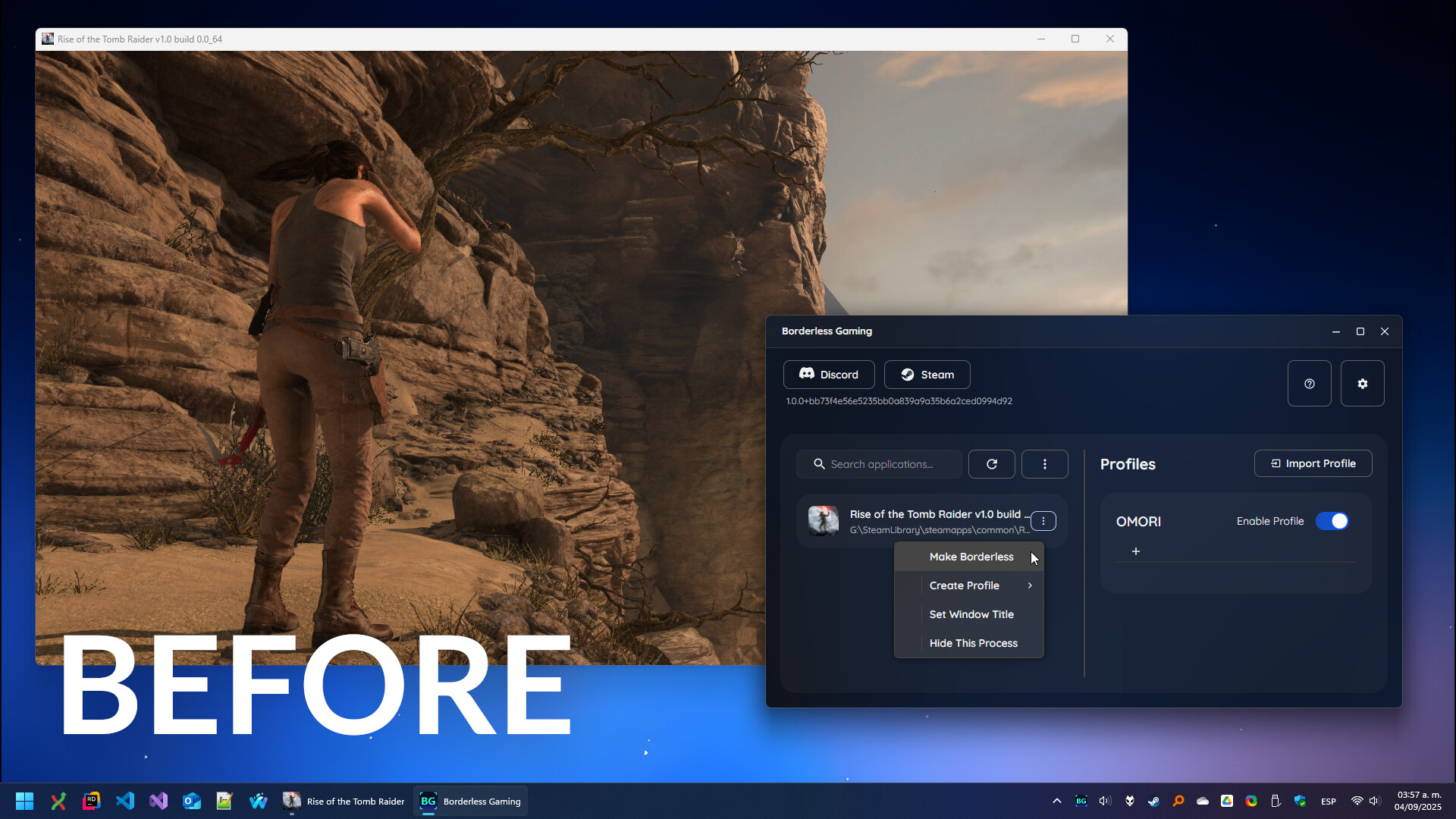
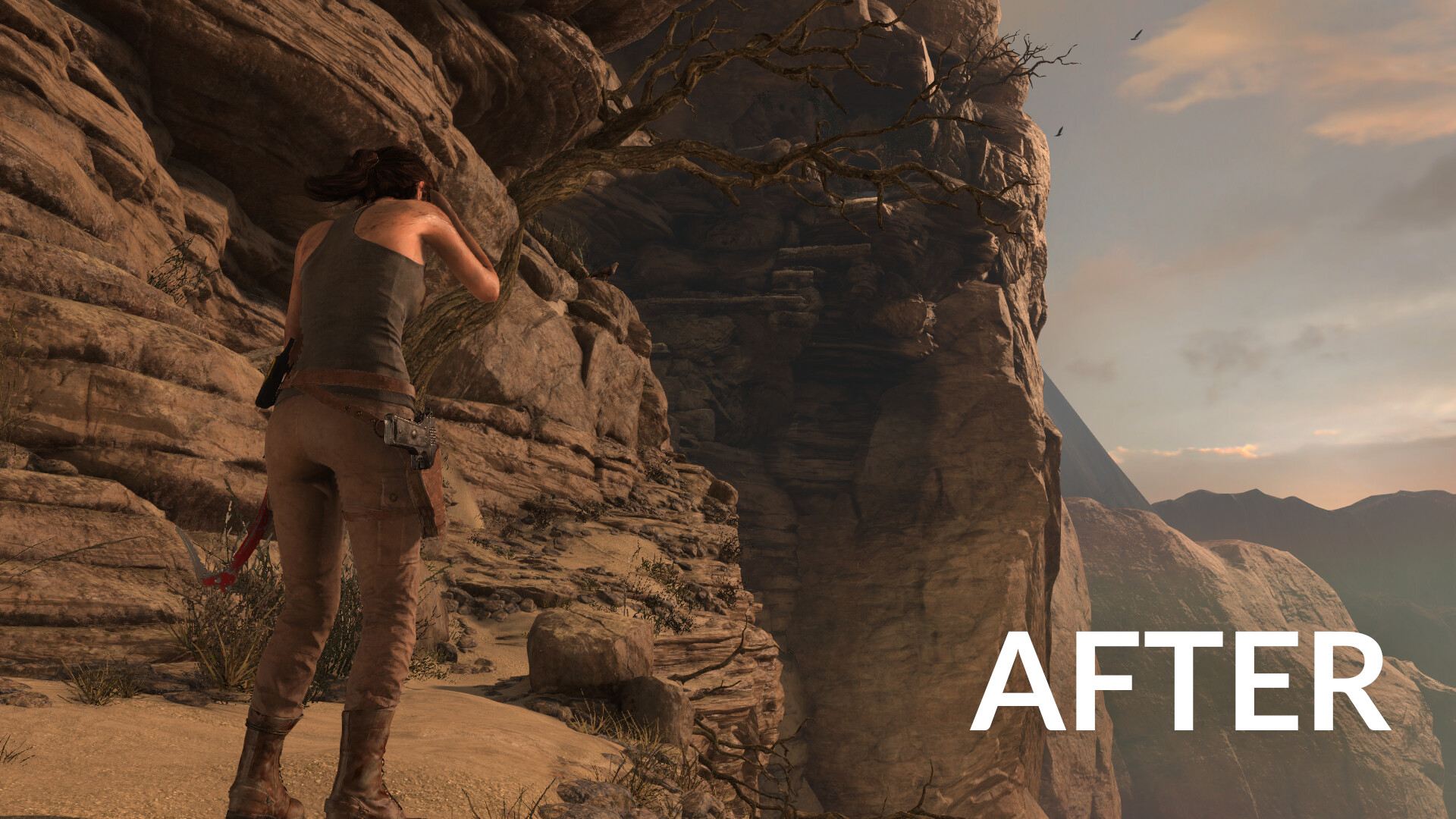
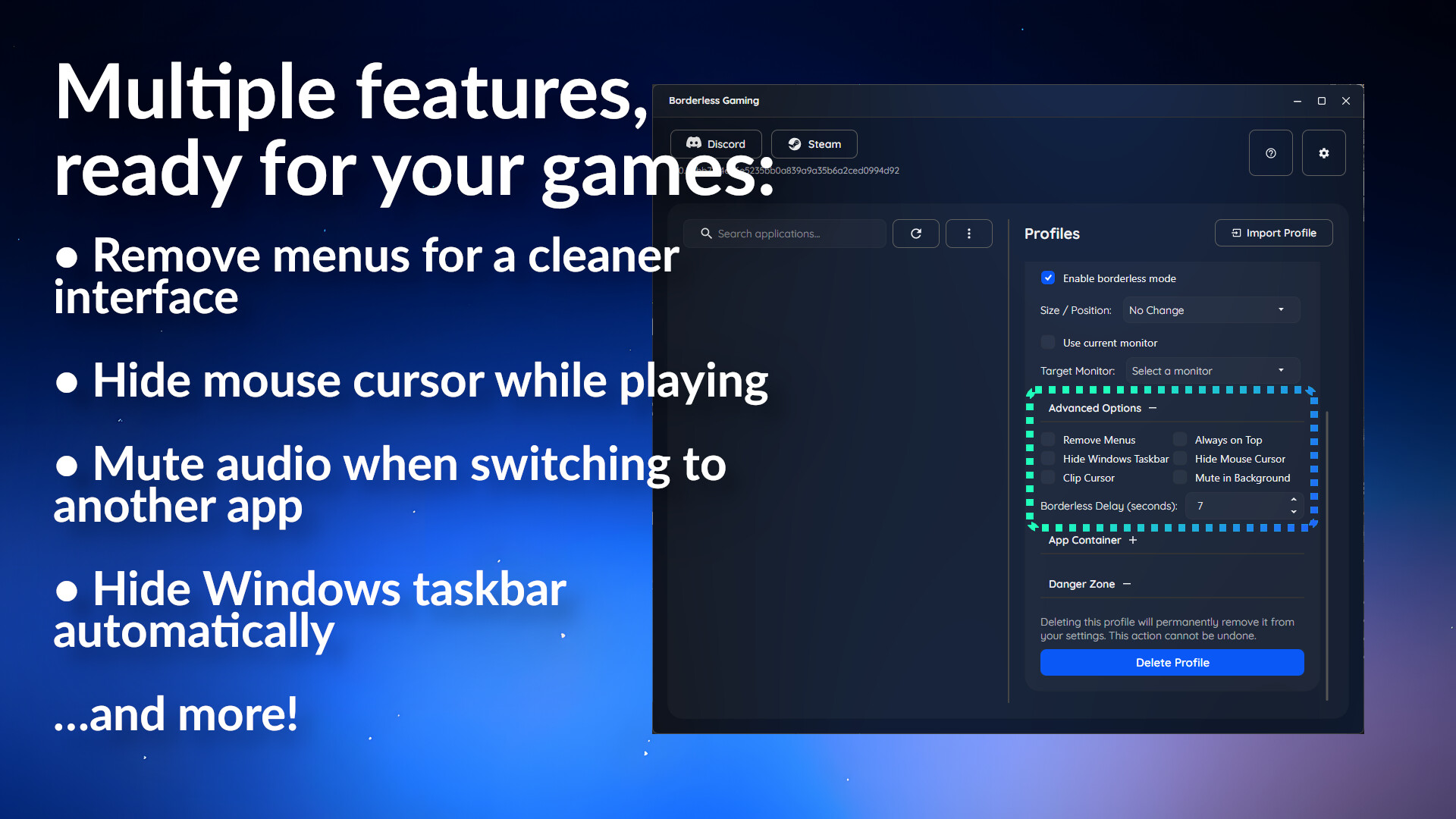
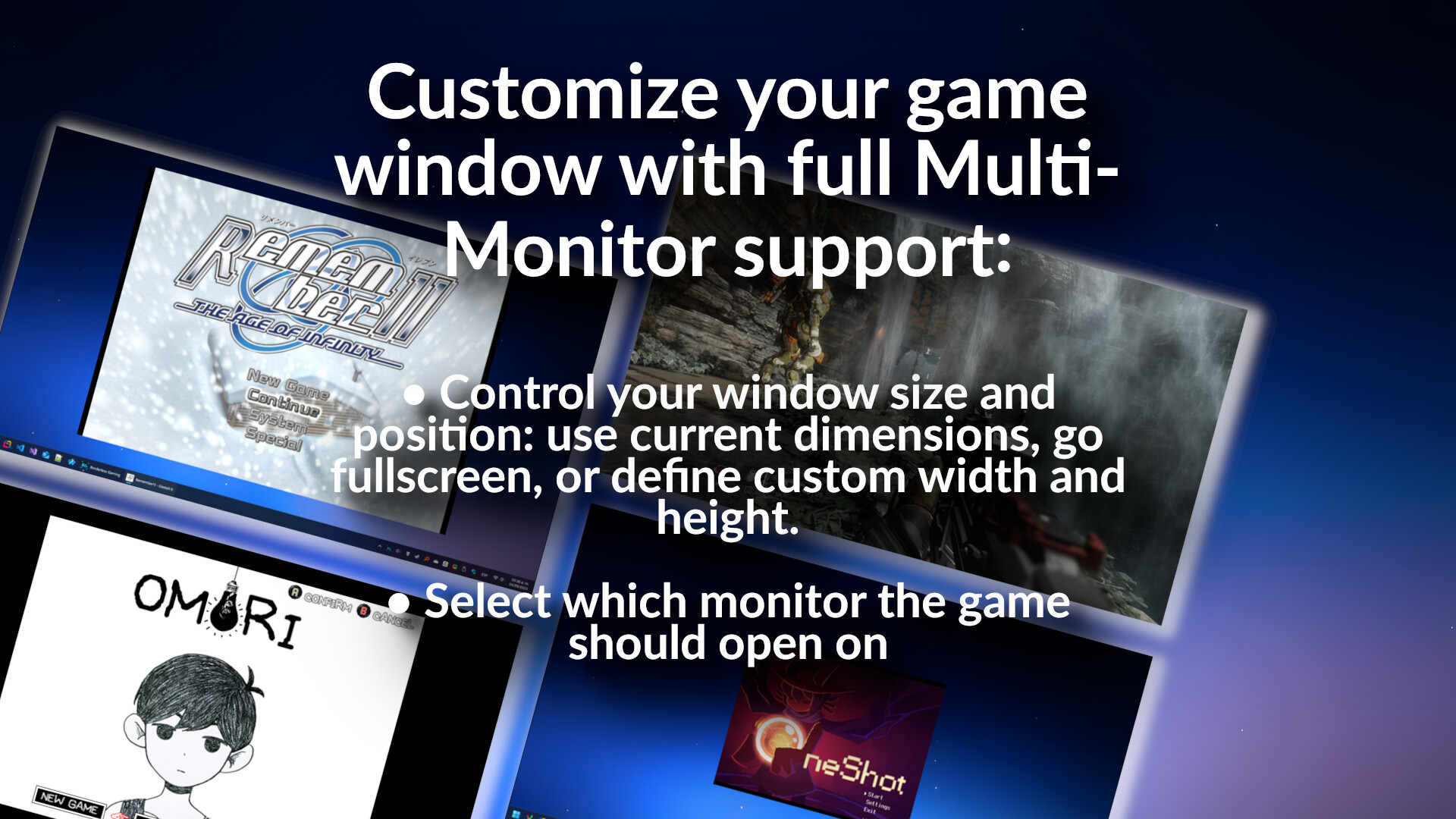
Borderless fullscreen for every game. GPU effects and upscaling. Old games that actually work. Borderless Gaming has three tools that all work together: borderless fullscreen, BGFX for visual effects, and BGProxy for games that refuse to cooperate. Borderless fullscreen Force any game into borderless fullscreen. Alt-tab without crashes, hide the taskbar, lock the cursor to the game window, mute games in the background, position a game at any size on any monitor. Set up a profile once and it applies automatically every time you launch. BGFX — effects and upscaling BGFX captures your game and runs it through a GPU effect pipeline. 390+ effects — FSR, neural network upscalers, CRT scanlines, VHS, sharpening, anti-aliasing, LUT color grading. Stack as many as you want, each one feeds into the next. On Steam Deck, BGFX runs natively in Game Mode. Full gamepad navigation, per-game presets, and an in-game overlay to tweak everything while you play. No desktop mode required. On Windows, the same effect library runs through a Vulkan backend alongside D3D11 capture. BGProxy — fix old and broken games BGProxy intercepts a game's graphics pipeline and makes it work properly on a modern PC. OpenGL, DirectX 8 through 12 — from early 2000s classics to modern titles that just won't cooperate. Fullscreen-only games become real, resizable windows. The game re-renders to fit — drag the border, maximize, go ultra-wide, and the resolution follows. Alt-tabbing no longer pauses the game, and input is blocked in the background so you can multitask. BGProxy also upgrades how the game talks to your hardware. DirectX games get FLIP model presentation for lower input latency and smoother frame pacing. OpenGL games are re-rendered through a DirectX 12 pipeline and their GL contexts are upgraded to the highest compatibility profile your driver supports, so the driver can apply optimizations that the original game never asked for. Broken timer code that causes micro-stutter is intercepted and fixed automatically — old 1–16ms sleep timers become sub-millisecond precision. Games that won't launch because they don't recognize your GPU can be spoofed into thinking you have a different graphics card. Pair it with BGFX to upscale and apply effects on top.
Content & age ratings2 regional ratings

Regional ratings

DEJUSl
IGRS3
System requirementsMinimum and recommended hardware

Minimum

Minimum: Requires a 64-bit processor and operating system OS *: Windows XP Memory: 50 MB RAM Graphics: Close your eyes and open them to simulate fading effects during operation. Storage: 200 MB available space Additional Notes: Could probably run on a microwave.

Recommended

Recommended: Requires a 64-bit processor and operating system

macOS

Minimum: Recommended:

Linux

Minimum: Recommended:
Supported languages30 languages
LanguageFull audio
English
German
Russian
French
Simplified Chinese
Spanish - Spain
Korean
Polish
Traditional Chinese
Japanese
Ukrainian
Italian
Arabic
Bulgarian
Czech
Danish
Dutch
Finnish
Greek
Hungarian
Indonesian
Norwegian
Portuguese - Brazil
Portuguese - Portugal
Romanian
Spanish - Latin America
Swedish
Thai
Turkish
Vietnamese

A blank audio cell means full audio was not marked in the returned language list.

Screenshots & trailersScreenshots and trailers
AchievementsTotal count and selected achievements

2 achievements in total.

Show selected achievements (may contain spoilers)
There is no spoonAchievement
Who turned out the lights?Achievement

View all Steam achievements

50 developer announcements, May 2024 to Sep 2026 · times in UTC

September

  1. v1.4.18

    Windows:GPU scaling now accepts maximized and borderless-windowed games.BGFG scheduler issues are resolved and it now adapts its output target to the monitor's refresh rate.Improved DX11 frame pacing and queue-size-1 handling; HUD refreshes…

    Patch notes
  2. v1.4.16

    Improved BGFG performance and reduced GPU workload.Fixed Gamescope frame pacing that could halve the game’s source FPS (Steam Deck).Simplified BGFG quality controls with labeled Quality, Balanced, and Performance options.Added automatic…

    Patch notes
  3. Introducing Frame Generation - BGFG

    Introducing BGFG - a universal frame generator that can be used with games, anime, and live-action content. Trained on tens of thousands of hours of gameplay it is one of the most accurate general purpose frame generators available today…

    Andrew
  4. Legacy Branch

    Hello all,For those that have been asking - if you prefer the legacy version of Borderless Gaming (9.6.0) and want to use it on Steam - you can now do so by setting your branch to 'legacy'.

    Patch notes

March

  1. v1.4.0 - Steam Deck

    BGFX now works on Steam Deck. How it works Install Borderless Gaming from Steam, open the app, pick a game, choose your effects. Borderless Gaming installs a Vulkan layer that hooks into your games automatically — you launch games the way…

    Andrew

February

  1. v1.3.4

    All of the changes below are for BGProxy.Misc FixesFixed input issues introduced in the previous update. The mouse cursor should now work in Dishonored and other Unreal games again.Fixed some minor render issues.GPU spoofingYou can now make…

    Patch notes
  2. v1.3.3

    BGProxy FixesBackground Behavior All games now continue rendering and playing audio when alt-tabbed. Keyboard and mouse input is blocked while the game is in the background, so you can type in other apps without affecting the game. Gamepad…

    Patch notes
  3. v1.3.2 - BGProxy

    For years, Borderless Gaming has helped thousands of you wrangle stubborn games into borderless windowed mode. But there have always been two classes of games we've struggled with. The first: games with no windowed mode at all. Classic…

    Andrew

January

  1. v1.3.0

    New FeaturesSlang-based BGFX - Effects now use Slang as the shader foundation, enabling cross-platform support for the upcoming SteamDeck and Linux release. DX12 Renderer - DirectX 12 is now available and being A/B tested. If you experience…

    Andrew
  2. v1.2.7

    Fixes a crash caused by a race condition in window enumeration Fixes a crash on the latest release of WindowsThe app refresh button has been removed from the UI. It’s no longer needed.Profiles can now be quickly created using existing…

    Patch notes
  3. v1.2.0 - BGFX

    BGFX is a new mode for Borderless Gaming that captures game windows at the compositor level and processes them through a GPU effect pipeline. If you can see it on screen, BGFX can capture it and upscale it.100% game compatibility Games that…

    Andrew
  4. Borderless Gaming v1.1.3

    This update brings multi-language support, a new compatibility mode for troubleshooting stubborn games, and several quality of life improvements. Multi-Language Support Borderless Gaming now supports multiple languages (again)! The entire…

    Andrew

December

  1. Untitled

    When Borderless Gaming is launched it will apply profiles to apps started before itFixes launch issues

    Patch notes

October

  1. Borderless Gaming v1.1.0

    Version 1.1.0 - UI Overhaul & Performance Update I rebuilt the interface from the ground up using native Windows UI components for a more cohesive experience that feels right at home on Windows. Modern Fluent Design - Redesigned interface…

    Andrew
  2. Borderless Gaming v1.0.23

    Hey friends, This update fixes some issues introduced in our last two releases. My attempt to fix older Unreal Engine games inadvertently broke newer ones. Rather than playing cat and mouse trying to make everything work automatically, I've…

    Patch notes
  3. Borderless Gaming v1.0.22

    This patch builds upon the last update by introducing several new features: - A new keyboard shortcut to toggle the taskbar, defaulting to Shift+Tab. - Fixes for window layout shifting caused by removing the taskbar in certain games. - A…

    Patch notes
  4. Borderless Gaming v1.0.21

    Key Fixes: Resolves issues with older Unreal Engine games that historically haven't worked with Borderless Gaming (see details below) Fixes profiles for certain Unity and Google Play on PC games Corrects state synchronization issues in…

    Patch notes

September

  1. Borderless Gaming v1.0.20

    - The “Adjust volume in background” option is removed, and the old “Mute in background” option is reinstated. - A timing issue that caused an app to be muted, cursor unlocked, and the taskbar restored when quickly alt-tabbing is fixed.…

    Patch notes
  2. Borderless Gaming v1.0.19

    New Features Smart Focus Management: Window modifications (cursor clipping, cursor hiding, taskbar hiding) now automatically restore when you alt-tab away and reapply when returning to the game "Restore Taskbar on Focus Loss" option: New…

    Patch notes
  3. Borderless Gaming v1.0.18 - Customizable Hotkeys & Container Improvements

    New Features Customizable Global Keyboard Shortcuts All hotkeys now remappable through Settings with conflict detection Shortcuts work as toggles - press once to apply, press again to revert Default shortcuts remain unchanged but can be…

    Patch notes
  4. Borderless Gaming v1.0.17 - Multi-monitor Support

    The area selector got completely rewritten. It actually works properly with multiple monitors now and doesn't look like something from 2003. {STEAM_CLAN_IMAGE}/9499712/ad3a84d50a7ef474257559c56cbdbf57d66688b6.png You can now define custom…

    Patch notes
  5. Borderless Gaming v1.0.16

    Fixes: - Issues off by 1 on wide-screen displays - Issues with custom sizes on wide-screen displays - App Container upscaling causes borders to reappear on certain titles…

    Patch notes
  6. Borderless Gaming v1.0.15

    Dark Mode is Now Free When I initially released the dark mode DLC it was done to fund the rewrite of Borderless Gaming and the creation of the upcoming upscale / frame generation features. With the rewrite done, I believe the dark mode DLC…

    Patch notes
  7. Borderless Gaming v1.0.14

    "Mute in Background" has been changed to "Adjust Volume in Background" allowing you to either mute an application, or set its volume between 0 and 100 when it is no longer in focus.

    Patch notes
  8. Borderless Gaming v1.0.13

    - Fixes a stack overflow bug / crash in the window processor - Adds a workaround for broken Steam initialization on some systems. You should now be able to start. - Adds Celeste to the 'slow' windowing path for better ultra-wide support.

    Patch notes
  9. Borderless Gaming v1.0.12

    Quick fix for old Unity games (such as My Summer Car)

    Patch notes
  10. Borderless Gaming v1.0.11

    Borderless Gaming 1.0.11 Quality of life improvements and better cleanup handling. Improvements Added better cleanup when Borderless Gaming exits - automatically restores taskbar, mouse cursor, and unlocks cursor clipping Improved cleanup…

    Patch notes
  11. Borderless Gaming v1.0.10

    Based on feedback from the community this update compacts the UI to reduce the amount of empty space and fits more of your apps and profiles on the screen. {STEAM_CLAN_IMAGE}/9499712/4a141354294e128ae19bb074b3d0219263f286bc.png

    Patch notes
  12. Borderless Gaming v1.0.9

    Minor patch to fix a rare crash on certain systems.

    Patch notes
  13. Borderless Gaming v1.0.8

    Hey everyone, In my haste to release fixes, the last update (v1.0.7) was actually a duplicate of v1.0.6. Consequently, v1.0.8 includes all the fixes that were supposed to be in v1.0.7. Additionally, v1.0.8 includes: - Super Size: This…

    Patch notes
  14. Borderless Gaming v1.0.7

    - Fixes white border along the outside of some games - Fixes mouse offsets - Fixes widescreen monitor support Please let me know if you're still running into problems

    Patch notes
  15. Borderless Gaming v1.0.6

    Phew! What a sprint this has been. I want to express my gratitude to those who have been patient and understanding that software development is challenging. Providing support for thousands of games, spanning decades and possessing their own…

    Patch notes
  16. Borderless Gaming v1.0.5

    Fixes Fixed timing issues in the windowing engine - games like Dishonored now work properly (use Custom Size or No Change in profile settings for best results) Various minor bug fixes and stability improvements New: SDL_NoFrame Proxy Some…

    Patch notes
  17. Borderless Gaming v1.0.4

    This completely overhauls how Borderless Gaming handles windows, fixing issues with applications that have multiple windows. Major Changes Multi-Window Support: Borderless Gaming now properly detects and manages ALL windows for each…

    Patch notes
  18. Borderless Gaming 1.0.3 - Hot Fix

    New Features Preserve Aspect Ratio: New profile option to maintain the original aspect ratio when going fullscreen or resizing windows. This fixes stretching issues in games like The Legend of Heroes: Trails in the Sky - Preserve Client…

    Patch notes
  19. Borderless Gaming 1.0.2 - Hotfix

    Quick patch to address a few issues from 1.0.1. Changes Borderless windows created by Borderless Gaming can now be minimized properly Area selector now handles edge cases better (extreme values, multi-monitor setups) Improved error handling…

    Patch notes
  20. Borderless Gaming 1.0.1

    I apologize for breaking your workflows in 1.0.0. This update addresses those issues. Changes Apps that are already borderless or in exclusive fullscreen now appear in the app list Profiles can now execute on apps that are already…

    Patch notes
  21. Borderless Gaming v1.0.0 is Here

    11 years, 7 months and 18 days. That's how long Borderless Gaming has been forcing games into borderless windows. A year ago we told you we were rewriting everything from scratch. Today, we're shipping something completely new.Everything is…

    Andrew

September

  1. Borderless Gaming v1.0.0 Beta

    Hey everyone, You might be wondering, "v1.0.0? Aren't we on v10?" Well, yes and no. Borderless Gaming has been completely rewritten from the ground up, so it felt right to reset the version number. Why the rewrite? I created Borderless…

    Andrew

August

  1. Update Notes for Aug 22, 2024

    We're excited to share that Borderless Gaming and App Containers are now digitally code-signed and verified! This enhancement ensures that our software is secure, and it significantly reduces the chances of false-positive alerts from…

    Patch notes
  2. Update Notes for August 21st, 2024

    In this update, we're happy to announce that while the version of Borderless Gaming itself remains unchanged, we've made significant improvements by updating the App Containers component to version 1.0.2. Key Highlights: - App Containers…

    Patch notes
  3. Update Notes for v10.1.1

    Hey folks, App Containers are now out on the main branch with a series of fixes. See the last update for details. By the way, if you haven't already, wishlist my new app, Dolus, on Steam. https://store.steampowered.com/app/3136060/Dolus/

    Patch notes
  4. Borderless Gaming v10.1.0 - App Containers

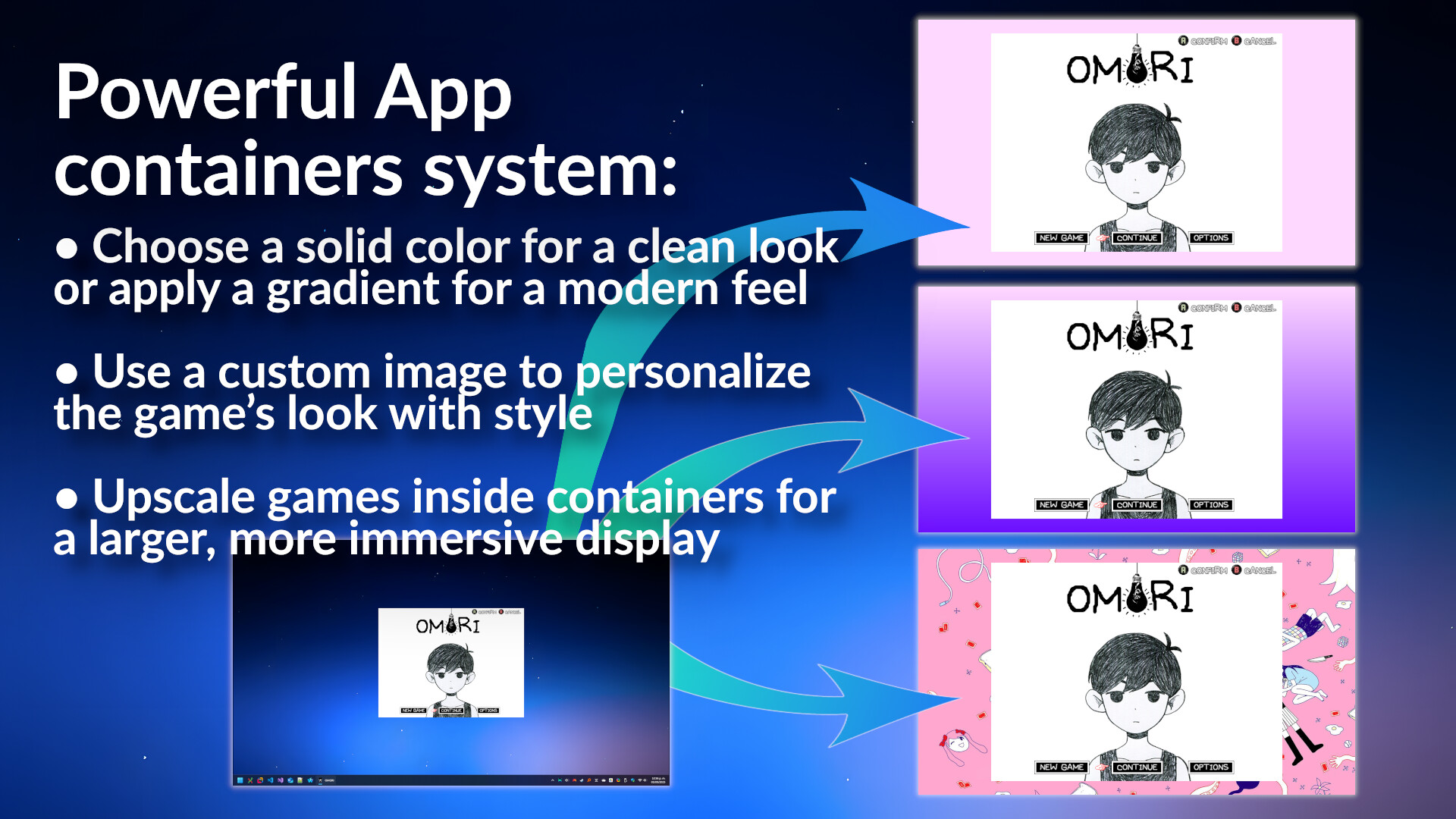
    What's New: App Containers App Containers let you add custom backgrounds to your games. This feature is useful for: Games that don't fill your entire screen Adding backgrounds that match your game's style Improving the look of your streams…

    Andrew

July

  1. Update Notes for v10.0.23

    Update 10.0.23: Potential Startup Issue Mitigation Hello everyone, I've just pushed version 10.0.23 in an effort to potentially mitigate some of the startup issues a few users have been encountering. I appreciate your patience and support…

    Patch notes
  2. Update notes for v10.0.22

    A hot patch to fix a crash caused by the latest version of Windows 11

    Patch notes
  3. Update Notes for v10.0.20

    Performance Improvements and Bug Fixes Improved Process Detection: Implemented a more robust system for detecting and managing processes with windows. Added timeout mechanism to prevent the application from hanging during process…

    Patch notes

June

  1. Update Notes for v10.0.19

    Adds a link to the new community Discord to the UI Dark Mode is now 99 cents for the Summer Sale

    Patch notes
  2. CompressorX & Core Utilities Are Now on Steam

    Hey community, I have some great news to share with you all. As many of you know, I have a deep passion for creating Windows apps that enhance the gaming experience. Making Windows better and improving PC gaming have always held a special…

    Andrew

May

  1. Update Notes for May 22, 2024

    - Reduced the binary size by 50 MB by using Windows API codegen. Speaking of reducing file sizes, I'm happy to announce that I have another project coming to Steam - CompressorX; two years ago I founded an AI research lab to create…

    Patch notes
  2. Update Notes for May 1st, 2024

    - Added support for Microsoft Store / Modern Windows Apps https://andrew.im/assets/fosuwp.gif - Fixed Steam and other Windows built-in programs showing up in the process list. - Added a workaround for Unreal Engine 3 based games

    Patch notes

All games on this site