STEAMDB NEXUS

Steam app 3625270 · updated 12 Sep 2026, 18:40 UTC

MateEngine

MateEngine is a lightweight desktop companion app with full custom VRM model support. Bring 3D anime-style characters to life on your screen with idle animations, drag and dance features, and low resource usage and open-source.

MateEngine Steam header artwork
ShinyflvresShinymoon
169playing now
25824-hour peak
320all-time peak
170average, last 30 days

The last 30 days

+13Gain+8.23%% gain283Peak

718 hourly samples, with the daily peak drawn over them. Weekends are shaded.

07615322930613 Aug18 Aug23 Aug28 Aug02 Sep07 Sep12 SepThursday 13 August 2026109 peakFriday 14 August 2026199 peakSaturday 15 August 2026198 peakSunday 16 August 2026207 peakMonday 17 August 2026226 peakTuesday 18 August 2026204 peakWednesday 19 August 2026198 peakThursday 20 August 2026177 peakFriday 21 August 2026200 peakSaturday 22 August 2026187 peakSunday 23 August 2026211 peakMonday 24 August 2026197 peakTuesday 25 August 2026256 peakWednesday 26 August 2026243 peakThursday 27 August 2026249 peakFriday 28 August 2026253 peakSaturday 29 August 2026269 peakSunday 30 August 2026241 peakMonday 31 August 2026247 peakTuesday 01 September 2026272 peakWednesday 02 September 2026269 peakThursday 03 September 2026255 peakFriday 04 September 2026246 peakSaturday 05 September 2026246 peakSunday 06 September 2026283 peakMonday 07 September 2026275 peakTuesday 08 September 2026263 peakWednesday 09 September 2026279 peakThursday 10 September 2026267 peakFriday 11 September 2026269 peakSaturday 12 September 2026258 peak
Daily peakEvery hourly sample

All time

18 months, April 2025 to September 2026. The highest number of people in the game at once, each month, on a time axis -- a gap in the record stays a gap.

086173259346Apr 2025Jul 2025Oct 2025Jan 2026Apr 2026Jul 2026April 202575 monthly peakMay 2025203 monthly peakJune 2025190 monthly peakJuly 2025132 monthly peakAugust 2025131 monthly peakSeptember 2025158 monthly peakOctober 2025218 monthly peakNovember 2025312 monthly peakDecember 2025287 monthly peakJanuary 2026320 monthly peakFebruary 2026250 monthly peakMarch 2026275 monthly peakApril 2026249 monthly peakMay 2026219 monthly peakJune 2026192 monthly peakJuly 2026234 monthly peakAugust 2026269 monthly peakSeptember 2026283 monthly peak
Monthly peak

The last four months

Show:

The highest number of people in the game at once, each month. Four, because four is as far back as the source keeps anything finer than one figure a month.

076153229306July 2026August 2026September 2026October 2026July 2026234 peak — daily detail belowAugust 2026269 peak — hourly detail belowSeptember 2026283 peak — hourly detail below
Monthly peakHas finer data

July 2026

31 days, each one the highest figure that day. The source keeps no hourly detail this far back. Weekends are shaded.

06312619025301 Jul06 Jul11 Jul16 Jul21 Jul26 Jul31 JulWednesday 01 July 2026193 peakThursday 02 July 2026192 peakFriday 03 July 2026180 peakSaturday 04 July 2026205 peakSunday 05 July 2026192 peakMonday 06 July 2026180 peakTuesday 07 July 2026184 peakWednesday 08 July 2026196 peakThursday 09 July 2026212 peakFriday 10 July 2026216 peakSaturday 11 July 2026215 peakSunday 12 July 2026226 peakMonday 13 July 2026220 peakTuesday 14 July 2026222 peakWednesday 15 July 2026203 peakThursday 16 July 2026198 peakFriday 17 July 2026195 peakSaturday 18 July 2026198 peakSunday 19 July 2026218 peakMonday 20 July 2026210 peakTuesday 21 July 2026234 peakWednesday 22 July 2026225 peakThursday 23 July 2026234 peakFriday 24 July 2026223 peakSaturday 25 July 2026229 peakSunday 26 July 2026230 peakMonday 27 July 2026213 peakTuesday 28 July 2026216 peakWednesday 29 July 2026215 peakThursday 30 July 2026208 peakFriday 31 July 2026215 peak

August 2026

31 days as the curve, each the highest figure that day. Behind it, 438 hourly samples from 13 Aug, which is as far back as the source keeps every hour. Weekends are shaded.

07314521829101 Aug06 Aug11 Aug16 Aug21 Aug26 Aug31 AugSaturday 01 August 2026209 peakSunday 02 August 2026220 peakMonday 03 August 2026206 peakTuesday 04 August 2026212 peakWednesday 05 August 2026218 peakThursday 06 August 2026217 peakFriday 07 August 2026211 peakSaturday 08 August 2026218 peakSunday 09 August 2026219 peakMonday 10 August 2026212 peakTuesday 11 August 2026229 peakWednesday 12 August 2026212 peakThursday 13 August 2026203 peakFriday 14 August 2026199 peakSaturday 15 August 2026198 peakSunday 16 August 2026207 peakMonday 17 August 2026226 peakTuesday 18 August 2026204 peakWednesday 19 August 2026198 peakThursday 20 August 2026177 peakFriday 21 August 2026200 peakSaturday 22 August 2026187 peakSunday 23 August 2026211 peakMonday 24 August 2026197 peakTuesday 25 August 2026256 peakWednesday 26 August 2026243 peakThursday 27 August 2026249 peakFriday 28 August 2026253 peakSaturday 29 August 2026269 peakSunday 30 August 2026241 peakMonday 31 August 2026247 peak

September 2026

12 days as the curve, each the highest figure that day. Behind it, 280 hourly samples. Each dip is a night. Weekends are shaded.

07615322930601 Sep03 Sep05 Sep07 Sep09 Sep11 SepTuesday 01 September 2026272 peakWednesday 02 September 2026269 peakThursday 03 September 2026255 peakFriday 04 September 2026246 peakSaturday 05 September 2026246 peakSunday 06 September 2026283 peakMonday 07 September 2026275 peakTuesday 08 September 2026263 peakWednesday 09 September 2026279 peakThursday 10 September 2026267 peakFriday 11 September 2026269 peakSaturday 12 September 2026258 peak

October 2026

MateEngine was released on 16 Apr, 2025.

Not out yet.There is nothing to draw for this month.
Nothing here is interpolated or estimated; where a sample is missing the line is broken.

Game information

Updated 12 Sep 2026, 18:40 UTC
App ID
3625270
Last updated
25 Aug 2026 build 24920588
Developer
Shinyflvres
Publisher
Shinymoon
Release date
16 Apr, 2025
Platforms
Windows
Download size
736 MB
Install size
1.77 GB
Genres
Animation & Modeling, Design & Illustration
Game modes
Controller support
Unknown

Features & support

Steam features

Steam Workshop

Controllers & input

Accessibility

Popular tags

Animation & ModelingDesign & IllustrationAnimeDesktop CompanionCuteUtilities
About this gameFull description from Steam
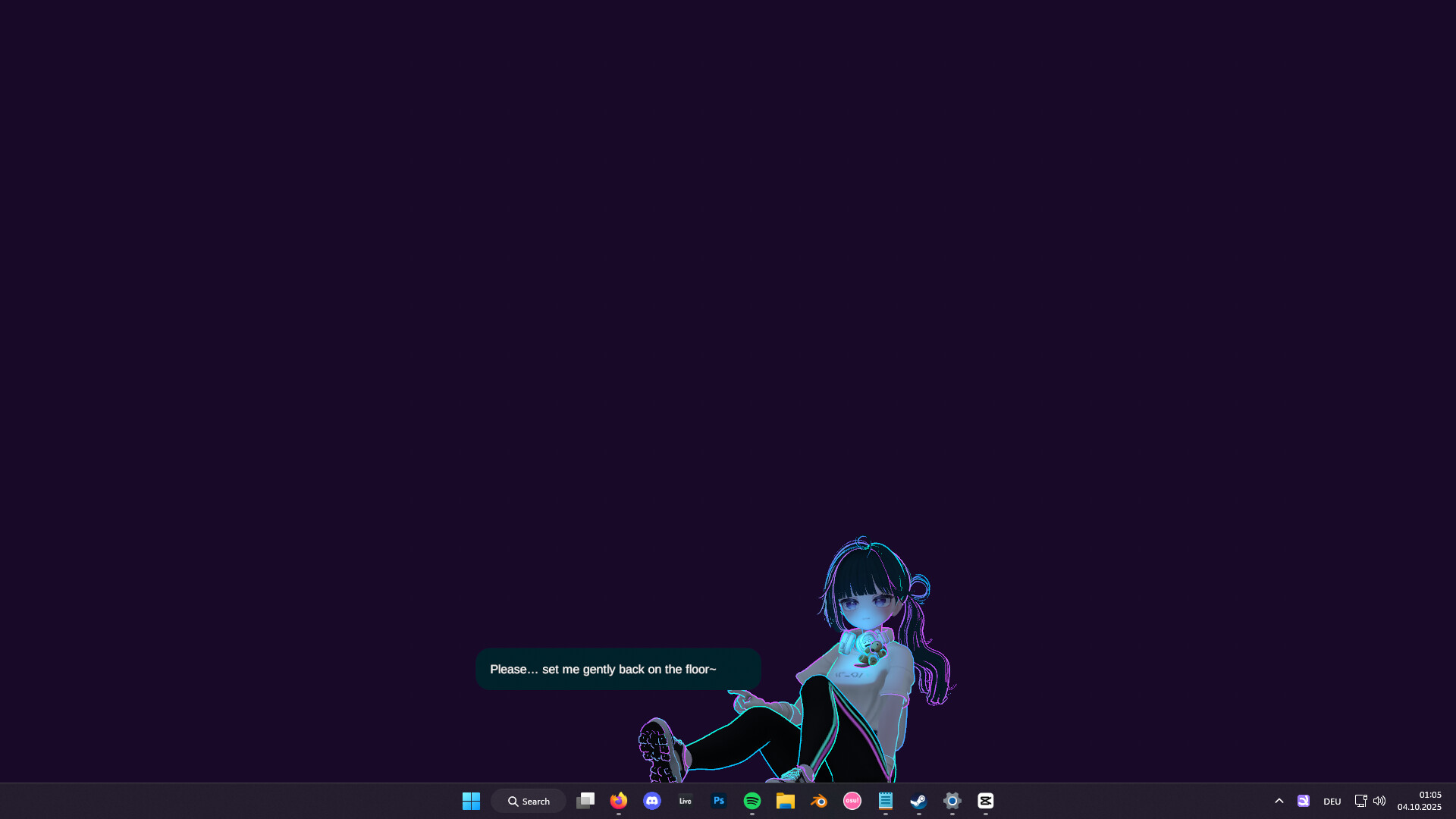
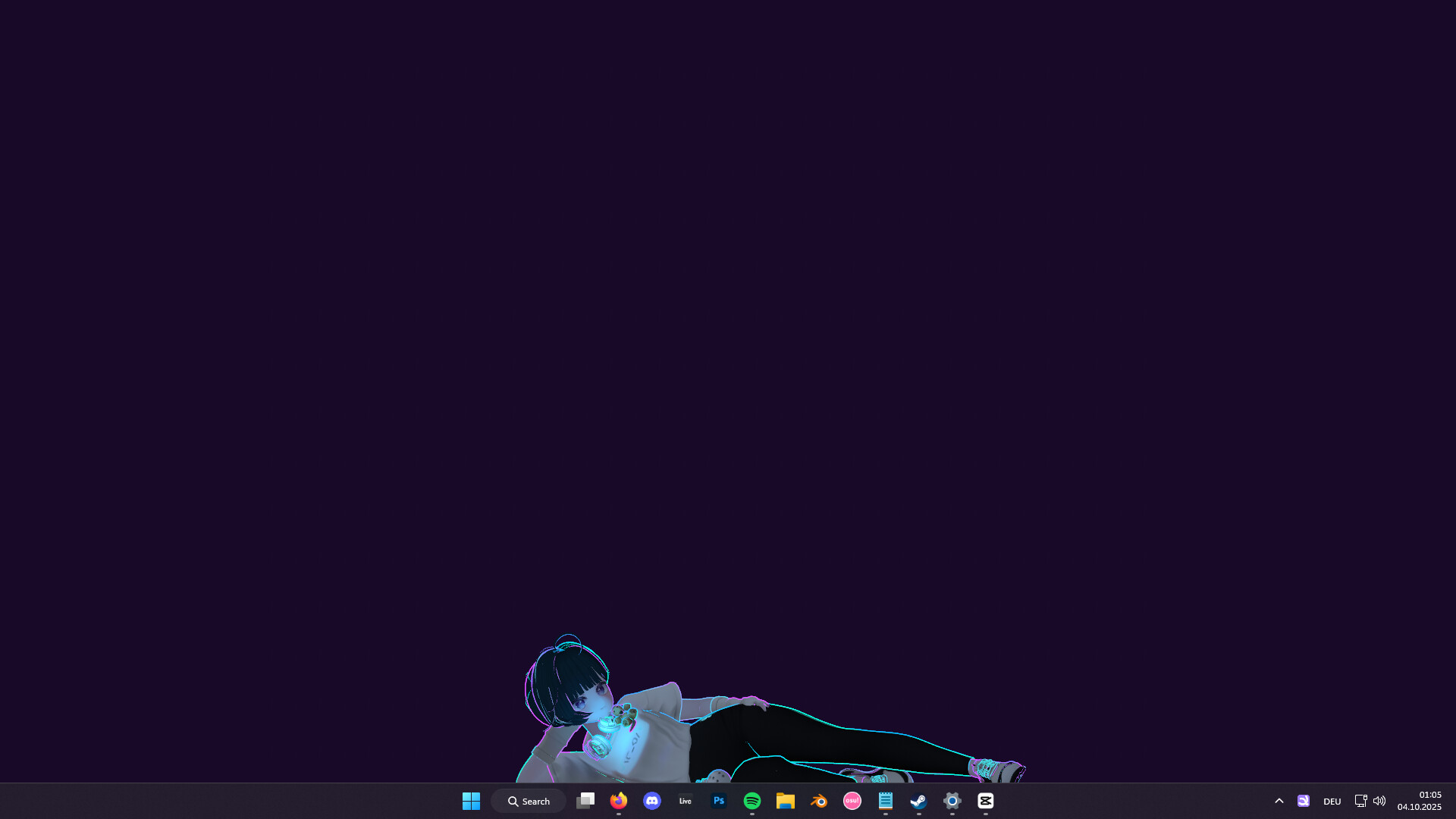
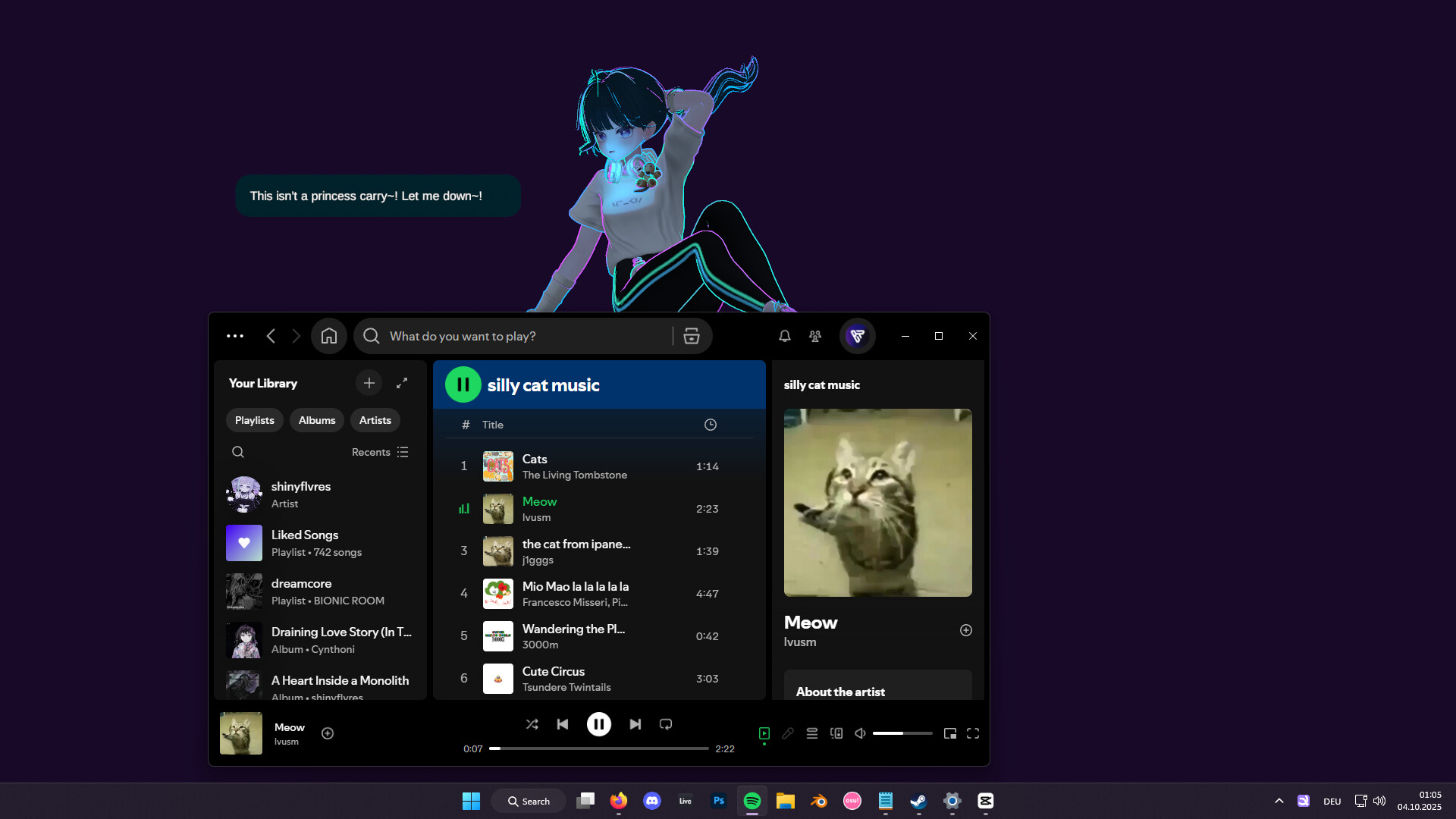
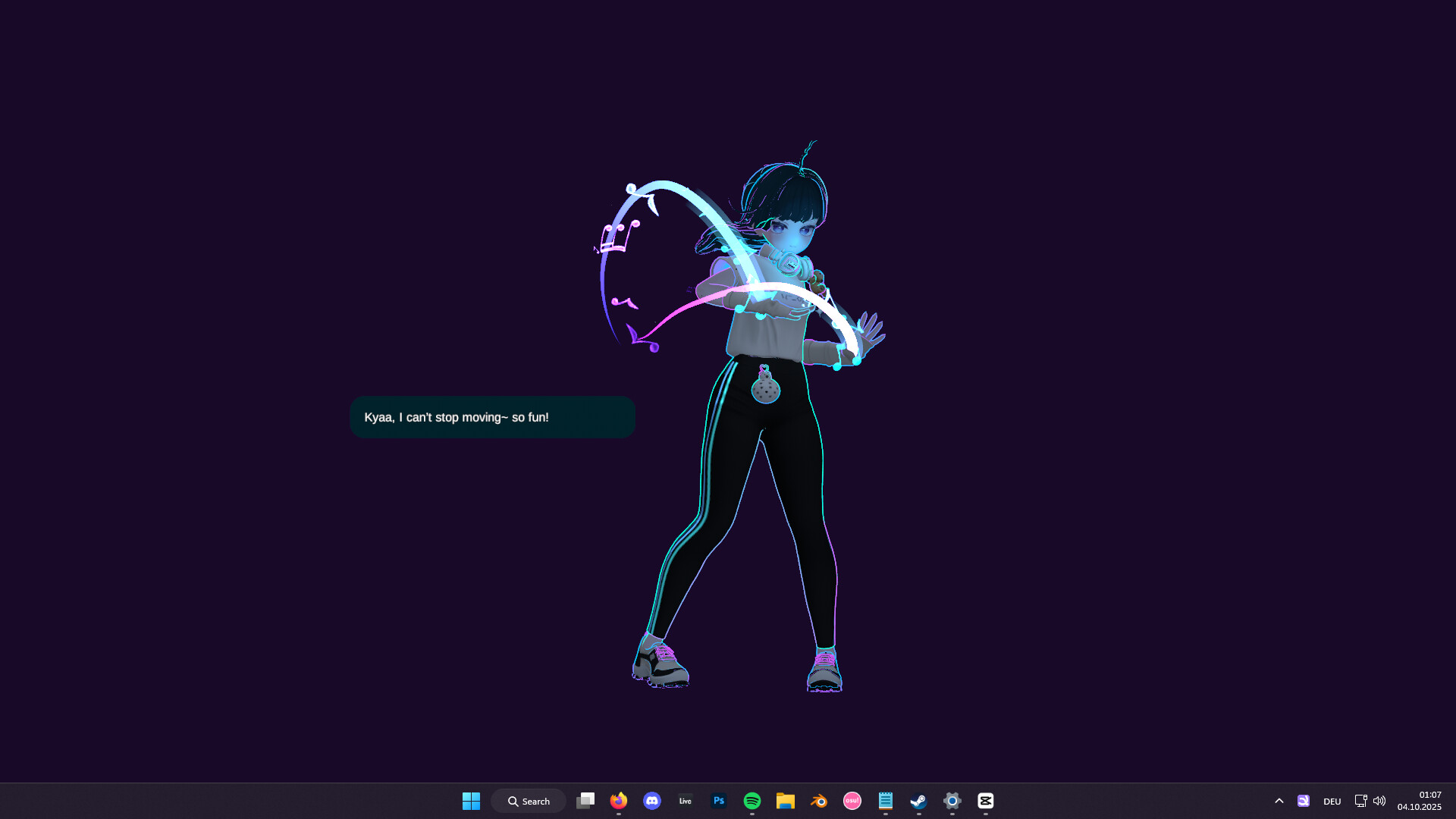
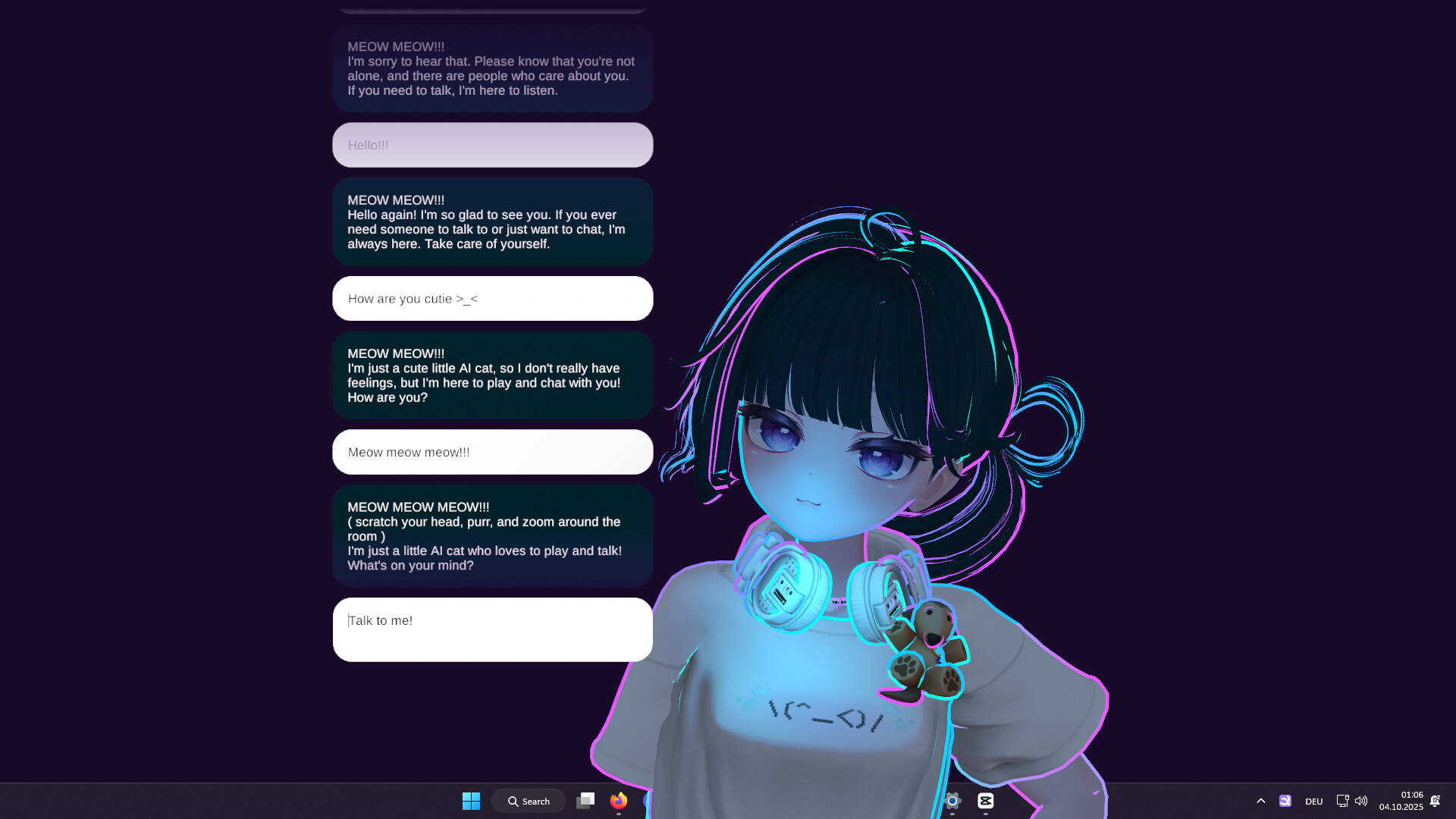
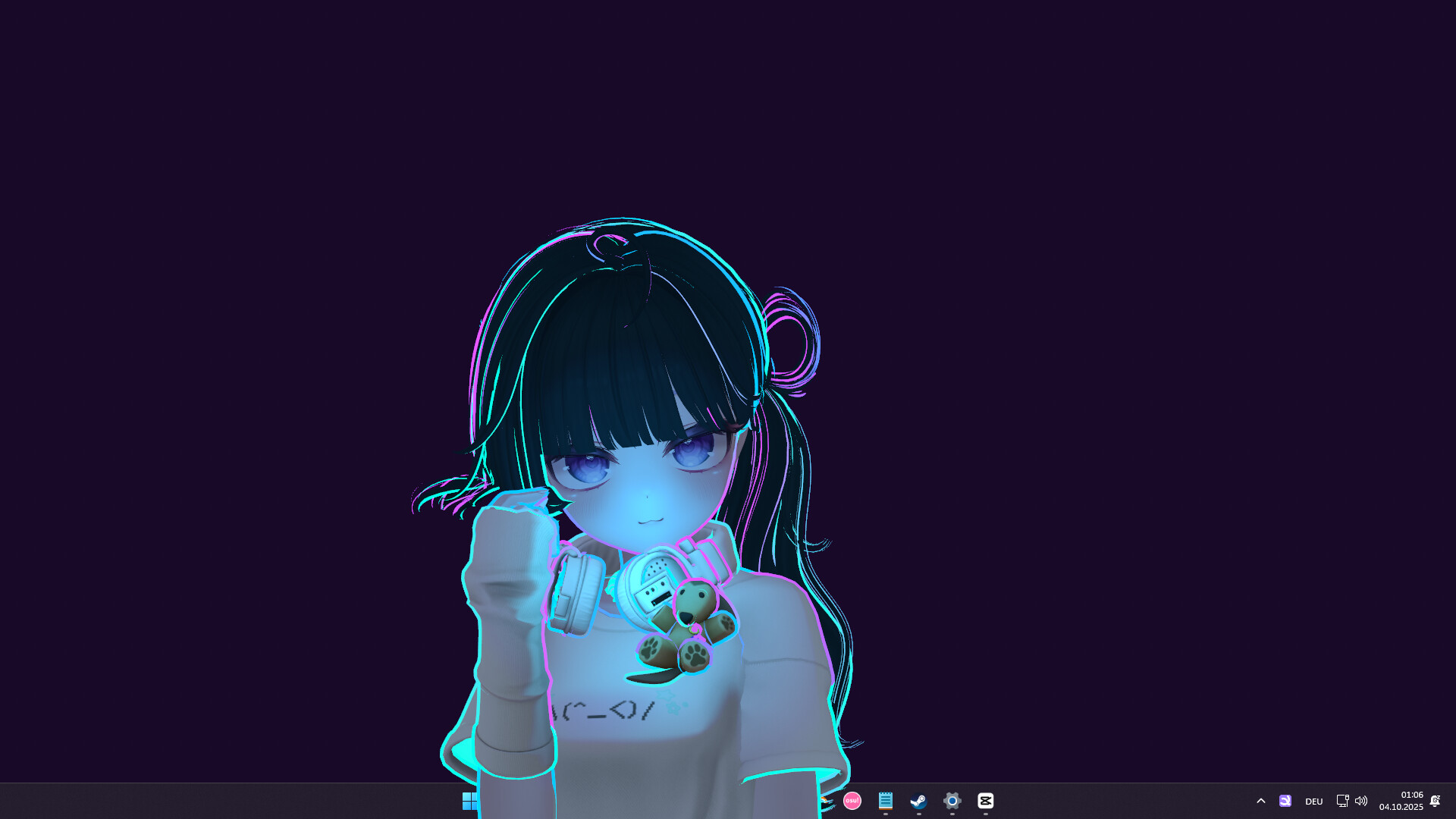
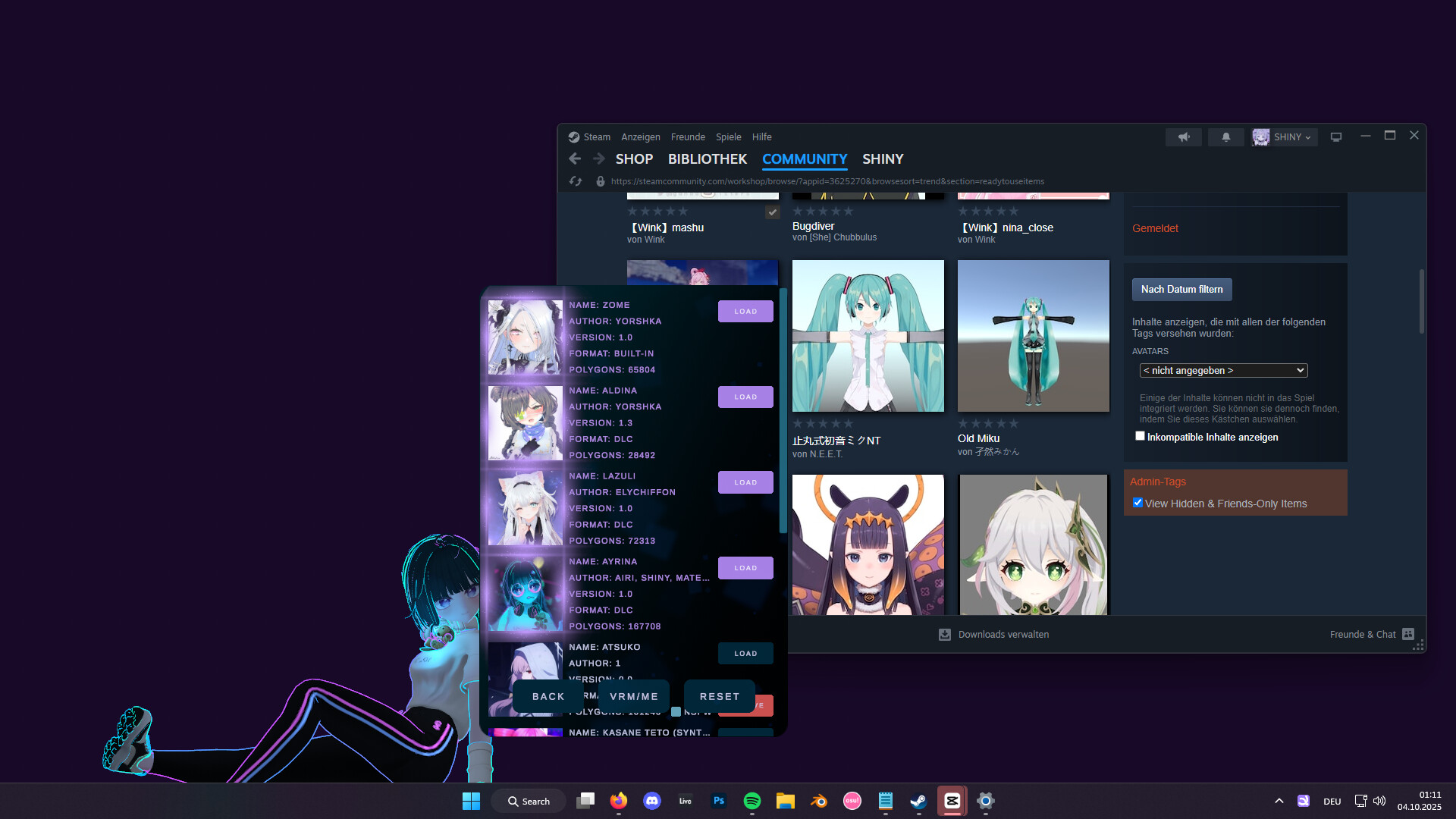
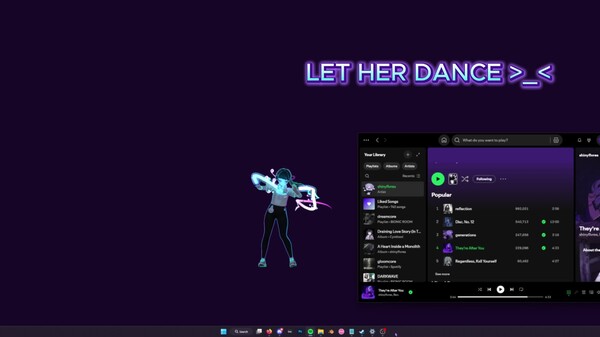
MateEngine MateEngine is a lightweight, customizable desktop companion app that brings 3D anime-style characters to life on your screen. Built with VRM model support, it allows you to inject your own avatars and watch them interact, idle, and even dance—right from your desktop. This project is a alternative aimed at giving users more control and flexibility without relying on expensive model packs or locked-down systems. Whether you want a simple virtual presence or a more animated character hanging out while you work, MateEngine is designed to be approachable and performance-friendly. VRM Models / Frequently Asked Question Important: This app includes the default model "Zome." Hatsune Miku is not included. To use custom models, you must download them from websites that offer .vrm files, or commission artists who create or convert models to the VRM format. I am not responsible for the quality of third-party models. If you experience clipping or similar issues, the model's author is responsible, not this app. RELAXE ON WINDOWS Drag your pet onto a window and it will relax on top! Perfect for watching videos she'll watch with you. Or let her quietly spy while you do your homework, hehe. This feature is experimental and not fully developed. Please avoid using it with apps that have anti-cheat protection enabled. DANCING She will start dancing when you play music! You can decide which apps are allowed to trigger dancing. Open the Options menu, go to the audio sources, and whitelist your music apps. Tip: Start the music app first (e.g. Spotify), then open the menu and add it to the source list! HEAD AND SPINE MOVEMENT Not just the head — her eyes, head, and spine all follow your mouse cursor! This makes the movement look smooth and natural compared to other desktop pets. HAND MOVEMENT Careful! Sometimes she’ll try to grab your mouse — hehe! Move your cursor near her hands or arms and watch her try to catch it! TOUCH REGIONS Hover your mouse over sensitive areas like the head or belly to trigger cute gestures! For example, hovering over her head makes her giggle and spawn sparkle effects, making her feel comfy. CHATTING You can chat with your pet anytime! Just note that it’s a small, local AI with simple messages. For more complex conversations, you can use mods with your own models and messages! RELAXING When you drag her to the taskbar, she’ll lay down and relax on a big candy macaron, watching your mouse cursor with sleepy eyes. DRAGGING You can reposition her by clicking and dragging her with your mouse. Just hold the button down and move her wherever you like! CHIBI MODE Hold your mouse over her feet for a few seconds and she’ll transform into a tiny, adorable chibi version of herself — extra smol and cute! CUSTOMIZATIONS You can change her size, animation speed, language, and modes. There are also graphics and FPS settings for low-end (potato) PCs! DARK MODE You can turn off lighting — perfect for VRM models with emissive textures! Pair it with the glow/bloom toggle and your pet will shine like a diamond in the dark MODDING Modding is supported! Load your own VRM model by pressing the VRM button. If your model doesn’t load, it’s likely corrupted or not exported correctly. Make sure to export using the correct format: VRM0.X: Uses MToon Shader VRM1.X: Uses MToon10 Shader Also make sure your model uses a proper humanoid bone setup. MateEngine follows the official VRM loading specification, so model issues are not caused by the app. How To Use It’s easy! Just start MateEngine and you’ll be greeted by Zome. Right-click Zome to open the Options menu — here you can change graphics, effects, audio, and choose which apps make the pet dance. Tip: Start the sound app (e.g. Spotify) and play something before opening the menu, or it won’t appear in the sound source list. Then add it to the Danceability list and save. Key Features Idle Animations: 10 different idle animations for when the pet is relaxing on your desktop! Drag Animation: 1 drag animation plays when you move your pet around the desktop. Dance Animation: The pet dances when music plays on apps like Spotify, Chrome, and others! Head Tracking: The pet follows your mouse with its head. Eye Tracking: The pet's eyes also follow your mouse for extra detail! Hand Tracking: When you hover your mouse near its hands, the pet will try to catch and hold it! Head Pats: Hovering over the pet’s head makes it shake, jiggle, and spawn adorable heart particles. Spine / Chest Tracking: Head, eye, and hand tracking aren’t enough! When you move the mouse, the pet will also move its upper body in that direction to make movement more realistic! Chibi Mode: Hover over its feet for 3 seconds to transform the pet into a chibi version! Works with custom VRM models. Sensitive Parts: The pet will react shyly and cover certain areas if you hover over them. Custom VRM Support: Load any VRM using MToon shaders (UniVRM VRM0). VRM1.X (MToon10) support coming soon! Particle Effects: Includes various particle effects, with more to come! Auto-Load Custom VRM: Your custom model loads automatically on startup. Performance MateEngine is designed to be lightweight on CPU and GPU resources. RAM usage depends on your model’s complexity, especially texture sizes. For example, a high-res VRM model may use around 200MB of RAM. Simpler models use significantly less. Animation transitions are smooth and fluid, providing a more natural experience compared to other apps in this space. Planned Features (Upcoming Updates) Menu color customization Wallpaper Engine integration Optional support for avatars sitting on windows or the taskbar Known Limitations Taskbar/window sitting is currently disabled to avoid triggering anti-cheat systems in certain games. Community and Contributions MateEngine is open-source. IIf you’re a developer or just curious about how it works, you're welcome to explore the project, contribute features, or build your own versions using Unity.
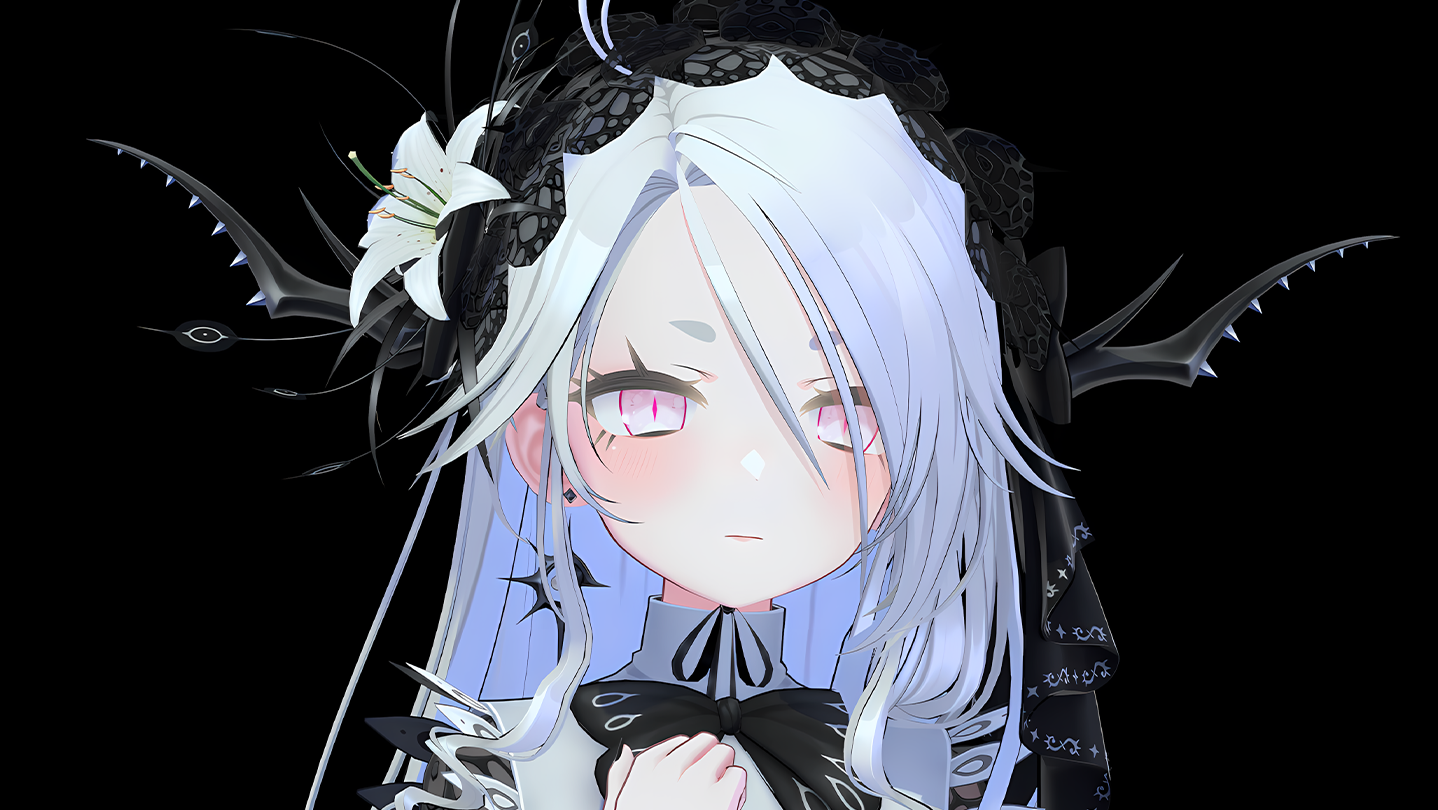
System requirementsMinimum and recommended hardware

Minimum

Minimum: Requires a 64-bit processor and operating system OS: Windows 11 Processor: AMD Ryzen 3 1200 Memory: 4 GB RAM Graphics: GTX 1050 DirectX: Version 11 Storage: 4 GB available space Sound Card: Windows Standard Additional Notes: Windows 10 is supported but not tested.

Recommended

Recommended: Requires a 64-bit processor and operating system OS: Windows 11 Processor: AMD Ryzen 5 3600X Memory: 8 GB RAM Graphics: GTX 1070 or Higher DirectX: Version 11 Storage: 6 GB available space Sound Card: Windows Standard Additional Notes: Windows 10 is supported but not tested.

macOS

Minimum: Recommended:

Linux

Minimum: Recommended:
Supported languages13 languages
LanguageFull audio
English●
Spanish - Spain
Japanese●
Russian
French
German
Korean
Traditional Chinese
Polish
Spanish - Latin America
Turkish
Ukrainian
Simplified Chinese

A blank audio cell means full audio was not marked in the returned language list.

Screenshots & trailersScreenshots and trailers

Trailers

AchievementsTotal count and selected achievements

50 developer announcements, May 2025 to Aug 2026 · times in UTC

August

  1. MateEngine X3.4

    MateEngine 3.4XA little thing... i am still alive... so is MateEngine! it is still under developement... just slowed down... but here have some neat things until even bigger things will happen in future :)Changes:* Changed the walking Max…

    SHINY

January

  1. MateEngine X3.3

    MateEngine X3.3 Avatar Walking on Desktop (Experimental) We heard your feedback and worked on it. Avatars can now move freely on your desktop. When an avatar is idle, it can walk on its own to the left or right. If the avatar is not idle…

    SHINY

December

  1. New Updates Soon

    Hello Silly Goobers!You may think, “Oh, there hasn’t been an update for a month.” Sometimes we humans need a vacation and a break from certain things in life, and that’s exactly what I did. The break is over, and I’ll soon be working on…

    SHINY

November

  1. MateEngine X3.2

    MateEngine X3.2 – Community UpdateThis update focuses on community suggestions and reported bugs.Timer Update (User Request #363) You can now add unlimited timers to MateEngine, perfect for reminders like your pizza timer. Open the Alarm…

    SHINY
  2. MateEngine X3.1

    MateEngine X3.1Screenshot Feature You can now take high-quality screenshots of your avatar directly from the MateEngine System Tray by clicking “Take Screenshot.” Images are saved with a transparent background, ideal for creating banners or…

    SHINY
  3. MateEngine X3.0-1

    MateEngine X3.0-1 PatchFixed an issue where the avatar could clip into the taskbar when moved sideways quickly before sitting.Fixed an issue where the avatar could clip into windows when moved sideways quickly before sitting.Fixed an issue…

    Patch notes
  4. MateEngine X3.0

    MATEENGINE X3.0First of all, thank you so much for using MateEngine, especially to everyone who purchased it and supports me as a solo developer.MateEngine has reached a new milestone. We’ve fixed many bugs and added three major features…

    SHINY

October

  1. MateEngine - Minecraft Integration!

    Oh no! A zombie!Yes, you see that right — we’re bringing Minecraft into MateEngine! We’re developing both a Forge mod and a Fabric mod for Minecraft 1.21.X.This integration enables cross-interaction between MateEngine and Minecraft: Java…

    SHINY
  2. Developement News - Improved Sitting

    Improved Taskbar and Window Sitting We are currently rewriting the sitting mechanics for taskbar and window sitting. This update will allow avatars to sit on windows and the taskbar in a more natural and visually appealing way. It uses…

    SHINY
  3. MateEngine 2.7.0 - Colorful Update

    MateEngine 2.7.0Fixes and Improvements:Fixed an issue where the avatar could be dragged beyond window edges, causing visual glitches.#268 The avatar no longer reacts to mouse movement when “Avatar Always in Front” is disabled.#288 Added a…

    SHINY
  4. MateEngine 2.6.0-2 Performance Update

    MateEngine 2.6.0-2 – Performance UpdateA new toggle called "Memory Optimization" has been added in the Debugging section (Open Settings and scroll down). When enabled, it reduces RAM usage by up to 60%. If you notice bugs, issues, or…

    Patch notes
  5. MateEngine 2.6.0 Modding Update

    MateEngine 2.6.0 – Modding UpdateUI UpdatesLanguages are now preloaded, removing visual glitches when opening the Settings MenuThe Settings Menu UI has been fully redesigned, with all settings organized into clear categories for easier…

    SHINY
  6. Modding Update Announcement

    Modding UpdateAn update is coming in a few days that opens more modding in MateEngine. This post walks you through what is new and how you can join in. MateEngine was built for the community and I have been reading your wishes on Discord…

    SHINY
  7. MateEngine 2.5.0-2

    MateEngine 2.5.0-2 – The Finishing UpdatePerformance UpdateFixed an issue that caused slow boot times on the Steam version.Improved startup speed by up to 2×, allowing MateEngine to launch much faster.Added automatic mesh data optimization…

    Patch notes
  8. MateEngine 2.5.0 - Polishing Update

    MateEngine 2.5.0 – The Polishing UpdateMateEngine 2.5.0 focuses entirely on refinement and user experience. Countless small bugs, jitters, and inconsistencies have been removed to make the overall experience smoother, more stable, and…

    SHINY
  9. MateEngine 2.4.8

    MateEngine 2.4.8 - 8 Avatars At Once! + Dance Player / Sync ImprovementsFixes and Improvements:Fixed an issue where .ME Dance Mods were not synced across multiple instances.Fixed an issue where regular .ME Mods appeared in the Dance Player…

    SHINY
  10. MateEngine 2.4.6

    MateEngine 2.4.6Dance Player UpdatesAdded automatic MMD-to-VRM facial expression conversion for avatars without MMD Blendshapes. Models must include standard VRM Blendshapes; otherwise, no facial expressions will appear.Added the ability to…

    SHINY
  11. MateEngine 2.4.4

    MateEngine 2.4.4 - Patch 4Changes:Major performance boost when multiple mods are installedImproved performance when handling many chatbot messagesSlight performance gain for Dance PlayerReworked internal code for overall optimizationUpdated…

    Patch notes
  12. MateEngine 2.4.3

    MateEngine 2.4.3 – Patch 3Changes:Sliders now adapt their color to your selected Hue setting.The Settings menu can now be opened while the Dance Player is playing an MMD animation.You can now enter Big Screen Mode during MMD playback…

    SHINY
  13. MateEngine 2.4.2

    MateEngine 2.4.2 - Patch 2- Added Volume Slider to Dance Player- Mod List is now scrollable

    Patch notes
  14. MateEngine 2.4.1 Patch 1

    MateEngine 2.4.1 – Patch 1* Fixed memory overload issues with Mods and Dance Mods* Fixed face distortion caused by MMD blendshapes in the Dance Player* Songs now automatically play the next track when the current one finishes

    Patch notes
  15. MateEngine 2.4.0 - Custom Dances (MMD Like) And Husbando Update!

    MateEngine 2.4.0 – Custom Dance & Husbando UpdateTwo major features are here: Custom Dances and Husbando Mode.Custom Dances (MMD-like) A new Circle Menu entry has been added. Open the menu and select Play to access the new Media Player…

    SHINY
  16. MateEngine 2.2.5

    MateEngine 2.2.5NewDragging Physics: Avatars now respond with realistic body motion when dragged. Moving the avatar in any direction causes slight counter-rotation and limb sway for more natural movement.Added a transition layer between…

    SHINY
  17. MateEngine 2.2.4-2 Debugging Update

    MateEngine 2.2.4-2 – Debugging UpdateDebug MenuAdded a Debug Menu (open with F8) that displays nearly all internal parameters, including bools, ints, floats, and strings. Includes advanced developer options to modify internal AI behavior…

    Patch notes
  18. MateEngine 2.2.0 - Chat Bot Update

    MateEngine 2.2.0Huge AI UpdateSwitched from the local LLM "Qwen 3 4B" to "Llama 3.2 3B" by Meta Platforms Inc. We found that Llama 3.2 3B fits much better for casual conversation, and the previously known "Loop" text issue has been fully…

    SHINY
  19. MateEngine 2.1.4

    MateEngine 2.1.4**AI Changes**We implemented Semi-Markdown Text Support.These are the formats that are Supported- # Heading 1- ## Heading 2- ### Heading 3- **Bold**- *Italics*- ***Italics Bold***It does not support Code Blocks.- AI Streams…

    SHINY
  20. MateEngine 2.1.2 - Multi Avatar Support

    MateEngine 2.1.2Avatar Settings Soft Reset The first time you start version 2.1.2, your last used avatar may not load automatically. This is because the system for saving and loading avatar settings has been updated. Simply select your…

    SHINY
  21. MateEngine 2.1.0

    MateEngine 2.1.0Why is this version 2.1.0 already and not 2.0.1? The reason is we updated the whole engine backend. We updated from Unity 6 to Unity 6.2, which is a major change to the engine that runs MateEngine.Event Based Messages When…

    SHINY
  22. MateEngine 2.0.0

    MateEngine 2.0.0Thank you so much for using MateEngine, whether it’s the free version on GitHub or the donated version on Steam. I’m so grateful to every single person who supports this little open source project.Version 2.0.0 is a really…

    SHINY

September

  1. MateEngine 1.9.8 (Blendshape Update)

    MateEngine 1.9.8New Features AnimationsAdded 2 new Sitting AnimationsAdded 2 new BigScreen AnimationsSystem Start OptionNew “Start with Windows” checkbox in the Options menuWhen enabled, the app will auto-launch on PC bootDefault: disabled…

    SHINY
  2. MateEngine 1.9.6 (Patch)

    MateEngine 1.9.6 PatchNewAdded clothing options for the official model Ayrina. You can now toggle certain accessories on and off.Added 4 new cute animations to Big Screen Mode for more dynamic and natural movement.FixesFixed an issue where…

    Patch notes
  3. MateEngine 1.9.5

    MateEngine 1.9.5NewNew Official Avatar: Ayrina A retro-arcade inspired avatar with vibrant glowing outlines in green, pink, and blue. Ayrina has a cute face, loves music, and makes the perfect companion for retro wallpapers—whether Arcade…

    SHINY

August

  1. MateEngine 1.9.0b

    MateEngine 1.9.0 – Nightly UpdateWhat is a Nightly Update? A Nightly Update is a release with new features that are still being developed or need more user feedback before the final version.New:Added a "Show / Hide App in Taskbar" toggle to…

    SHINY

June

  1. MateEngine 1.8.9

    MateEngine 1.8.9This update focuses on bugfixes and improvements.Alarm and Screensaver:Fixed an issue where "Pixel Speech" was muted without any reason.Fixed an issue where you could not change the volume of Pixel Speech on alarms. (Tip…

    SHINY
  2. MateEngine 1.8.8 - The Bi Upate

    MateEngine 1.8.8 – The Bi UpdateNew:System Tray IntegrationMateEngine now appears in the system tray.Quick Options in the System TrayAccess quick options directly from the tray, including:Enable DancingEnable Window SittingAnd…

    SHINY
  3. MateEngine 1.8.7 - The Aromantic Update

    This update focuses on small tweaks and improvements for custom VRM and ME models.Window / Taskbar SittingYou might have noticed that some models could slightly "float" above or "sink" into the taskbar or windows due to their unique bone…

    SHINY
  4. MateEngine 1.8.6 - The Trans Update

    MateEngine 1.8.6 — The Trans UpdateFixes / Improvements:Particle colors have been slightly adjusted.Particles are now smaller.Particles despawn faster (previously, they would "fly" for too long and sometimes outside of bounds. This should…

    SHINY
  5. MateEngine 1.8.5 - The Lesbian Update

    MateEngine 1.8.5AI Changes:You can now use custom system prompts to give your AI its very own character! Before, you were forced to use "Zome" as your AI chat assistant, but this update changes that. To create a custom prompt, go…

    SHINY
  6. MateEngine 1.8.4 - Pride Update

    MateEngine 1.8.4 – Pride UpdateVersion 1.8.4 is all about colors! Personally, I’ve always been a big fan of lights, glow, and different colors. I noticed it sometimes looked out of place when I had a dark synthwave or generally dark…

    SHINY
  7. New Features are coming soon!

    https://i.imgur.com/xeHgAnr.gif MateEngine 1.8.3 Sneakpeak! Lighting Settings You’ll be able to change the color of the lighting, as well as adjust the minimum and maximum brightness. This is especially useful if you have a dark background…

    SHINY

May

  1. MateEngine 1.8.2

    MateEngine 1.8.2 – Alarm Feature This update adds the much-requested Alarm Feature and includes various bug fixes and improvements. New: Alarm Feature * Set an alarm for any time using a simple dropdown (supports both 24h and 12h AM/PM…

    SHINY
  2. MateEngine 1.8.1

    MateEngine 1.8.1 – Changelog UI Changes: * Fixed: Radial Menu icon colors now display correctly when using custom color themes. * Remove buttons in the Model menu are now always red, regardless of your color scheme. * Added a 3-second…

    Patch notes
  3. MateEngine 1.8.0 AI Update + NSFW Policy (Please Read)

    MateEngine 1.8.0 NSFW Policy (Please Read!) + AI Update Changes to the AI: * We now use a newer version of Qwen 3 4B. * The AI will now save your chat history to remember your previous messages. * If you want to delete your chat history, go…

    SHINY
  4. MateEngine 1.8.0-GM MAJOR UPDATE

    MateEngine 1.8.0 Major Menu and UI Changes * The AI Chat, Settings, and Clothes menus are now combined into a single Circle Menu. Right-click to open the Circle Menu and access all three features instead of using separate keybinds. * The…

    SHINY
  5. MateEngine 1.7.8 – Patch 2

    * Changed how model deletion works: Manually added models will now only be removed from the list when pressing the **"Remove"** button, but the actual `.VRM` or `.ME` file will remain untouched. * Taskbar Sitting and Window Sitting now work…

    Patch notes
  6. MateEngine 1.7.8 Patch 1

    Fixes: Model stuck when snapped to taskbar or window while sitting on Macaroon https://github.com/shinyflvre/Mate-Engine/issues/129#issuecomment-2866979676

    Patch notes
  7. MateEngine 1.7.8

    Changelog 1.7.8 Changes: * Added Taskbar Sitting: This feature activates when you enable the option "Window & Taskbar Sitting" in the options menu. Open the menu, scroll down, and toggle the setting to use it. * Updated Macaroon Activation…

    SHINY
  8. MateEngine 1.7.2-8 Patch 8

    Hotfix: Font Size: - Japanese - Korean - Chinese Should now be readable again. Small Fix: - Scollbar works now in VRMMenu

    Patch notes
  9. MateEngine 1.7.2-6 PATCH 6

    MateEngine 1.7.2-6 PATCH 6 Added a new slider: "Eye Blending" — you now have full control over mouse tracking! You can now individually adjust Head Blend, Spine Blend, and Eye Blending. This feature was added because some VRM/.ME models…

    Patch notes
  10. MateEngine 1.7.2-4 Patch 3

    MateEngine 1.7.2-4 PATCH 3 Missing languages for the Steam Workshop feature have been added: Russian Japanese Korean Chinese (Traditional) Spanish French German Japanese and Chinese Font size has been increase by x1.2

    Patch notes

All games on this site