STEAMDB NEXUS

Steam app 3529970 · updated 12 Sep 2026, 23:51 UTC

LiveCap

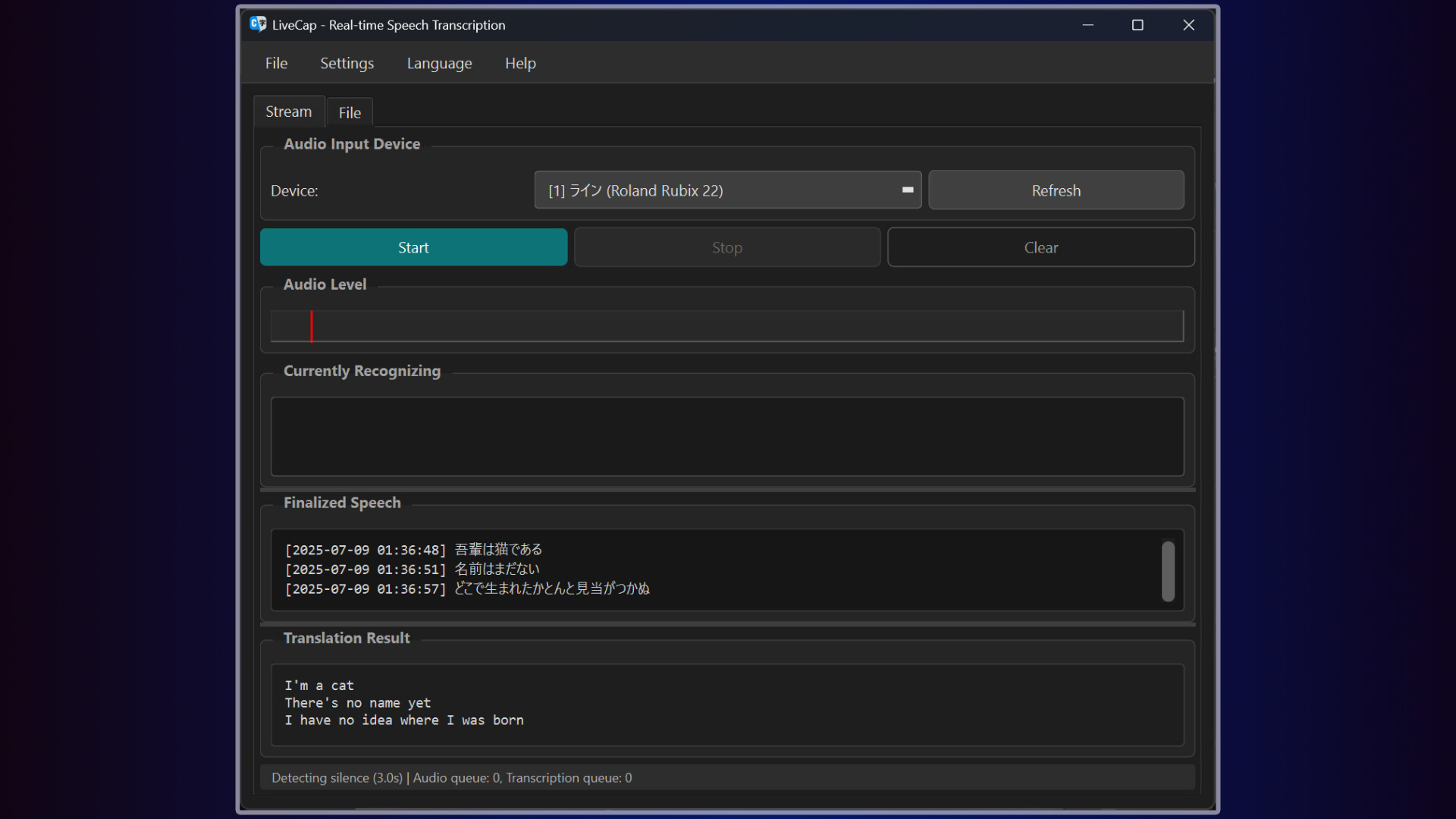
LiveCap is a subtitle generation platform powered by cutting-edge AI technology. This software delivers accurate, real-time subtitles during live broadcasts. In addition to displaying subtitles in your native language, it is capable of translating them into English in real time.

LiveCap Steam header artwork
Pine LabPine Lab
3playing now
1124-hour peak
25all-time peak
4average, last 30 days

The last 30 days

−0.8Gain−15.32%% gain13Peak

239 hourly samples, with the daily peak drawn over them. Weekends are shaded.

047111414 Aug18 Aug22 Aug26 Aug30 Aug03 Sep08 Sep12 SepFriday 14 August 202611 peakSaturday 15 August 202613 peakSunday 16 August 202612 peakMonday 17 August 202612 peakTuesday 18 August 20268 peakWednesday 19 August 20266 peakThursday 20 August 202613 peakFriday 21 August 20269 peakSaturday 22 August 202613 peakSunday 23 August 202613 peakMonday 24 August 20267 peakTuesday 25 August 202612 peakWednesday 26 August 20267 peakThursday 27 August 20269 peakFriday 28 August 20265 peakSaturday 29 August 20265 peakSunday 30 August 202610 peakMonday 31 August 20269 peakTuesday 01 September 202611 peakWednesday 02 September 20264 peakThursday 03 September 20269 peakFriday 04 September 20264 peakSaturday 05 September 20269 peakSunday 06 September 20268 peakTuesday 08 September 20267 peakWednesday 09 September 20267 peakThursday 10 September 202610 peakFriday 11 September 20268 peakSaturday 12 September 202611 peak
Daily peakEvery hourly sample

All time

19 months, March 2025 to September 2026. The highest number of people in the game at once, each month, on a time axis -- a gap in the record stays a gap.

07142027Mar 2025Jun 2025Sep 2025Dec 2025Mar 2026Jun 2026Sep 2026March 20252 monthly peakApril 20256 monthly peakMay 20257 monthly peakJune 20257 monthly peakJuly 20257 monthly peakAugust 20259 monthly peakSeptember 202511 monthly peakOctober 202513 monthly peakNovember 202511 monthly peakDecember 202515 monthly peakJanuary 202613 monthly peakFebruary 202611 monthly peakMarch 202613 monthly peakApril 202612 monthly peakMay 202612 monthly peakJune 202625 monthly peakJuly 202619 monthly peakAugust 202618 monthly peakSeptember 202611 monthly peak
Monthly peak

The last four months

Show:

The highest number of people in the game at once, each month. Four, because four is as far back as the source keeps anything finer than one figure a month.

05101521July 2026August 2026September 2026October 2026July 202619 peak — daily detail belowAugust 202618 peak — hourly detail belowSeptember 202611 peak — hourly detail below
Monthly peakHas finer data

July 2026

31 days, each one the highest figure that day. The source keeps no hourly detail this far back. Weekends are shaded.

0510152101 Jul06 Jul11 Jul16 Jul21 Jul26 Jul31 JulWednesday 01 July 20269 peakThursday 02 July 202611 peakFriday 03 July 202615 peakSaturday 04 July 202610 peakSunday 05 July 202619 peakMonday 06 July 202613 peakTuesday 07 July 202610 peakWednesday 08 July 202611 peakThursday 09 July 202615 peakFriday 10 July 202617 peakSaturday 11 July 202618 peakSunday 12 July 202612 peakMonday 13 July 20267 peakTuesday 14 July 20268 peakWednesday 15 July 20266 peakThursday 16 July 20269 peakFriday 17 July 20268 peakSaturday 18 July 202612 peakSunday 19 July 20269 peakMonday 20 July 20265 peakTuesday 21 July 202614 peakWednesday 22 July 20269 peakThursday 23 July 202610 peakFriday 24 July 202614 peakSaturday 25 July 202617 peakSunday 26 July 202610 peakMonday 27 July 202610 peakTuesday 28 July 202614 peakWednesday 29 July 202612 peakThursday 30 July 202610 peakFriday 31 July 202613 peak

August 2026

31 days as the curve, each the highest figure that day. Behind it, 138 hourly samples from 14 Aug, which is as far back as the source keeps every hour. Weekends are shaded.

0510151901 Aug06 Aug11 Aug16 Aug21 Aug26 Aug31 AugSaturday 01 August 202613 peakSunday 02 August 202618 peakMonday 03 August 202615 peakTuesday 04 August 20268 peakWednesday 05 August 202610 peakThursday 06 August 202611 peakFriday 07 August 202610 peakSaturday 08 August 202616 peakSunday 09 August 202613 peakMonday 10 August 202610 peakTuesday 11 August 202611 peakWednesday 12 August 20269 peakThursday 13 August 202612 peakFriday 14 August 202611 peakSaturday 15 August 202613 peakSunday 16 August 202612 peakMonday 17 August 202612 peakTuesday 18 August 20268 peakWednesday 19 August 20266 peakThursday 20 August 202613 peakFriday 21 August 20269 peakSaturday 22 August 202613 peakSunday 23 August 202613 peakMonday 24 August 20267 peakTuesday 25 August 202612 peakWednesday 26 August 20267 peakThursday 27 August 20269 peakFriday 28 August 20265 peakSaturday 29 August 20265 peakSunday 30 August 202610 peakMonday 31 August 20269 peak

September 2026

11 days as the curve, each the highest figure that day. Behind it, 100 hourly samples. Each dip is a night. Weekends are shaded.

03691201 Sep02 Sep03 Sep04 Sep05 Sep06 Sep08 Sep09 Sep10 Sep11 Sep12 SepTuesday 01 September 202611 peakWednesday 02 September 20264 peakThursday 03 September 20269 peakFriday 04 September 20264 peakSaturday 05 September 20269 peakSunday 06 September 20268 peakTuesday 08 September 20267 peakWednesday 09 September 20267 peakThursday 10 September 202610 peakFriday 11 September 20268 peakSaturday 12 September 202611 peak

October 2026

LiveCap was released on 7 Mar, 2025.

Not out yet.There is nothing to draw for this month.
Nothing here is interpolated or estimated; where a sample is missing the line is broken.

Game information

Updated 12 Sep 2026, 23:51 UTC
App ID
3529970
Last updated
04 Sep 2026 build 25100566
Developer
Pine Lab
Publisher
Pine Lab
Release date
7 Mar, 2025
Platforms
Windows
Download size
2.68 GB
Install size
5.37 GB
Genres
Video Production
Game modes
Controller support
Unknown

Features & support

Steam features

Controllers & input

Accessibility

Popular tags

Video ProductionUtilitiesSoftware
About this gameFull description from Steam
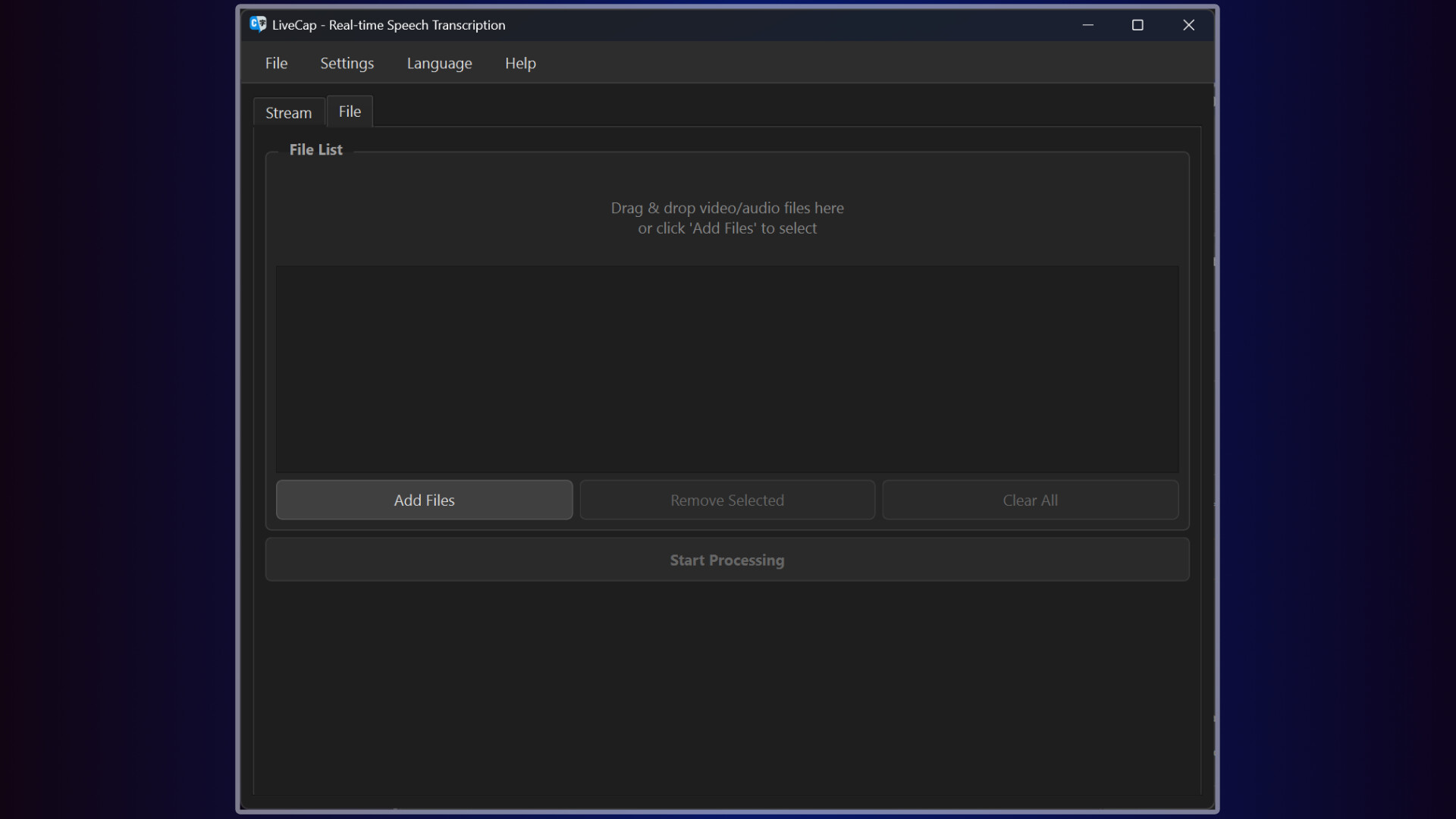
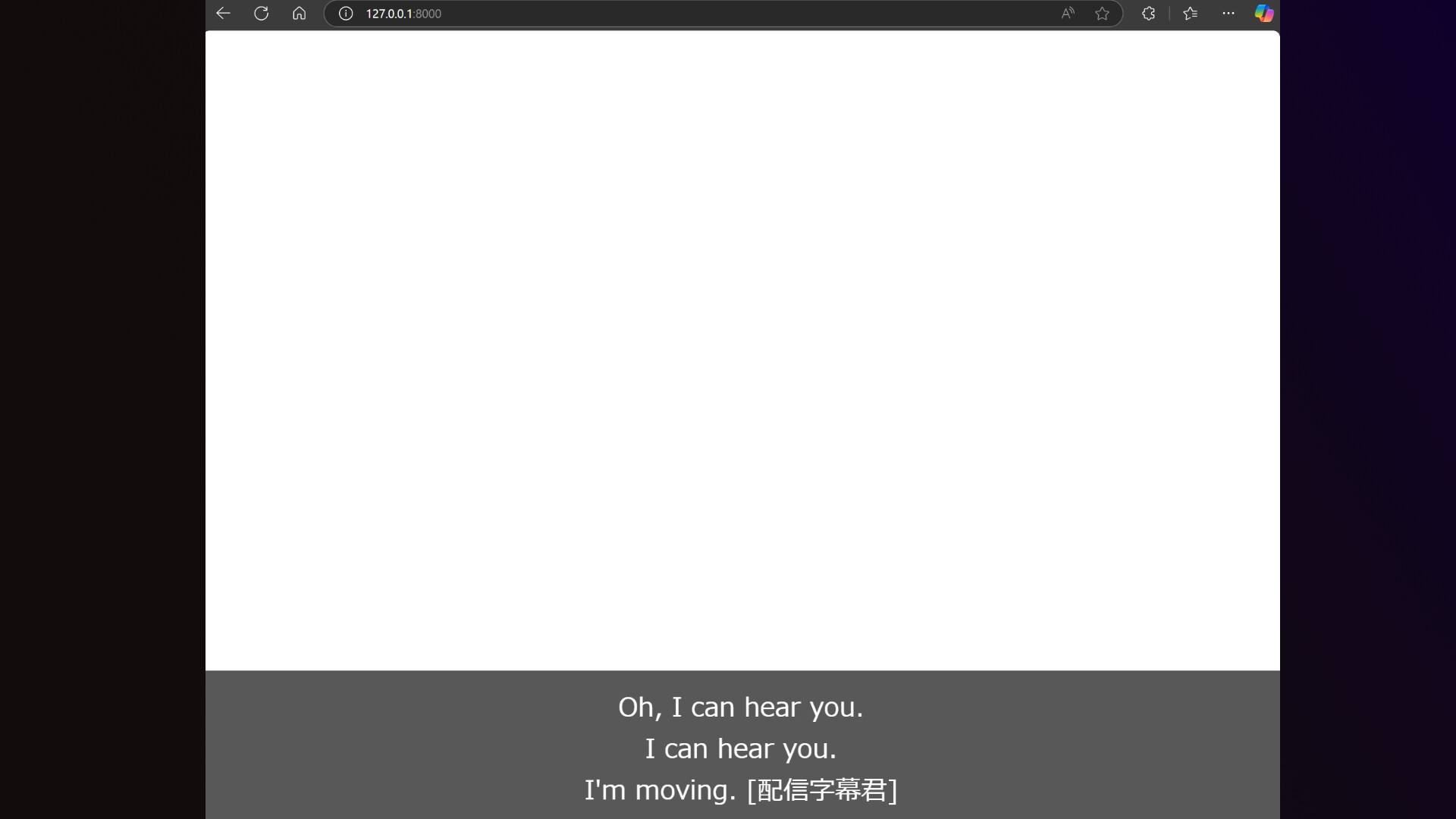
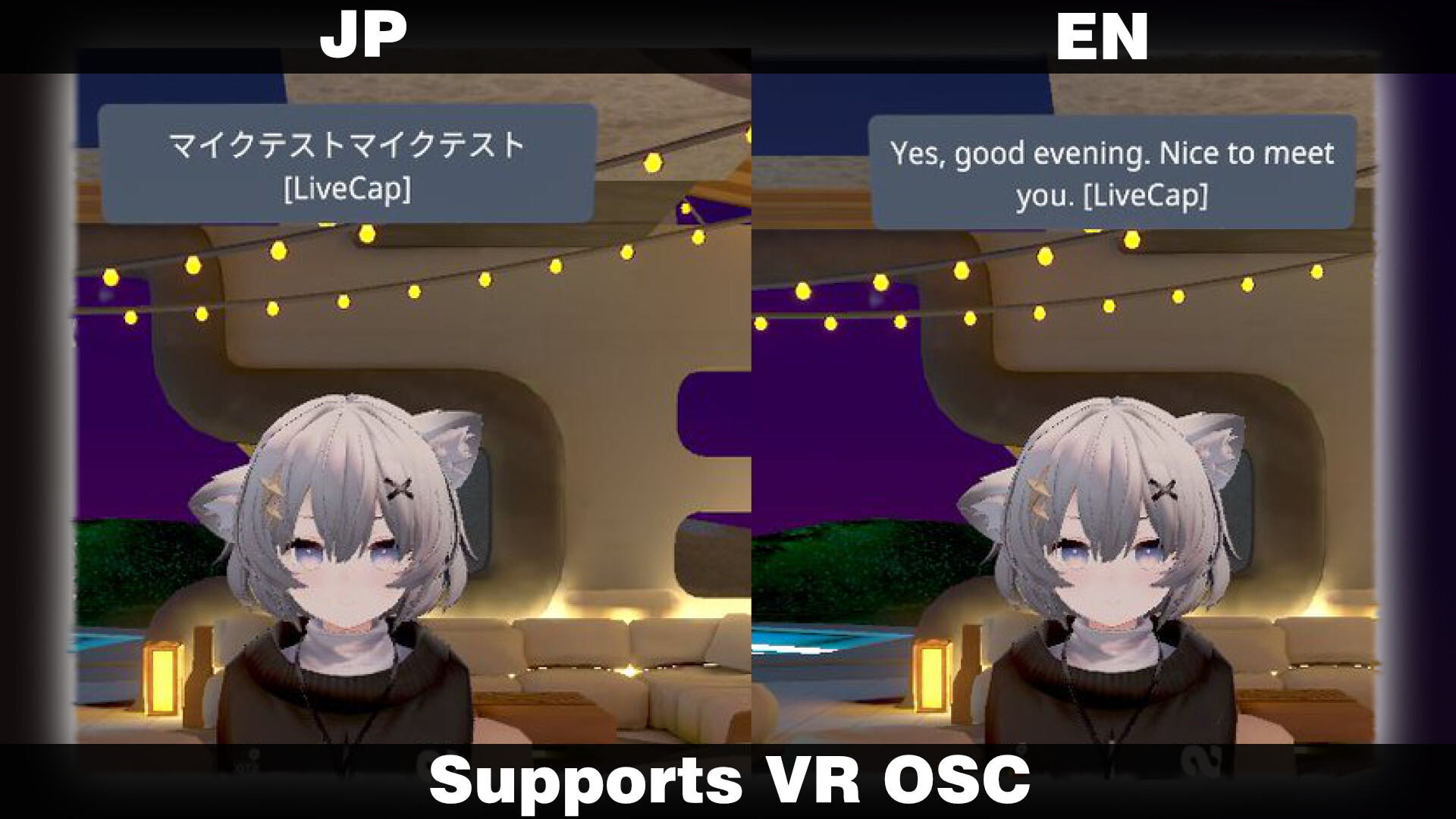
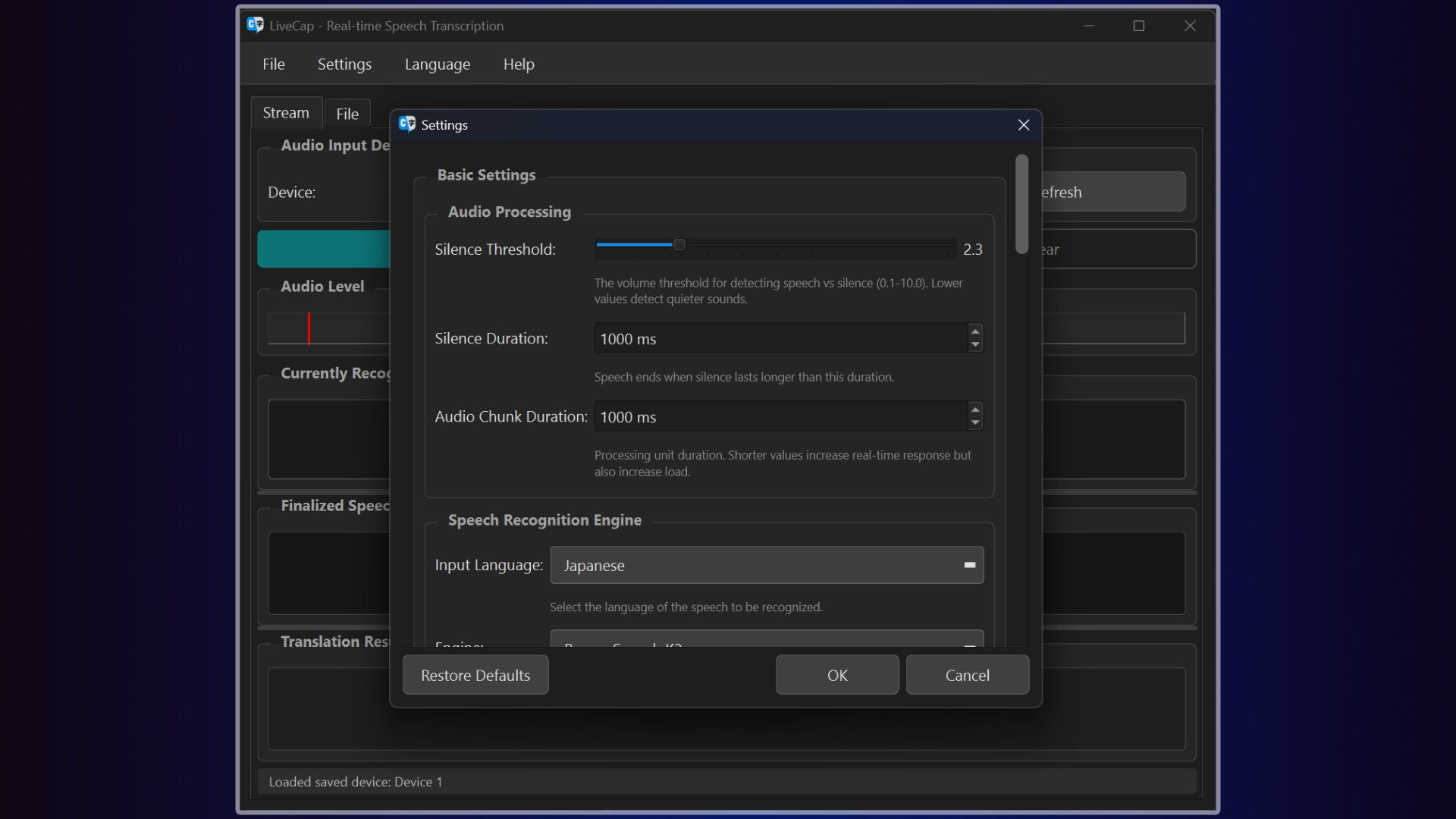
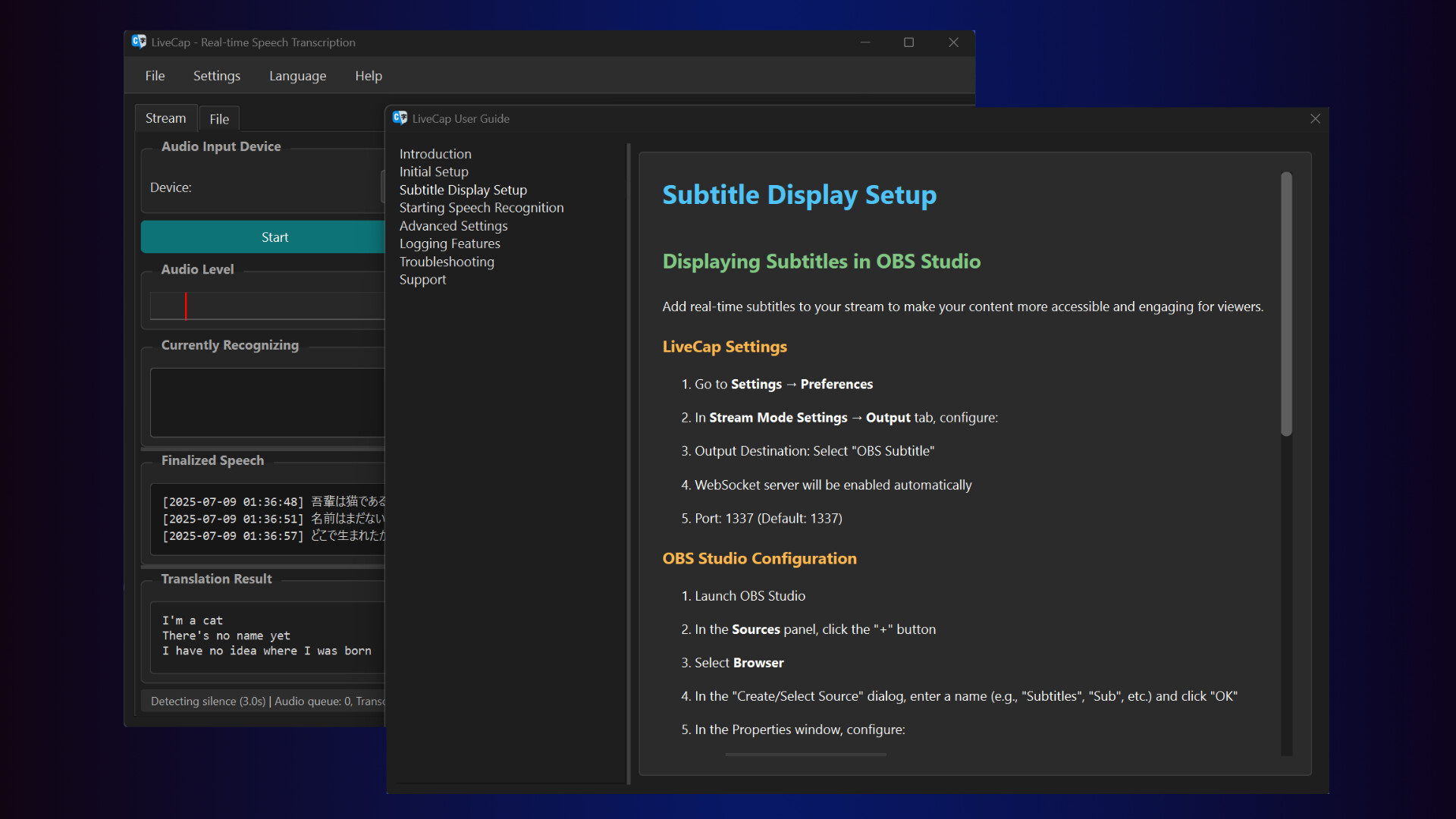
LiveCap is a real-time subtitle generation tool designed for streamers and gamers! With powerful speech recognition engines and translation features, break down language barriers and communicate with the world!! All processing runs locally on your PC. No monthly fees, ever. What LiveCap Can Do 🎮 Real-time Subtitles Just speak and subtitles appear in real-time. Watch text grow as you talk, then solidify when confirmed. Elevate your stream's engagement instantly! 🌍 Real-time Translation Speak in your language, get subtitles in another! Supports 14 languages (Japanese, English, Chinese, Korean, German, French, Spanish, and more). Connect with international viewers effortlessly. Choose between Google Translate and NVIDIA Riva. 📹 OBS Integration Simple browser source setup for seamless integration. Fully customizable fonts, colors, strokes, shadows, and transparency. WebSocket API for advanced tool integration. 🎭 VRChat Support Display subtitles in Chatbox via OSC. Perfect for international events! Real-time translation lets you enjoy conversations without language barriers. 📝 Video File Subtitle Generation Drag & drop videos to auto-generate SRT subtitle files. YouTube-ready format output. Save hours on clip editing! 🎙️ Online Meetings & Presentations Never miss important details with real-time subtitles. Easy meeting minutes creation. Accessibility support for hearing-impaired participants. Choose from 11 Speech Recognition Engines Select the perfect engine for your needs and achieve optimal recognition accuracy: Japanese Specialized NVIDIA Parakeet TDT CTC 0.6B JA - Trained on 35,000 hours of Japanese audio for supreme accuracy ReazonSpeech K2 v2 - Lightweight and fast, runs smoothly on low-spec PCs English Specialized NVIDIA Parakeet TDT 0.6B v2 - Ultra-high accuracy with WER 6.05%, professional-grade transcription Multilingual MistralAI Voxtral Mini 3B - Supports 8 languages with automatic language detection NVIDIA Canary 1B Flash - Fast processing for English, German, French, and Spanish WhisperS2T (5 sizes) - OpenAI technology supporting 13+ languages, choose size based on your needs Not sure which engine? Auto mode has you covered! Automatically detects language and selects the optimal engine. Why Choose LiveCap? 🔒 Complete Privacy with Local Processing Your voice data is never sent externally (text is only sent when using translation). Stream content and meetings stay secure. ⚡ Ultra-Low Latency Local processing means no network delays. Enjoy smooth, real-time subtitle display. 💰 Completely Free, No Limits No monthly fees, no character limits, no time restrictions (full version). Buy once, use forever. 🎨 Full Customization Freedom Fonts, colors, sizes, positions—all at your fingertips. Perfect match for your streaming style. Super Simple Setup! Launch and select microphone - No complicated configuration needed Choose an engine - Auto mode optimizes automatically Set output destination - OBS or VRChat, your choice That's it! Start using immediately! System Requirements Minimum Requirements Windows 10/11 (64bit) Intel Core i5 8th Gen / AMD Ryzen 5 3600 8GB RAM 10GB Storage Recommended Requirements Intel Core i7 10th Gen / AMD Ryzen 7 5700 16GB RAM NVIDIA GPU (CUDA support for faster processing) For NVIDIA Riva Translation NVIDIA GPU with 8GB+ VRAM required Supported Formats Video: MP4, MKV, MOV, AVI, WebM, FLV Audio: WAV, MP3, M4A, AAC, OGG, FLAC, WMA Output: SRT subtitle files, WebSocket (for real-time streaming) Before You Buy Try the free trial version! The trial has a 3-minute limit but includes all features. Test it on your system before purchasing. Support Need help? Join our Discord community! Get answers to questions, request features, report bugs, and connect with our active community. Documentation and support links available on the Steam page! Break language barriers and connect with the world! Start real-time subtitling with LiveCap today!!

Content & age ratings2 regional ratings

Regional ratings

DEJUSl
IGRS3
System requirementsMinimum and recommended hardware

Minimum

Minimum: Requires a 64-bit processor and operating system OS: Windows 11 Graphics: NVIDIA GeForce RTX 3060 12GB

Recommended

Recommended: Requires a 64-bit processor and operating system

macOS

Minimum: Recommended:

Linux

Minimum: Recommended:
Supported languages2 languages
LanguageFull audio
English
Japanese

A blank audio cell means full audio was not marked in the returned language list.

Screenshots & trailersScreenshots and trailers

Trailers

AchievementsTotal count and selected achievements
DemosPlayable demos on Steam

31 developer announcements, Mar 2025 to Sep 2026 · times in UTC

September

  1. LiveCap v3.2.1 🧹 The Housekeeping Update

    Uninstalling LiveCap used to leave 37 GB behind. Hey! This one is unglamorous. Nothing new lights up. Instead, we cleaned up everything LiveCap had been quietly leaving behind. When you uninstalled LiveCap, the models and caches stayed…

    Patch notes

August

  1. LiveCap v3.2.0 ✒ The Outline Update

    Hey! White text with a black outline — the single most classic caption look in existence, seen on every TV and every video, everywhere, always. Turns out you couldn't actually make it in LiveCap's settings. You told us. You were right. So…

    Shojo Hakase

July

  1. LiveCap v3.1.0 🛡 The Triple Defense Update

    Hey! This update is all about hallucinations — those random "uh", "hmm", "beep" tokens AI speech engines drop in the middle of silence. Three defense layers now stand between your mic and your captions. Also in the box: built-in OBS /…

    Shojo Hakase

May

  1. LiveCap v3.0.1 ⚡ The Blackwell Update

    LiveCap v3.0.1 ⚡ The Blackwell UpdateRTX 50xx, now actually working. Fixed: RTX 5090 not working in CUDA modeRight after v3.0.0 shipped, we received a Discord report: "CUDA mode won't start on my RTX 5090." The cause was that the PyTorch we…

    Patch notes
  2. LiveCap v3.0.0 🎙 The Listening Update

    v3.0.0 Release Notes livecap-gui got a complete rewrite Sorry it's been a while since v2.1.0 (really, sorry). v3.0.0 is not a small bump on top of v2.1.0 — we rewrote the whole thing. Line by line. "Surely you're exaggerating," you might…

    Shojo Hakase

October

  1. LiveCap v2.1.0.1 🌍 The Harmony Update

    Can you hear us, streamers... tuning in progress The language barrier...is...disappearing...🛠️ Fixes and Performance ImprovementsModel Loading: Faster & International! 🚀Sorry "モデルをロード中..." was Japanese-only!English users: "What does that…

    Patch notes

September

  1. LiveCap v2.1.0 The Freedom Update

    Can you hear me...streamers... STATIC NOISES I'm...bringing...revolution...to your subtitles...✨ New FeaturesSee "Now Speaking" in Real-Time.You've been waiting? Of course you have. Real-time subtitles are finally here!Before: "..." (Silent…

    Shojo Hakase
  2. LiveCap v2.0.9.6 🌍 "The Language Harmony Update"

    Language settings chaos, finally completely resolved! All languages now in perfect harmony!✨ New Features and Major ImprovementsLanguage Settings, Finally United Kingdom! 👑"Why are the same languages in 3 places..." "Getting 'zh' error in…

    Patch notes
  3. LiveCap v2.0.9.5 🎭 "The Settings Revolution"

    The settings dialog has been completely reborn! And that annoying issue during transcription? Completely solved!✨ New Features and Major ImprovementsSettings Dialog, Complete Renewal! 🎨"Settings won't open..." "Settings disappeared after…

    Shojo Hakase
  4. LiveCap v2.0.9.4 🎉 "The Multi-Line Revolution"

    OBS streamers, the wait is over! Multi-line subtitles finally work perfectly!✨ Fixes and ImprovementsOBS Subtitles: Multi-line Display Works Perfectly! 🎊"Only shows 1 line..." - This tragedy ends now.Before: Set 3 lines, get 1 line... sad…

    Patch notes
  5. LiveCap v2.0.9.3 🔧 "The Stability Update"

    Hello! This update focuses on stability and reliability improvements.🛠️ Improvements and FixesEnhanced Application StabilitySmall but important improvements:Improved Startup StabilityFixed crash issues during application startupOptimized…

    Patch notes
  6. LiveCap v2.0.9.2[BETA] 🎯 "The Multi-Source Revolution Update"

    🎯 "The Multi-Source Revolution Update"Hello everyone! This update is truly special because we can finally transcribe multiple audio sources simultaneously!(Developer's note: This took 3 weeks to build. Never again, please.)✨ New…

    Shojo Hakase

August

  1. LiveCap v2.0.8.1 🎧 "The Application Audio Update"

    New FeaturesApplication Audio Capture is Here! (Beta) 🎮Finally, the era of microphone-free transcription has arrived.Discord, Spotify, Games... Transcribe audio from any application directly!Before: Recording with a microphone...Picking up…

    Shojo Hakase
  2. LiveCap v2.0.7.1

    New FeaturesNext-Gen Subtitle Expression with Double Stroke! 🌟The era of single-color strokes is over.Finally, you can add double strokes to your subtitles!Before: Just one boring black stroke...Now: Create depth with inner and outer…

    Shojo Hakase
  3. LiveCap v2.0.6 ~The Truth Update~

    FeaturesReazonSpeech: Infinite Possibilities Unlocked! 🎉The 3-second wall has been utterly demolished.ReazonSpeech finally supports long-form speech recognition!Before: Recognition cuts off after 3 seconds... it was a sad existenceNow…

    Shojo Hakase
  4. LiveCap v2.0.5.2 - Bug Fix

    Hello everyone!This time, we have a bug update based on issues reported by our users!"Why won't the NVIDIA engine start?" "ReazonSpeech keeps stopping with errors..." For those who've been struggling with these problems, we've finally…

    Patch notes
  5. LiveCap v2.0.4.5 - High-Precision & High-Speed Update 🎯⚡

    Hello everyone!This update is one of the biggest evolutions in LiveCap history. We've massively improved both accuracy and speed at the same time! Remember those moments when keyboard typing sounds were mistaken for voice? Or when it missed…

    Shojo Hakase

July

  1. LiveCap v2.0.2 - OBS Sub Update

    🚀 LiveCap v2.0.2 ― OBS Subtitle Quality Improvement UpdateThis v2.0.2 update is a patch that improves the stability and customizability of OBS subtitle functionality.🛠 FixesCategoryDetailsWebSocket Port DetectionFixed an issue where…

    Shojo Hakase
  2. 🛡️ LiveCap v2.0.1 ― Antivirus False Positive Mitigation Update

    Thank you for using LiveCap. We have revised our build process to address false positive detections by some antivirus products that incorrectly identify this application as "malware".🔧 Main UpdatesCategoryChangesDigital SignatureApplied…

    Patch notes
  3. [Important Notice] Regarding False Positive Detection of "LiveCap" by Some Antiv

    1. Issue OverviewWe have currently received reports from some users of LiveCap that "the exe file is being detected as a virus." The LiveCap development team (though it's actually just me) is currently checking the antivirus software…

    Shojo Hakase
  4. LiveCap v2.0.0 - First Commit

    🛠 This is not an update, it's a 《REBUILD》This is the LiveCap development team (though it's just me alone).For a while now, passionate (and sometimes harsh) requests from users like "Fix this!" and "Add that!" have been piling up like a…

    Shojo Hakase

April

  1. v1.3.3.1 Patch

    Fixed Server Port Issue If the default server port (1337) is occupied by another application at startup, the system will now automatically assign an available alternative port (9876 or 51234). Fixed Chinese and Cantonese Transcription Issue…

    Patch notes
  2. v1.3.2 Patch

    An issue has occurred where the antivirus software by ESET detects the application’s "app.exe" file as a virus. We have shared this issue with ESET and have updated the executable file information of app.exe accordingly.

    Patch notes

March

  1. 1.3.1 Patch

    LiveCap v1.3.1 Update Thank you for using LiveCap! 👍 This update introduces various improvements and important fixes related to the Whisper transcription feature. ✨New Features "Auto" Language Setting Added You can now select "Auto" as the…

    Patch notes
  2. Emergency Downgrade 1.3.0→1.2.2

    A critical bug was discovered in version 1.3.0, so we urgently downgraded to version 1.2.2. We implemented this emergency downgrade because multiple reports indicated that the newly introduced WhisperS2T feature in version 1.3.0 was not…

    Patch notes
  3. v1.3.0 UPDATE

    Main Changes 🎙️ Significant Enhancement of the Transcription Engine Added a new STT engine, WhisperS2T, improving transcription speed by up to 30%. "Whisper s2t" is now selectable from the "Transcription Service" option in the settings…

    Shojo Hakase
  4. 1.2.2 Patch

    Key Changes 🖥️ Interface Improvements Separated the UI language settings block from the display settings block in LiveCap Added a new mode that allows displaying the original text alongside translations in subtitles Modified the system to…

    Patch notes
  5. 1.2.1 Patch

    Fixed an issue where "ffmpeg error" occurred when creating SRT files in video subtitle mode.

    Patch notes
  6. v1.2 Update

    Main Changes 🌍 Enhanced Multilingual Support Added a new translation library to support multilingual translations Modified parts of the language selection interface 🎙️ Expanded Transcription Features Newly added support for Google Speech…

    MegaGorilla
  7. V1.1.1 Patch

    Update Notes v1.1.1 Key Changes 🔄 Discontinuation of OpenAI API Keys Removed OpenAI API key functionality Transitioned to a settings-based approach and optimized API-related features 🖥️ Transcription Compute Device Selection Added ability…

    MegaGorilla
  8. V1.1.0 Update

    Features Added VRChat OSC Integration • Chat Bubble Feature Implementation – Integrated with VRChat chat bubbles to display speech-to-text within the game. • Added OSC Support – Enabled Open Sound Control (OSC) integration with VRChat. –…

    MegaGorilla

All games on this site