STEAMDB NEXUS

Steam app 268850 · updated 12 Sep 2026, 18:27 UTC

EVGA Precision X1

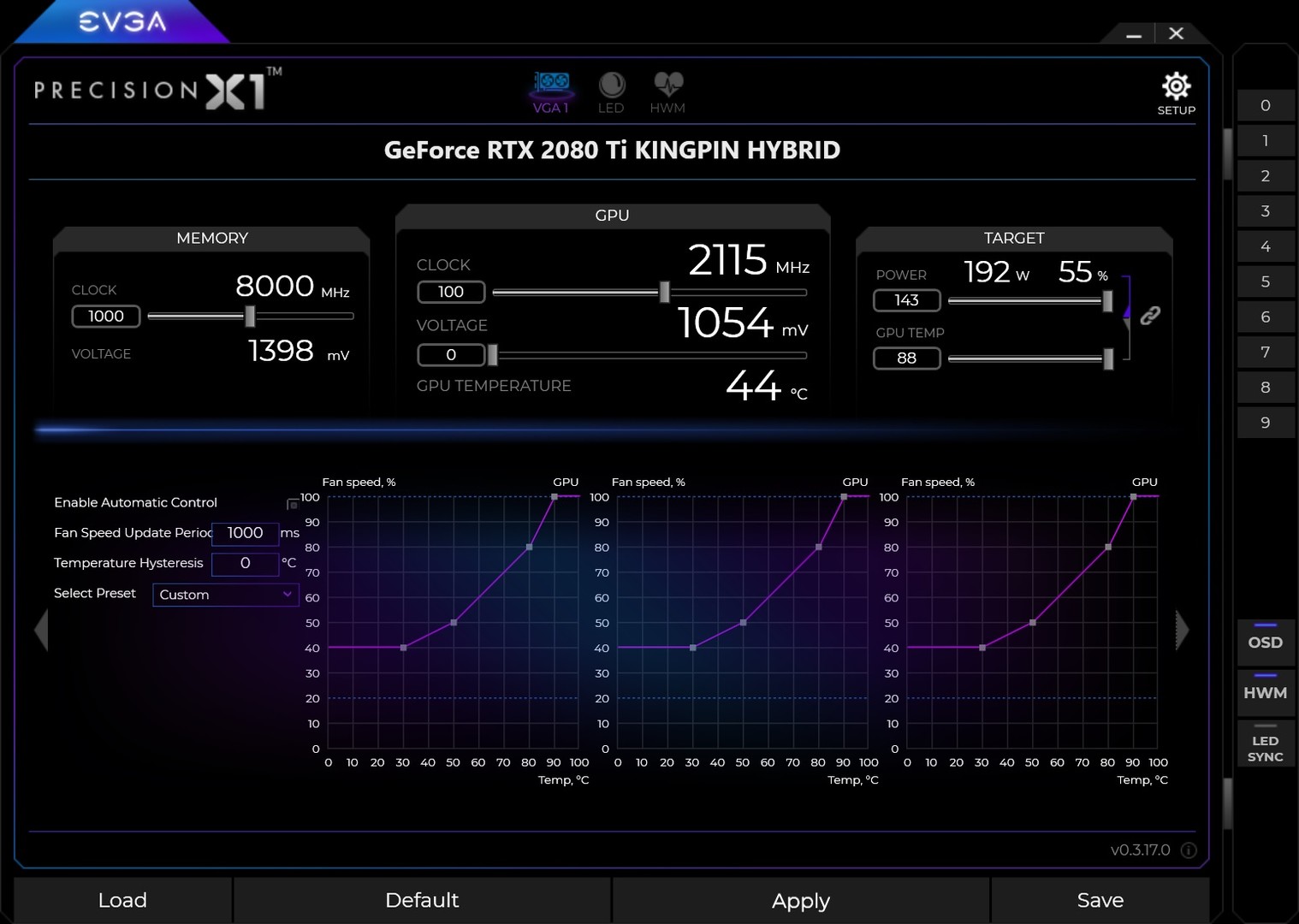
The next generation of EVGA Precision has arrived with EVGA Precision X1. This software allows you to fine tune your NVIDIA graphics card, maximizing cooling and performance.

EVGA Precision X1 Steam header artwork
EVGAEVGA
310playing now
34924-hour peak
4,226all-time peak
307average, last 30 days

The last 30 days

−8.4Gain−2.67%% gain429Peak

719 hourly samples, with the daily peak drawn over them. Weekends are shaded.

011623234746313 Aug18 Aug23 Aug28 Aug02 Sep07 Sep12 SepThursday 13 August 2026342 peakFriday 14 August 2026348 peakSaturday 15 August 2026384 peakSunday 16 August 2026388 peakMonday 17 August 2026367 peakTuesday 18 August 2026408 peakWednesday 19 August 2026385 peakThursday 20 August 2026352 peakFriday 21 August 2026351 peakSaturday 22 August 2026373 peakSunday 23 August 2026398 peakMonday 24 August 2026366 peakTuesday 25 August 2026429 peakWednesday 26 August 2026423 peakThursday 27 August 2026379 peakFriday 28 August 2026372 peakSaturday 29 August 2026374 peakSunday 30 August 2026421 peakMonday 31 August 2026399 peakTuesday 01 September 2026394 peakWednesday 02 September 2026389 peakThursday 03 September 2026363 peakFriday 04 September 2026356 peakSaturday 05 September 2026357 peakSunday 06 September 2026377 peakMonday 07 September 2026362 peakTuesday 08 September 2026400 peakWednesday 09 September 2026382 peakThursday 10 September 2026317 peakFriday 11 September 2026337 peakSaturday 12 September 2026349 peak
Daily peakEvery hourly sample

All time

147 months, July 2014 to September 2026. The highest number of people in the game at once, each month, on a time axis -- a gap in the record stays a gap.

01k2k3k5k2014201620182020202220242026July 2014392 monthly peakAugust 2014153 monthly peakSeptember 2014100 monthly peakOctober 201485 monthly peakNovember 201472 monthly peakDecember 2014391 monthly peakJanuary 2015742 monthly peakFebruary 2015950 monthly peakMarch 20151,015 monthly peakApril 20151,338 monthly peakMay 20151,535 monthly peakJune 20151,802 monthly peakJuly 20151,990 monthly peakAugust 20151,819 monthly peakSeptember 20152,067 monthly peakOctober 20152,136 monthly peakNovember 20152,528 monthly peakDecember 20152,525 monthly peakJanuary 20162,795 monthly peakFebruary 20162,867 monthly peakMarch 20163,008 monthly peakApril 20162,918 monthly peakMay 20163,340 monthly peakJune 20163,569 monthly peakJuly 20163,338 monthly peakAugust 20162,869 monthly peakSeptember 20162,827 monthly peakOctober 20162,386 monthly peakNovember 20162,498 monthly peakDecember 20162,625 monthly peakJanuary 20172,743 monthly peakFebruary 20172,732 monthly peakMarch 20172,965 monthly peakApril 20172,890 monthly peakMay 20173,051 monthly peakJune 20173,261 monthly peakJuly 20173,308 monthly peakAugust 20173,348 monthly peakSeptember 20173,486 monthly peakOctober 20173,659 monthly peakNovember 20173,665 monthly peakDecember 20173,845 monthly peakJanuary 20184,226 monthly peakFebruary 20184,084 monthly peakMarch 20183,918 monthly peakApril 20183,436 monthly peakMay 20183,210 monthly peakJune 20183,286 monthly peakJuly 20183,156 monthly peakAugust 20183,066 monthly peakSeptember 20183,228 monthly peakOctober 20183,143 monthly peakNovember 20183,298 monthly peakDecember 20183,152 monthly peakJanuary 20192,996 monthly peakFebruary 20192,940 monthly peakMarch 20192,666 monthly peakApril 20192,398 monthly peakMay 20192,183 monthly peakJune 20192,077 monthly peakJuly 20191,639 monthly peakAugust 20191,593 monthly peakSeptember 20191,593 monthly peakOctober 20191,611 monthly peakNovember 20191,701 monthly peakDecember 20191,632 monthly peakJanuary 20201,802 monthly peakFebruary 20201,752 monthly peakMarch 20202,284 monthly peakApril 20202,432 monthly peakMay 20202,340 monthly peakJune 20202,144 monthly peakJuly 20202,063 monthly peakAugust 20202,193 monthly peakSeptember 20202,228 monthly peakOctober 20202,120 monthly peakNovember 20202,141 monthly peakDecember 20202,416 monthly peakJanuary 20212,326 monthly peakFebruary 20212,581 monthly peakMarch 20212,557 monthly peakApril 20212,545 monthly peakMay 20212,551 monthly peakJune 20212,336 monthly peakJuly 20212,051 monthly peakAugust 20212,118 monthly peakSeptember 20212,284 monthly peakOctober 20212,279 monthly peakNovember 20212,302 monthly peakDecember 20212,176 monthly peakJanuary 20222,099 monthly peakFebruary 20222,014 monthly peakMarch 20222,033 monthly peakApril 20221,823 monthly peakMay 20221,649 monthly peakJune 20221,573 monthly peakJuly 20221,539 monthly peakAugust 20221,540 monthly peakSeptember 20221,573 monthly peakOctober 20221,524 monthly peakNovember 20221,543 monthly peakDecember 20221,632 monthly peakJanuary 20231,498 monthly peakFebruary 20231,424 monthly peakMarch 20231,404 monthly peakApril 20231,275 monthly peakMay 20231,256 monthly peakJune 20231,276 monthly peakJuly 20231,020 monthly peakAugust 2023980 monthly peakSeptember 20231,036 monthly peakOctober 2023935 monthly peakNovember 2023958 monthly peakDecember 2023957 monthly peakJanuary 2024955 monthly peakFebruary 2024928 monthly peakMarch 2024872 monthly peakApril 2024834 monthly peakMay 2024822 monthly peakJune 2024733 monthly peakJuly 2024764 monthly peakAugust 2024725 monthly peakSeptember 2024730 monthly peakOctober 2024745 monthly peakNovember 2024733 monthly peakDecember 2024734 monthly peakJanuary 2025750 monthly peakFebruary 2025686 monthly peakMarch 2025666 monthly peakApril 2025648 monthly peakMay 2025611 monthly peakJune 2025600 monthly peakJuly 2025614 monthly peakAugust 2025614 monthly peakSeptember 2025599 monthly peakOctober 2025574 monthly peakNovember 2025569 monthly peakDecember 2025585 monthly peakJanuary 2026543 monthly peakFebruary 2026512 monthly peakMarch 2026530 monthly peakApril 2026489 monthly peakMay 2026461 monthly peakJune 2026488 monthly peakJuly 2026459 monthly peakAugust 2026429 monthly peakSeptember 2026400 monthly peak
Monthly peak

The last four months

Show:

The highest number of people in the game at once, each month. Four, because four is as far back as the source keeps anything finer than one figure a month.

0124248372496July 2026August 2026September 2026October 2026July 2026459 peak — daily detail belowAugust 2026429 peak — hourly detail belowSeptember 2026400 peak — hourly detail below
Monthly peakHas finer data

July 2026

31 days, each one the highest figure that day. The source keeps no hourly detail this far back. Weekends are shaded.

012424837249601 Jul06 Jul11 Jul16 Jul21 Jul26 Jul31 JulWednesday 01 July 2026404 peakThursday 02 July 2026392 peakFriday 03 July 2026420 peakSaturday 04 July 2026401 peakSunday 05 July 2026449 peakMonday 06 July 2026443 peakTuesday 07 July 2026432 peakWednesday 08 July 2026409 peakThursday 09 July 2026459 peakFriday 10 July 2026429 peakSaturday 11 July 2026423 peakSunday 12 July 2026427 peakMonday 13 July 2026417 peakTuesday 14 July 2026441 peakWednesday 15 July 2026412 peakThursday 16 July 2026384 peakFriday 17 July 2026357 peakSaturday 18 July 2026399 peakSunday 19 July 2026403 peakMonday 20 July 2026382 peakTuesday 21 July 2026425 peakWednesday 22 July 2026401 peakThursday 23 July 2026364 peakFriday 24 July 2026381 peakSaturday 25 July 2026367 peakSunday 26 July 2026393 peakMonday 27 July 2026386 peakTuesday 28 July 2026404 peakWednesday 29 July 2026422 peakThursday 30 July 2026396 peakFriday 31 July 2026366 peak

August 2026

31 days as the curve, each the highest figure that day. Behind it, 438 hourly samples from 13 Aug, which is as far back as the source keeps every hour. Weekends are shaded.

011623234746301 Aug06 Aug11 Aug16 Aug21 Aug26 Aug31 AugSaturday 01 August 2026359 peakSunday 02 August 2026386 peakMonday 03 August 2026391 peakTuesday 04 August 2026389 peakWednesday 05 August 2026390 peakThursday 06 August 2026362 peakFriday 07 August 2026380 peakSaturday 08 August 2026395 peakSunday 09 August 2026392 peakMonday 10 August 2026387 peakTuesday 11 August 2026386 peakWednesday 12 August 2026395 peakThursday 13 August 2026366 peakFriday 14 August 2026348 peakSaturday 15 August 2026384 peakSunday 16 August 2026388 peakMonday 17 August 2026367 peakTuesday 18 August 2026408 peakWednesday 19 August 2026385 peakThursday 20 August 2026352 peakFriday 21 August 2026351 peakSaturday 22 August 2026373 peakSunday 23 August 2026398 peakMonday 24 August 2026366 peakTuesday 25 August 2026429 peakWednesday 26 August 2026423 peakThursday 27 August 2026379 peakFriday 28 August 2026372 peakSaturday 29 August 2026374 peakSunday 30 August 2026421 peakMonday 31 August 2026399 peak

September 2026

12 days as the curve, each the highest figure that day. Behind it, 281 hourly samples. Each dip is a night. Weekends are shaded.

010821632443201 Sep03 Sep05 Sep07 Sep09 Sep11 SepTuesday 01 September 2026394 peakWednesday 02 September 2026389 peakThursday 03 September 2026363 peakFriday 04 September 2026356 peakSaturday 05 September 2026357 peakSunday 06 September 2026377 peakMonday 07 September 2026362 peakTuesday 08 September 2026400 peakWednesday 09 September 2026382 peakThursday 10 September 2026317 peakFriday 11 September 2026337 peakSaturday 12 September 2026349 peak

October 2026

EVGA Precision X1 was released on 16 Jul, 2014.

Not out yet.There is nothing to draw for this month.
Nothing here is interpolated or estimated; where a sample is missing the line is broken.

Game information

Free to playUpdated 12 Sep 2026, 18:27 UTC
App ID
268850
Last updated
24 Oct 2022 build 9782965
Developer
EVGA
Publisher
EVGA
Release date
16 Jul, 2014
Platforms
Windows
Download size
44 MB
Install size
68 MB
Genres
Utilities
Game modes
Single-player
Controller support
Unknown
Achievements
20

Features & support

Steam features

Steam Achievements

Controllers & input

Accessibility

Popular tags

UtilitiesSoftwareFree to Play
About this gameFull description from Steam
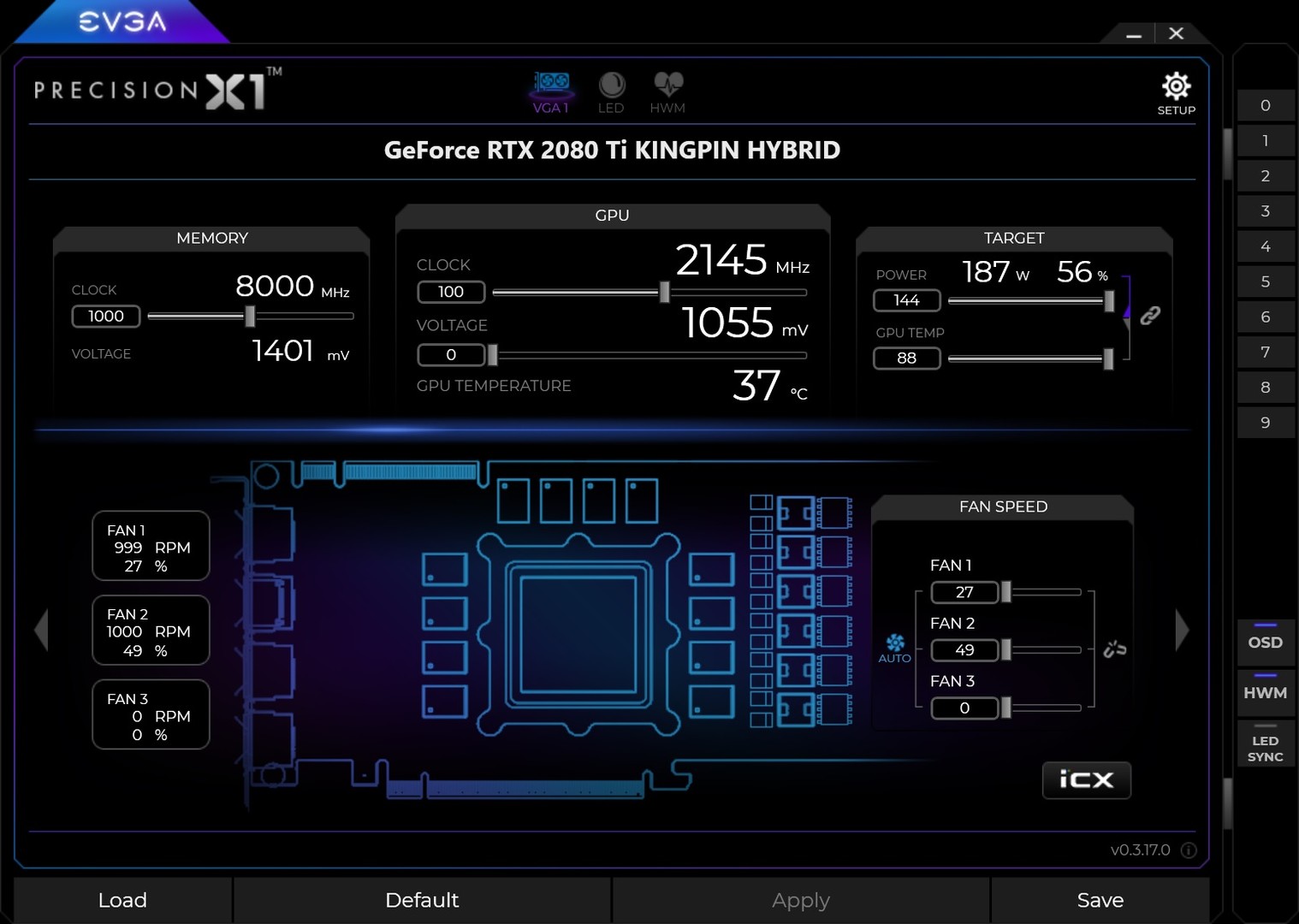
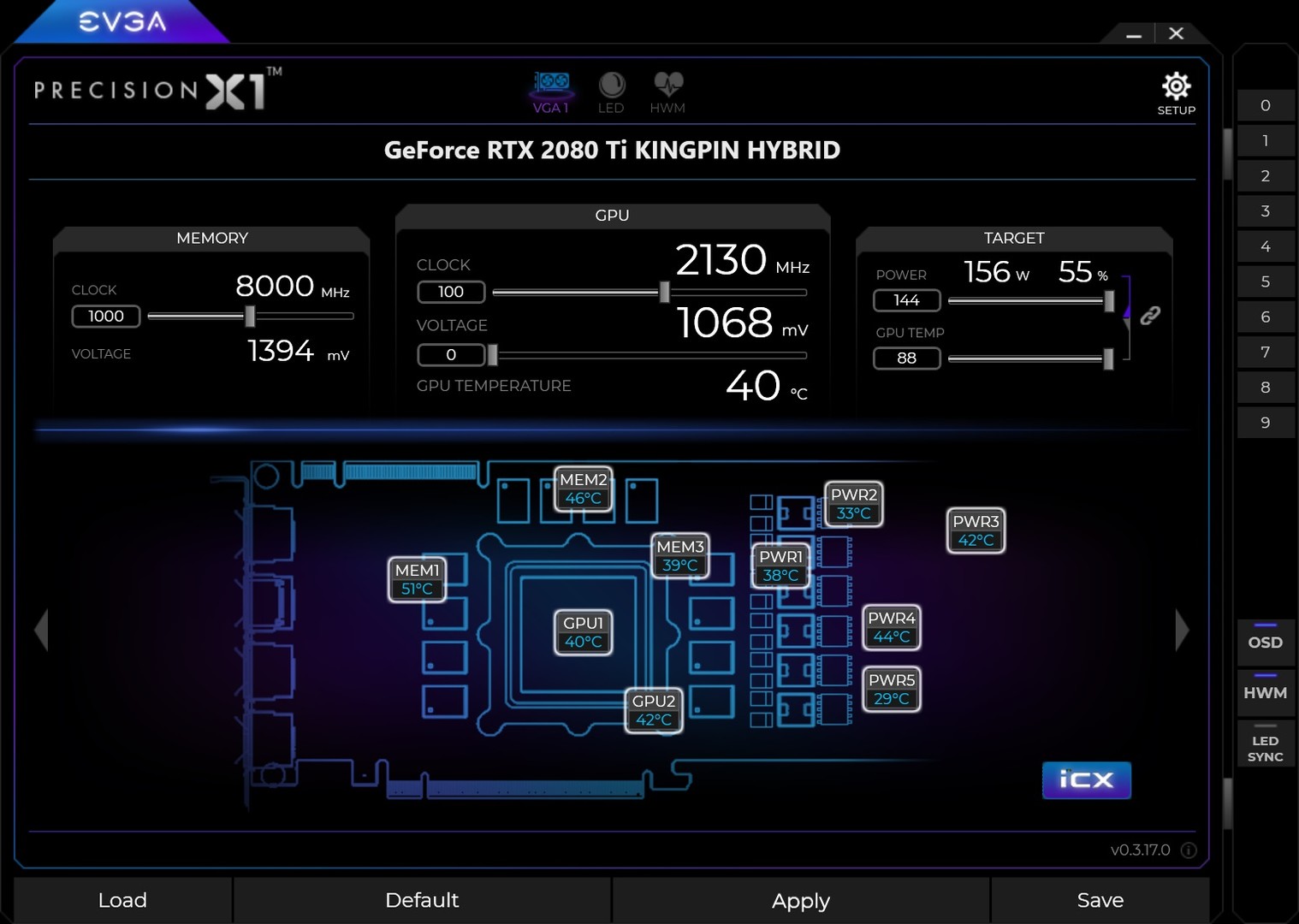
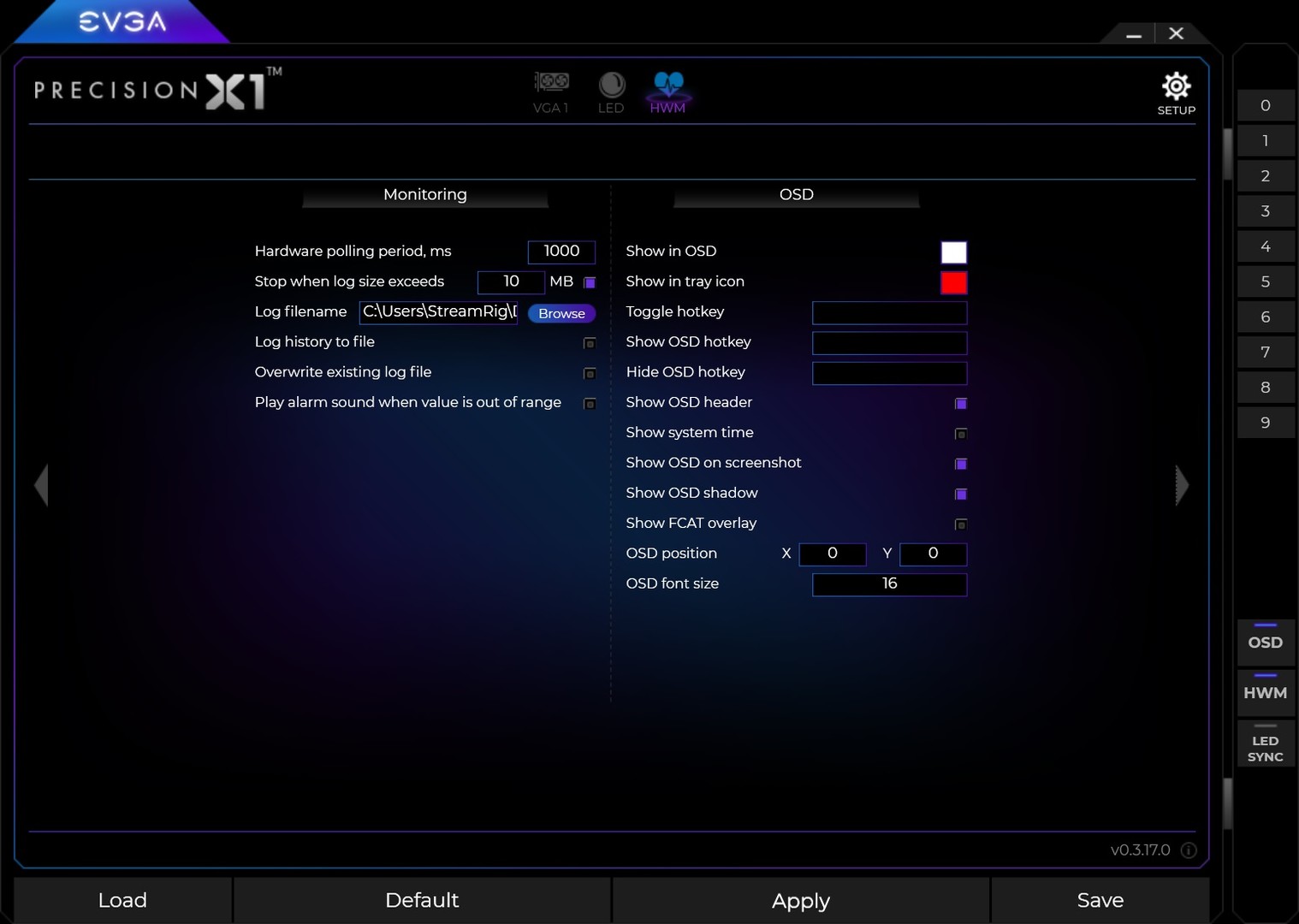
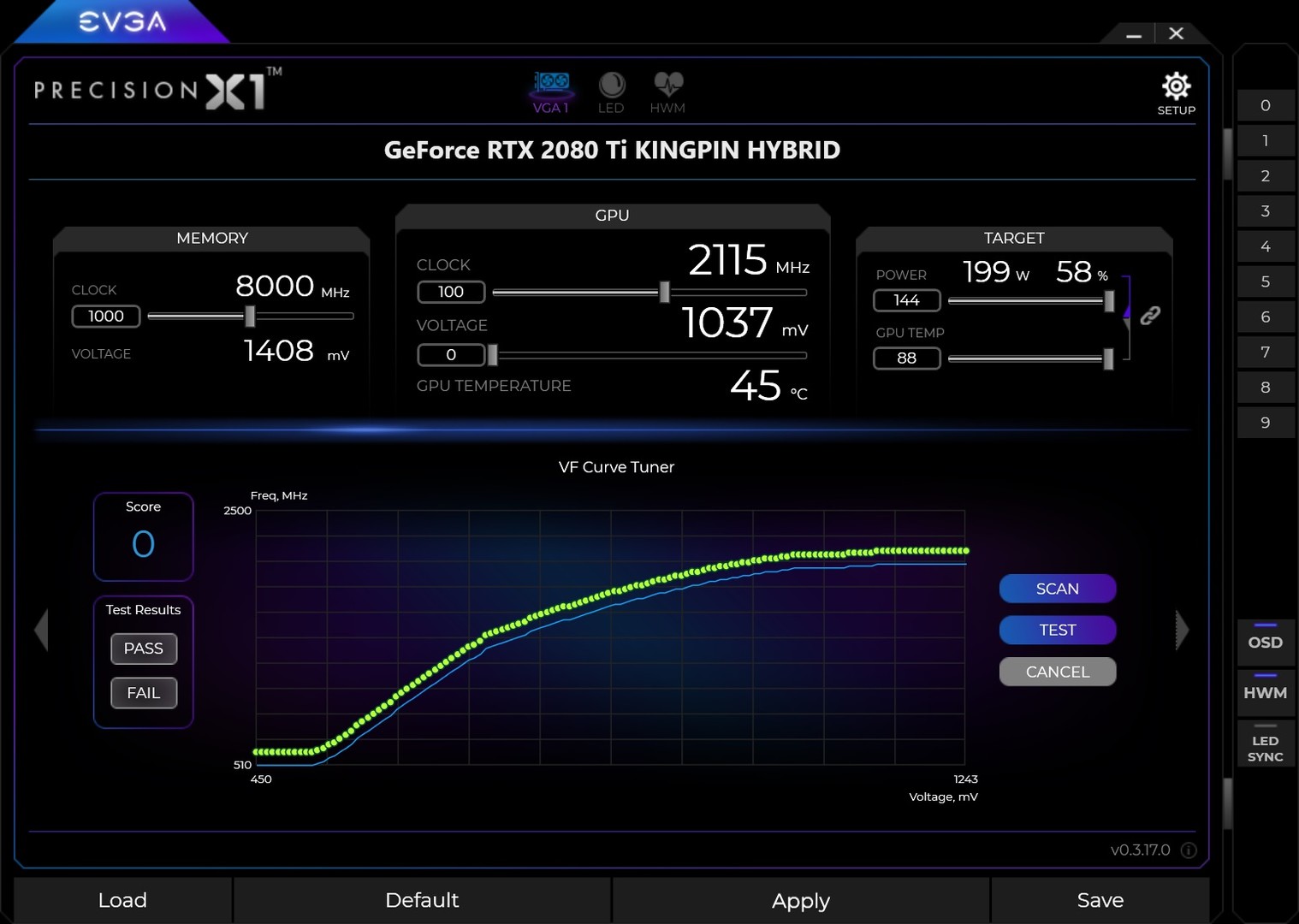
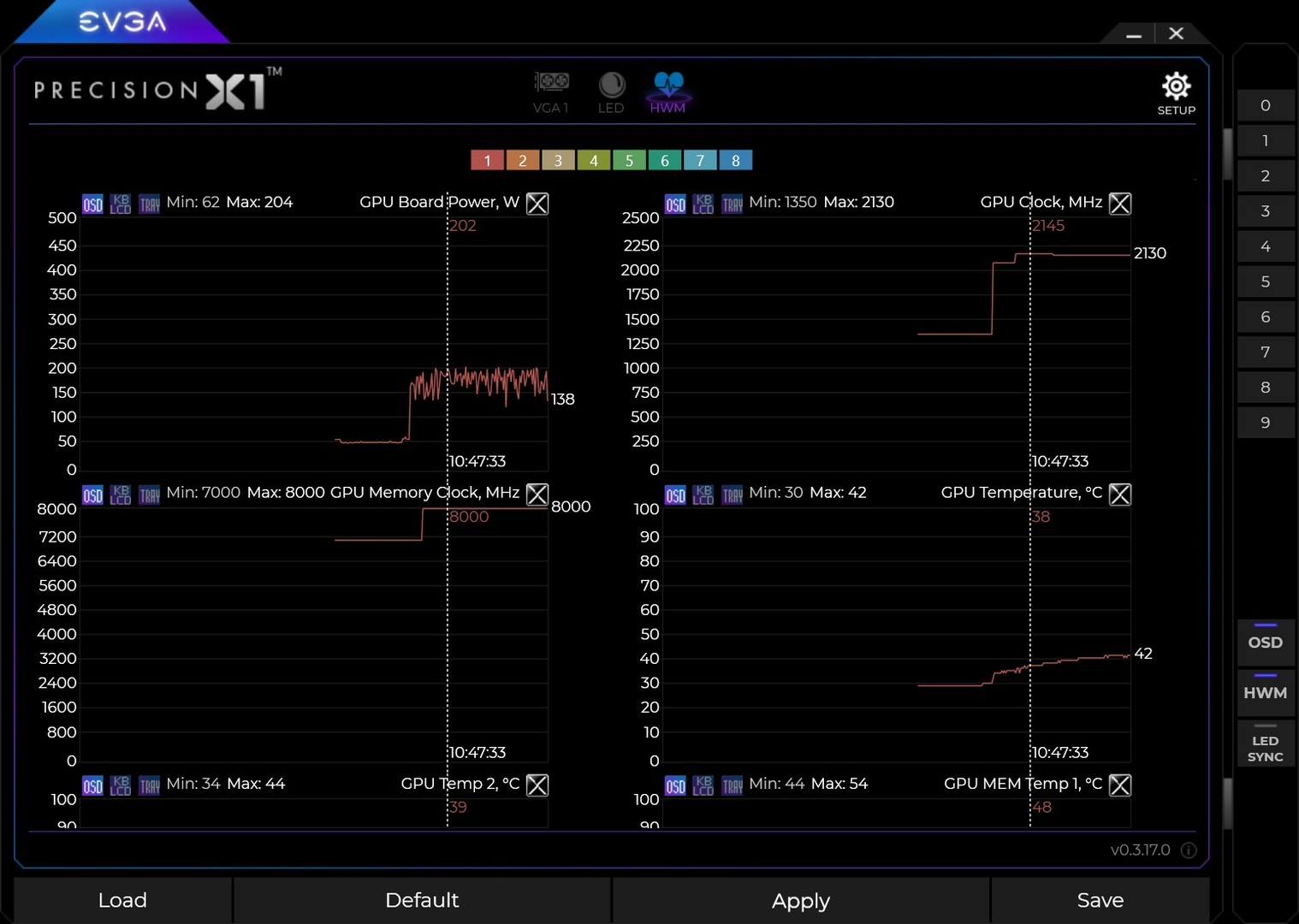
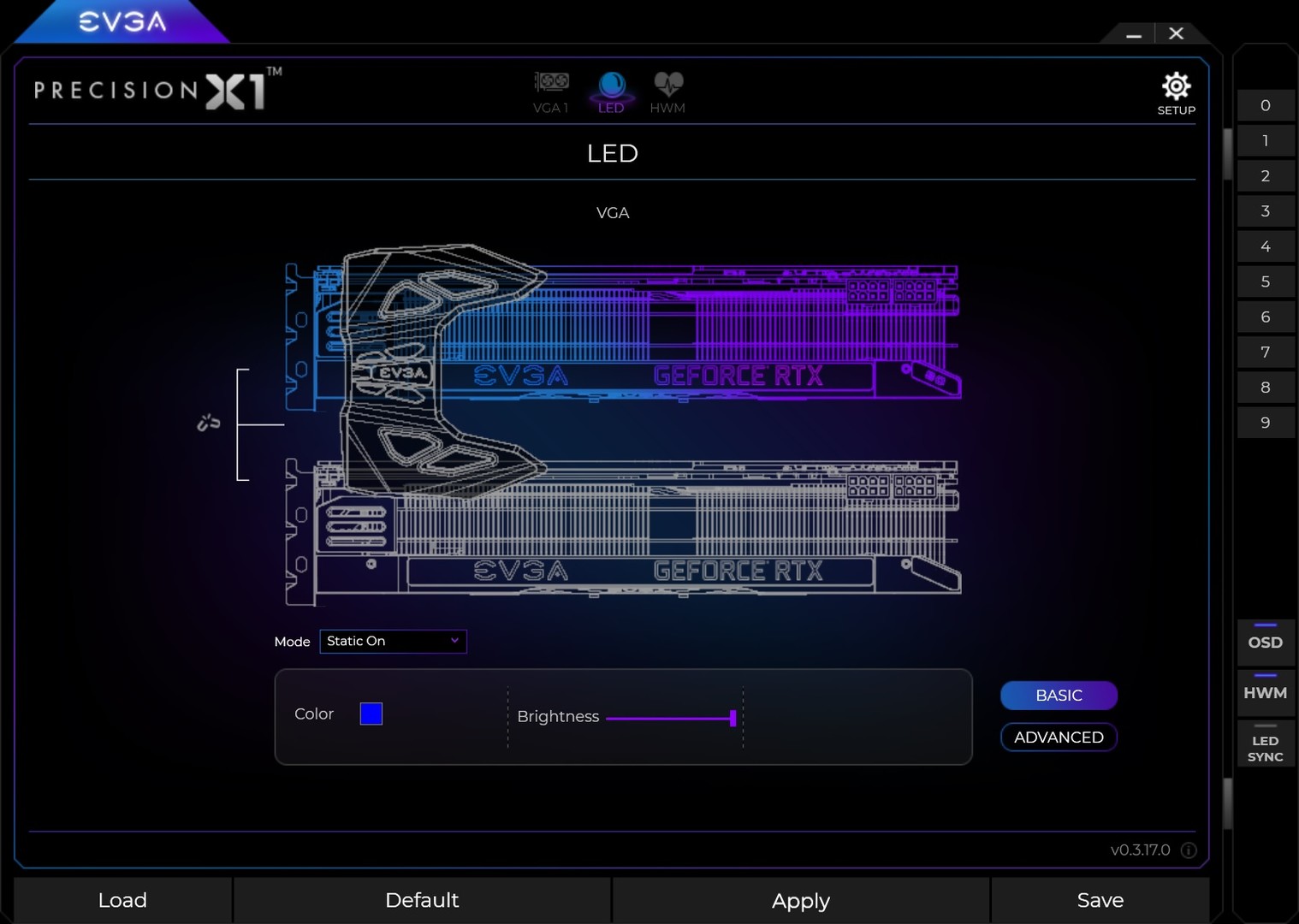
Introducing EVGA Precision X1. With a brand new layout, completely new codebase, new features and more, the new EVGA Precision X1 software is faster, easier and better than ever. When paired with an NVIDIA Turing graphics card, the new EVGA Precision X1 will unleash its full potential with a built in overclock scanner, adjustable frequency curve and RGB LED control. Key Features Brand new GUI that is faster and easier to use. Real-Time wattage monitoring (on supported EVGA graphics cards). Full support for GeForce RTX and select GTX Graphics Cards RGB LED Control supporting graphics cards and/or NVLink Bridge. LED Sync that syncs with other EVGA RGB components. Dynamically set independent voltage/frequency points for ultimate control. New OC Scanner for finding the best stable overclock. On-Screen-Display (OSD) shows your system vitals at a glance. Custom fan control and fan curve. Profiling system allowing up to 10 profiles with hotkey. In game screenshot function. Much more! Note: This application has many features and achievements that may void your graphics card's manufacturer warranty. Please consult with your video card manufacturer before using this application. If the card is an EVGA graphics card, overclocking is covered under the warranty term.
System requirementsMinimum and recommended hardware

Minimum

Minimum: Requires a 64-bit processor and operating system OS *: Microsoft Windows 10 / 8.1 / 8 Graphics: GeForce RTX/GTX graphics card Storage: 50 MB available space

Recommended

Recommended: Requires a 64-bit processor and operating system

macOS

Minimum: Recommended:

Linux

Minimum: Recommended:
Supported languages3 languages
LanguageFull audio
English
Traditional Chinese
Simplified Chinese

A blank audio cell means full audio was not marked in the returned language list.

Screenshots & trailersScreenshots and trailers
AchievementsTotal count and selected achievements

20 achievements in total.

Show selected achievements (may contain spoilers)
CoolbitsAchievement
EliteAchievement
Serious GPU HorsepowerAchievement
Overclocking at the South PoleAchievement
Instructions Not IncludedAchievement
Thunder GodAchievement
Wrong WayAchievement
Setting the CurveAchievement
Its OK to be CautiousAchievement
Speed LimitAchievement

View all Steam achievements

50 developer announcements, Jun 2017 to Oct 2022 · times in UTC

October

  1. Version 1.3.7.0

    Improved compatibility with GeForce RTX 4090 Series

    Patch notes

July

  1. Version 1.3.6.0

    Release: 7/6/2022 Fixes Top View ARGB flickering issue with EVGA GeForce RTX 3090 Ti FTW3 cards

    Patch notes

June

  1. EVGA Precision 1.3.5.0!

    Adds support for PowerLink LED with EVGA GeForce RTX 3090 Ti K|NGP|N / FTW3 Adds support for EVGA GeForce RTX 3090 Ti K|NGP|N / FTW3 HYBRID Fan LED

    Patch notes
  2. Version 1.3.4.0 Is Up

    Release: 6/14/2022 Adds support for the GeForce RTX 3090 Ti K|NGP|N HYBRID

    Patch notes

March

  1. EVGA Precision X1 version 1.3.2.0 Released

    New update! Supports EVGA GeForce RTX 3090 Ti FTW3 Series Fixes issue where OC Scan could not display the correct progress on multi-card systems Adds OSD support for Fortnite with Easy Anti-Cheat Fixes K|NGP|N upload .gif animation crash…

    Patch notes

February

  1. EVGA Precision 1.3.1.0 Released

    Update Resizable BAR database with newer part numbers for BIOS version check Updates MCU database for firmware updater Assorted bug fixes

    Patch notes

December

  1. EVGA Precision Version 1.3.0.0

    Release: 12/17/2021 Changes the UI frame. Installer now provides an option to "Create Desktop Shortcut". Precision X1 now opens to the last saved position. User can now arrange VGA icons via drag and drop if user has more than one card…

    Patch notes
  2. Version 1.2.9.0 is up now!

    Version 1.2.9.0 is up now with further refinements to the VF Curve Editor: VF curve editor added ToolTip for Mode 1 & 2. Fixed an issue relating to the position of the Clock Offset Mode 2 Y-axis value. VF curve editor now supports zoom in…

    Patch notes

November

  1. Version 1.2.8.0 Released

    Release: 11/10/2021 Clip VF curve area Show 0 in Y-Axis of Clock offset mode 2 Update VF Curve tooltip

    Patch notes
  2. EVGA Precision X1 Version 1.2.7.0

    Release: 11/8/2021 Adds support for a VF Curve Editor Sync framerate limit with NVIDIA Control Panel and sets max value to 1000FPS Fixes issue where LED temperature mode fails and resets to rainbow mode Fixes issue where the VF curve value…

    Patch notes

September

  1. Version 1.2.6.0 Released

    Adds "Link All Fan Curves" to software fan control function

    Patch notes

August

  1. Version 1.2.5.0

    Updates EVGA iCX firmware for improved monitoring accuracy. *Note: If using a third-party external monitoring application, an update for that application may be required

    Patch notes
  2. 1.2.4 is live!

    Enlarged hardware monitor readings in system tray Adds new BIOS update for EVGA GeForce RTX 3080 Ti XC3 cards to improve performance (Available via Resizable BAR menu) Updates tooltip duration to show for 60 seconds Fixes fan control Preset…

    Patch notes

July

  1. Release 1.2.3

    Adds RTX 3080 Ti & RTX 3060 12G Resizable BAR BIOS update upgrade

    Patch notes

June

  1. EVGA Precision X1 1.2.2 Released

    RTX 3060 12G XC update Resizable BAR BIOS Add AMD & Intel CPU Temperature monitor support. Fix OC scan first time fail issue Displays an error message if user runs a 3D application during OC Scan

    Patch notes
  2. EVGA Precision 1.2.1 is live!

    1. Fix NVML.dll missing issue. 2. Fix Resizable BAR Update BIOS crash issue. 3. Support RTX 3080 Ti / RTX 3070 Ti series.

    Patch notes

May

  1. EVGA Precision X1 1.2.0.0

    New update is live with the below changes! Default fan speed will be set to 33% when auto mode is disabled. In Fan AUTO Mode, TextBox & Slider is disabled and now shows "AUTO" in TextBox All NVML.dll search paths are included to fix…

    Patch notes

April

  1. EVGA Precision X1 Release 1.1.9

    New update is live now with below changes! Adds MB BIOS CSM detection prior to update. 3070 XC3 Ultra BIOS updated to fix power limit issue. Sets a fixed speed for Ext Fan in auto mode. Fixes issue where "Apply Previous Setting" does not…

    Patch notes

March

  1. EVGA Precision X1 1.1.8 Released!

    This release adds support for NVIDIA Resizable BAR on EVGA GeForce RTX 30 Series. To learn more please visit https://www.evga.com/articles/01478/geforce-rtx-30-series-gpu-resizable-bar/

    Patch notes

February

  1. EVGA Precision X1 1.1.7.0 Released!

    This has some fixes for saving profiles and also fan settings. See changes below! Fixes Power / GPU temperature target link issue Fixes fan link issue

    Patch notes

January

  1. EVGA Precision X1 1.1.5.0

    New update out now! See below changes Adds support for up to 4 cards RGB Color Stack can now select direction FTW3 Temperature lighting supports 3 areas Support KINGPIN Hydro Copper

    Patch notes

November

  1. EVGA Precision X1 1.1.1 Up Now

    Version 1.1.1 is up now! This version offers full support for GeForce RTX 30 Series Graphics Cards, bug fixes and more!

    Patch notes

May

  1. EVGA Precision X1 1.0.6 Posted

    Small update to fix a save profile issue!

    Patch notes
  2. 1.05 Posted Live

    Small update is live to fix an issue with some Steam Achievements!

    Patch notes

April

  1. EVGA Precision X1 1.0.4.0 Released

    EVGA Precision X1 was updated to version 1.0.4.0 which improves compatibility with some GeForce RTX 2080 SUPER cards. Bigger updates coming soon with some pretty neat new features, stay tuned!

    Patch notes

September

  1. EVGA Precision X1 Version 1.0.0.0

    EVGA Precision X1 has been updated to version 1.0.0.0 with the below updates: Improvements to "Boost Lock" feature for compatibility. To set a locked clock, once you enable Boost Lock, you set the clock using offsets. Now shows 4 digits on…

    jfreeZr

August

  1. EVGA Precision X1 0.4.8.0 Released

    EVGA Precision X1 0.4.8.0 is live now. This release adds a new feature called "Boost Lock". A similar feature to K-Boost that we had before, when enabled this will change the slider to set as absolute values (not offsets) and lock the card…

    Patch notes

July

  1. EVGA Precision X1 0.4.4.0 Released

    Version 0.4.4.0 is up with some new features and changes as below! Release: 7/18/2019 * Improves RTX 2080 Ti K|NGP|N Support * Adds support for AMD Ryzen CPU temp monitoring * Support for Z10 RGB LCD display * Adds ability to disable splash…

    Patch notes

June

  1. Want to go back to EVGA Precision XOC?

    We have 2 ways to do this now, please keep in mind that XOC is no longer in development. Close out of EVGA Precision X1 Right click EVGA Precision X1 in Steam, go to properties Go to BETAS, select the drop down and select "pxoc" Click close…

    jfreeZr
  2. Updated to Version 0.3.19.0 + More

    In case you missed it, we updated PX1 to version 0.3.19.0. This version adds back the Frame Limiter option. To use this hit the right arrow to get to the settings where you can enable it. Also, for those of you who prefer the older EVGA…

    Patch notes
  3. EVGA Precision X1 - Now on Steam!

    EVGA Precision has now been updated to the latest X1 release on Steam! The latest release has a brand new GUI, new features and more. Checkout all the details and changelist at evga.com/px1 You can also find an overview video here…

    Patch notes

May

  1. EVGA Precision XOC 6.2.7!

    Thanks everyone for being patient while we continue to squash bugs! Below are the latest updates in version 6.2.7: Version 6.2.7 Release: 5/8/2018 Fixed Power and Memory fan increased fanspeeds when starting Precision XOC or switching…

    TEAMEVGA

April

  1. EVGA Precision XOC 6.2.6!

    Version 6.2.6 is live now! This fixes the problems that some setups experienced with the previous release with some new additions as well. Changelist is below: • OSD control is now handled in the “HWM” section. Click the dropdowns at the…

    TEAMEVGA
  2. EVGA Precision XOC 6.2.4!

    Its been a while, this is a pretty big update. See below! Version 6.2.4 Release: 4/3/2018 • OSD control is now handled in the “HWM” section. Click the dropdowns at top to add/remove monitoring and select icons to show where to monitor it. •…

    Patch notes
  3. EVGA Precision XOC 6.2.4!

    Its been a while, this is a pretty big update. See below! Version 6.2.4 Release: 4/3/2018 • OSD control is now handled in the “HWM” section. Click the dropdowns at top to add/remove monitoring and select icons to show where to monitor it. •…

    TEAMEVGA

November

  1. EVGA Precision XOC 6.2.3 is here now!

    Changelist below: Version 6.2.3 Release: 11/8/2017 * Adds LED SYNC startup with Windows Function * LED SYNC will minimize to taskbar on close * Various other bug fixes

    TEAMEVGA
  2. EVGA Precision XOC 6.2.3 is here now!

    Changelist below: Version 6.2.3 Release: 11/8/2017 * Adds LED SYNC startup with Windows Function * LED SYNC will minimize to taskbar on close * Various other bug fixes

    Patch notes
  3. EVGA Precision XOC 6.2.2 is up!

    Release: 11/2/2017 * Adds support for GeForce GTX 1070 Ti * Adds new feature "EVGA LED SYNC" – Allows you to sync the lighting on EVGA RGB components! (CLC, GPU, Chassis) * Adds new feature "EVGA Precision XOC Scanner" – A new and easy way…

    TEAMEVGA
  4. EVGA Precision XOC 6.2.2 is up!

    Release: 11/2/2017 * Adds support for GeForce GTX 1070 Ti * Adds new feature "EVGA LED SYNC" – Allows you to sync the lighting on EVGA RGB components! (CLC, GPU, Chassis) * Adds new feature "EVGA Precision XOC Scanner" – A new and easy way…

    Patch notes

September

  1. EVGA Precision XOC 6.1.16 Released

    Another update today! This release has a few bug fixes and visual updates as below: • Fix LED issue on 1080 Ti FTW3 HYBRID • Make OC Scanner Manual Mode VF Curve Smooth • Various Other Bugfixes

    TEAMEVGA
  2. EVGA Precision XOC 6.1.16 Released

    Another update today! This release has a few bug fixes and visual updates as below: • Fix LED issue on 1080 Ti FTW3 HYBRID • Make OC Scanner Manual Mode VF Curve Smooth • Various Other Bugfixes

    Patch notes

August

  1. EVGA Precision XOC 6.1.14 Released

    EVGA Precision XOC 6.1.14 is live now! This includes a new "KINGPIN" skin and a few bug fixees. See the changelist below! Version 6.1.14 • Adds new KINGPIN skin. You can select the new skin from Settings>Interface>Select Skin • Fix OSD font…

    TEAMEVGA
  2. EVGA Precision XOC 6.1.14 Released

    EVGA Precision XOC 6.1.14 is live now! This includes a new "KINGPIN" skin and a few bug fixees. See the changelist below! Version 6.1.14 • Adds new KINGPIN skin. You can select the new skin from Settings>Interface>Select Skin • Fix OSD font…

    Patch notes

July

  1. EVGA Precision XOC 6.1.12

    Another update today, this fixes a bug on some iCX cards where the Power and Memory fan controllers were swapped.

    TEAMEVGA
  2. EVGA Precision XOC 6.1.12

    Another update today, this fixes a bug on some iCX cards where the Power and Memory fan controllers were swapped.

    Patch notes
  3. EVGA Precision XOC 6.1.11

    A small update is live for EVGA Precision XOC, this fixes an issue where you were not able to set the fan curve properly on some cards.

    TEAMEVGA
  4. EVGA Precision XOC 6.1.11

    A small update is live for EVGA Precision XOC, this fixes an issue where you were not able to set the fan curve properly on some cards.

    Patch notes
  5. EVGA Precision XOC 6.1.10 Released

    A small update to correct an issue with the OSD not functioning properly when a keyboard has multimedia keys is live now.

    TEAMEVGA
  6. EVGA Precision XOC 6.1.10 Released

    A small update to correct an issue with the OSD not functioning properly when a keyboard has multimedia keys is live now.

    Patch notes

June

  1. EVGA Precision XOC 6.1.8 is here!

    Some big updates in this one and more big updates coming soon! Version 6.1.8 Release: 6/19/2017 • OSD items now group, saving screen space • OSD size and position settings are added in PXOC OSD settings • Updated exclusion list • Screen…

    TEAMEVGA

All games on this site