STEAMDB NEXUS

Steam app 2434730 · updated 12 Sep 2026, 18:13 UTC

EZ-Crosshair — Custom Crosshair Overlay & Aim Trainer

Custom crosshair overlay for any PC game — and an aim trainer to compete with it. Build crosshairs that animate with your clicks and keys, or grab thousands from the community. Train your flicks and tracking, beat the daily challenge, climb leaderboards. Anti-cheat safe: it never touches your game.

EZ-Crosshair — Custom Crosshair Overlay & Aim Trainer Steam header artwork
Lluis VinentLluis Vinent
467playing now
46724-hour peak
576all-time peak
307average, last 30 days

The last 30 days

−11.2Gain−3.52%% gain501Peak

719 hourly samples, with the daily peak drawn over them. Weekends are shaded.

013527140654113 Aug18 Aug23 Aug28 Aug02 Sep07 Sep12 SepThursday 13 August 2026419 peakFriday 14 August 2026447 peakSaturday 15 August 2026494 peakSunday 16 August 2026490 peakMonday 17 August 2026440 peakTuesday 18 August 2026411 peakWednesday 19 August 2026421 peakThursday 20 August 2026435 peakFriday 21 August 2026465 peakSaturday 22 August 2026462 peakSunday 23 August 2026485 peakMonday 24 August 2026448 peakTuesday 25 August 2026419 peakWednesday 26 August 2026442 peakThursday 27 August 2026464 peakFriday 28 August 2026438 peakSaturday 29 August 2026482 peakSunday 30 August 2026466 peakMonday 31 August 2026411 peakTuesday 01 September 2026389 peakWednesday 02 September 2026401 peakThursday 03 September 2026421 peakFriday 04 September 2026421 peakSaturday 05 September 2026501 peakSunday 06 September 2026465 peakMonday 07 September 2026437 peakTuesday 08 September 2026428 peakWednesday 09 September 2026419 peakThursday 10 September 2026404 peakFriday 11 September 2026459 peakSaturday 12 September 2026467 peak
Daily peakEvery hourly sample

All time

27 months, July 2024 to September 2026. The highest number of people in the game at once, each month, on a time axis -- a gap in the record stays a gap.

0156311467622Jul 2024Nov 2024Mar 2025Jul 2025Nov 2025Mar 2026Jul 2026July 202414 monthly peakAugust 202413 monthly peakSeptember 202418 monthly peakOctober 202436 monthly peakNovember 202472 monthly peakDecember 202475 monthly peakJanuary 202587 monthly peakFebruary 202589 monthly peakMarch 202586 monthly peakApril 202597 monthly peakMay 2025134 monthly peakJune 2025147 monthly peakJuly 2025205 monthly peakAugust 2025212 monthly peakSeptember 2025269 monthly peakOctober 2025352 monthly peakNovember 2025388 monthly peakDecember 2025424 monthly peakJanuary 2026465 monthly peakFebruary 2026452 monthly peakMarch 2026459 monthly peakApril 2026502 monthly peakMay 2026527 monthly peakJune 2026576 monthly peakJuly 2026505 monthly peakAugust 2026494 monthly peakSeptember 2026501 monthly peak
Monthly peak

The last four months

Show:

The highest number of people in the game at once, each month. Four, because four is as far back as the source keeps anything finer than one figure a month.

0136273409545July 2026August 2026September 2026October 2026July 2026505 peak — daily detail belowAugust 2026494 peak — hourly detail belowSeptember 2026501 peak — hourly detail below
Monthly peakHas finer data

July 2026

31 days, each one the highest figure that day. The source keeps no hourly detail this far back. Weekends are shaded.

013627340954501 Jul06 Jul11 Jul16 Jul21 Jul26 Jul31 JulWednesday 01 July 2026436 peakThursday 02 July 2026505 peakFriday 03 July 2026448 peakSaturday 04 July 2026462 peakSunday 05 July 2026436 peakMonday 06 July 2026411 peakTuesday 07 July 2026404 peakWednesday 08 July 2026473 peakThursday 09 July 2026450 peakFriday 10 July 2026452 peakSaturday 11 July 2026465 peakSunday 12 July 2026445 peakMonday 13 July 2026466 peakTuesday 14 July 2026462 peakWednesday 15 July 2026422 peakThursday 16 July 2026453 peakFriday 17 July 2026457 peakSaturday 18 July 2026476 peakSunday 19 July 2026453 peakMonday 20 July 2026454 peakTuesday 21 July 2026444 peakWednesday 22 July 2026445 peakThursday 23 July 2026463 peakFriday 24 July 2026460 peakSaturday 25 July 2026464 peakSunday 26 July 2026459 peakMonday 27 July 2026442 peakTuesday 28 July 2026447 peakWednesday 29 July 2026398 peakThursday 30 July 2026466 peakFriday 31 July 2026472 peak

August 2026

31 days as the curve, each the highest figure that day. Behind it, 438 hourly samples from 13 Aug, which is as far back as the source keeps every hour. Weekends are shaded.

013326740053401 Aug06 Aug11 Aug16 Aug21 Aug26 Aug31 AugSaturday 01 August 2026464 peakSunday 02 August 2026451 peakMonday 03 August 2026435 peakTuesday 04 August 2026414 peakWednesday 05 August 2026459 peakThursday 06 August 2026491 peakFriday 07 August 2026441 peakSaturday 08 August 2026430 peakSunday 09 August 2026446 peakMonday 10 August 2026432 peakTuesday 11 August 2026432 peakWednesday 12 August 2026445 peakThursday 13 August 2026419 peakFriday 14 August 2026447 peakSaturday 15 August 2026494 peakSunday 16 August 2026490 peakMonday 17 August 2026440 peakTuesday 18 August 2026411 peakWednesday 19 August 2026421 peakThursday 20 August 2026435 peakFriday 21 August 2026465 peakSaturday 22 August 2026462 peakSunday 23 August 2026485 peakMonday 24 August 2026448 peakTuesday 25 August 2026419 peakWednesday 26 August 2026442 peakThursday 27 August 2026464 peakFriday 28 August 2026438 peakSaturday 29 August 2026482 peakSunday 30 August 2026466 peakMonday 31 August 2026411 peak

September 2026

12 days as the curve, each the highest figure that day. Behind it, 281 hourly samples. Each dip is a night. Weekends are shaded.

013527140654101 Sep03 Sep05 Sep07 Sep09 Sep11 SepTuesday 01 September 2026389 peakWednesday 02 September 2026401 peakThursday 03 September 2026421 peakFriday 04 September 2026421 peakSaturday 05 September 2026501 peakSunday 06 September 2026465 peakMonday 07 September 2026437 peakTuesday 08 September 2026428 peakWednesday 09 September 2026419 peakThursday 10 September 2026404 peakFriday 11 September 2026459 peakSaturday 12 September 2026467 peak

October 2026

EZ-Crosshair — Custom Crosshair Overlay & Aim Trainer was released on 31 May, 2025.

Not out yet.There is nothing to draw for this month.
Nothing here is interpolated or estimated; where a sample is missing the line is broken.

Game information

Updated 12 Sep 2026, 18:13 UTC
App ID
2434730
Last updated
06 Sep 2026 build 25153859
Developer
Lluis Vinent
Publisher
Lluis Vinent
Release date
31 May, 2025
Platforms
Windows
Download size
134 MB
Install size
310 MB
Genres
Action, Indie, Animation & Modeling, Design & Illustration, Software Training, Utilities
Game modes
Single-player
Controller support
Partial

Features & support

Steam features

Steam Workshop

Controllers & input

DualShock Controller SupportDualSense Controller SupportPartial Controller Support

Accessibility

Popular tags

UtilitiesIndieDesign & IllustrationAnimation & ModelingSoftware TrainingBattle RoyaleShooterActionFirst-PersonSoftwareFPSMultiplayerCompetitivePvPThird-Person ShooterModdableTacticalLooter ShooterHero ShootereSports
About this gameFull description from Steam
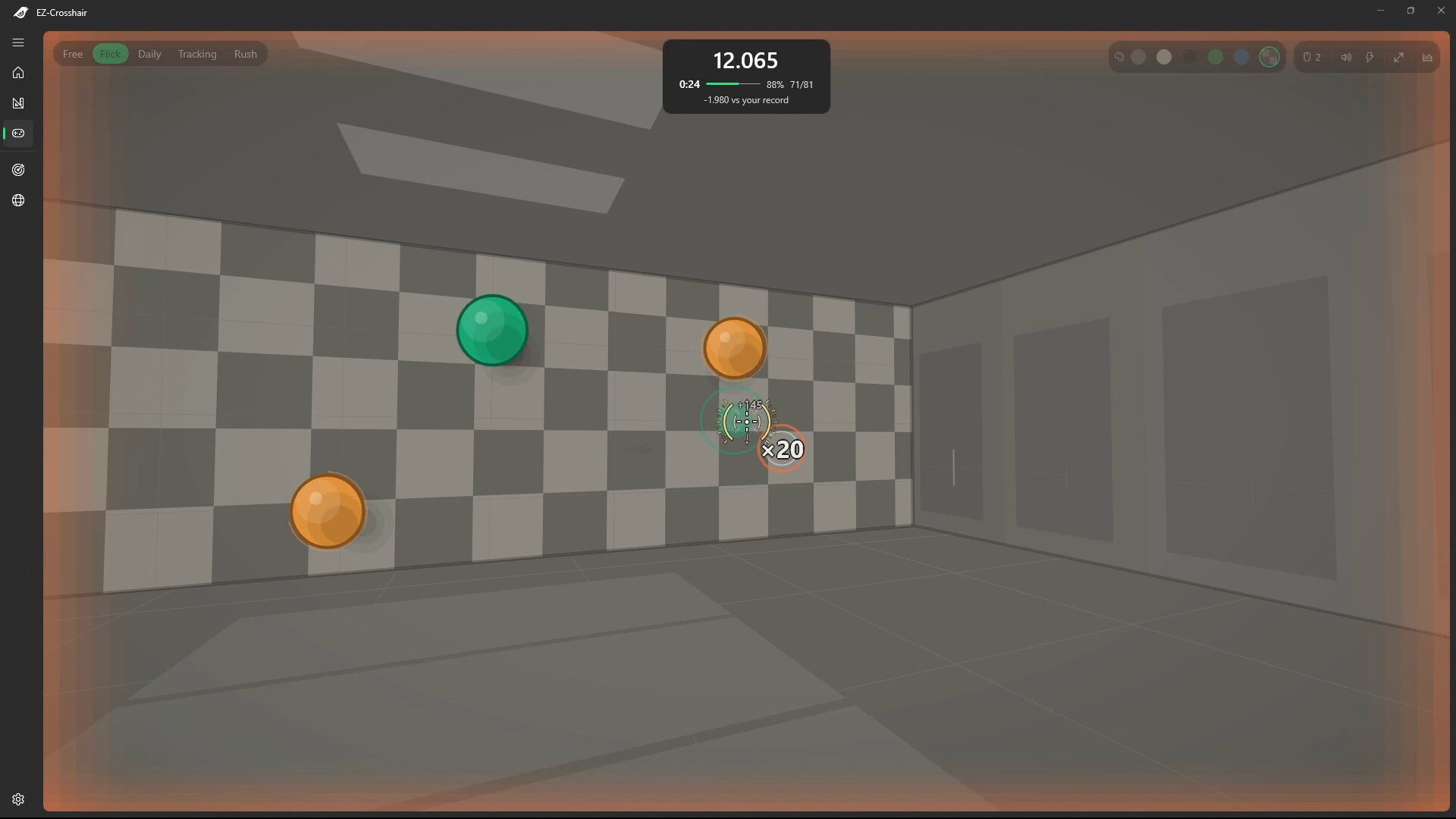
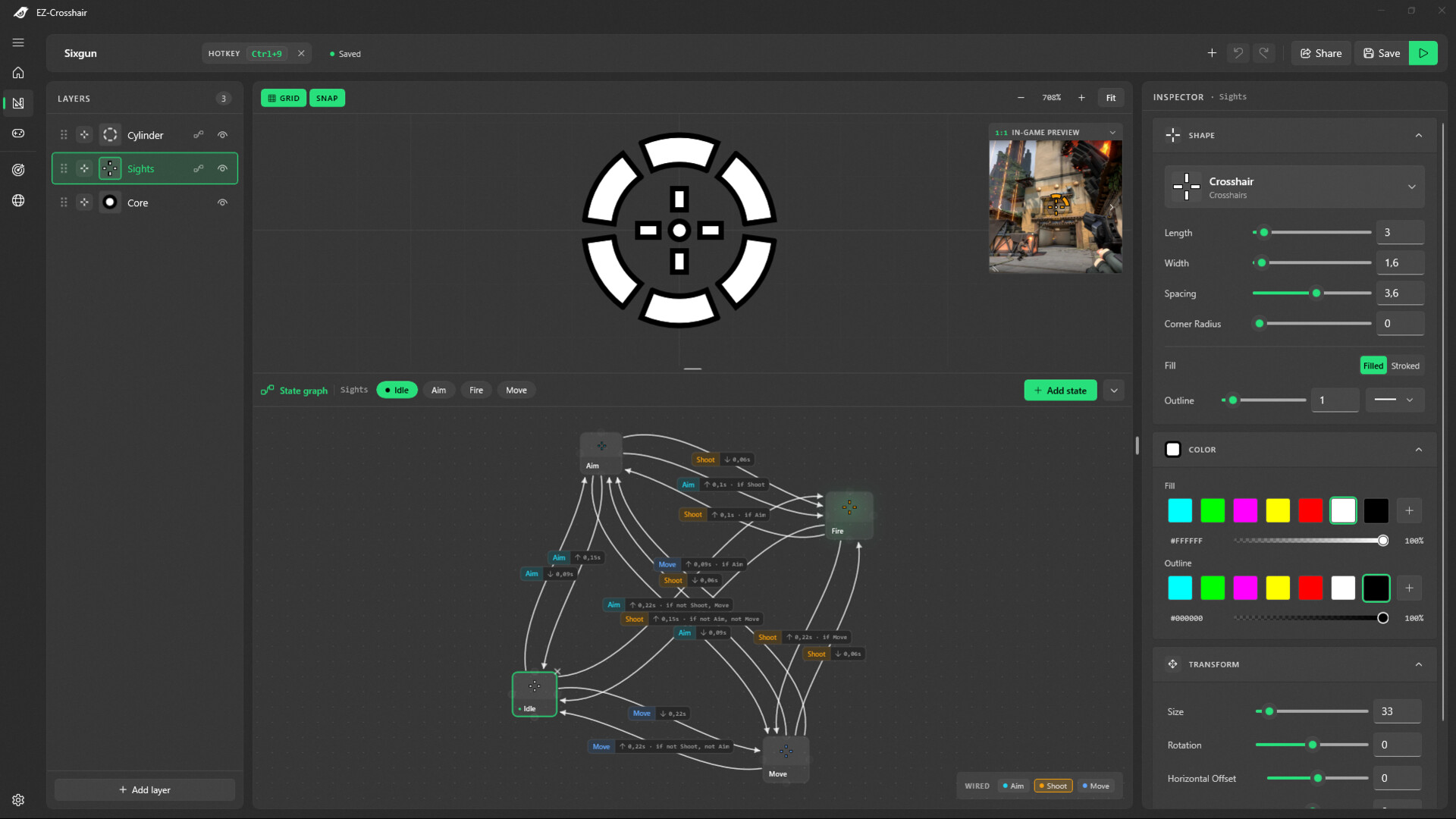
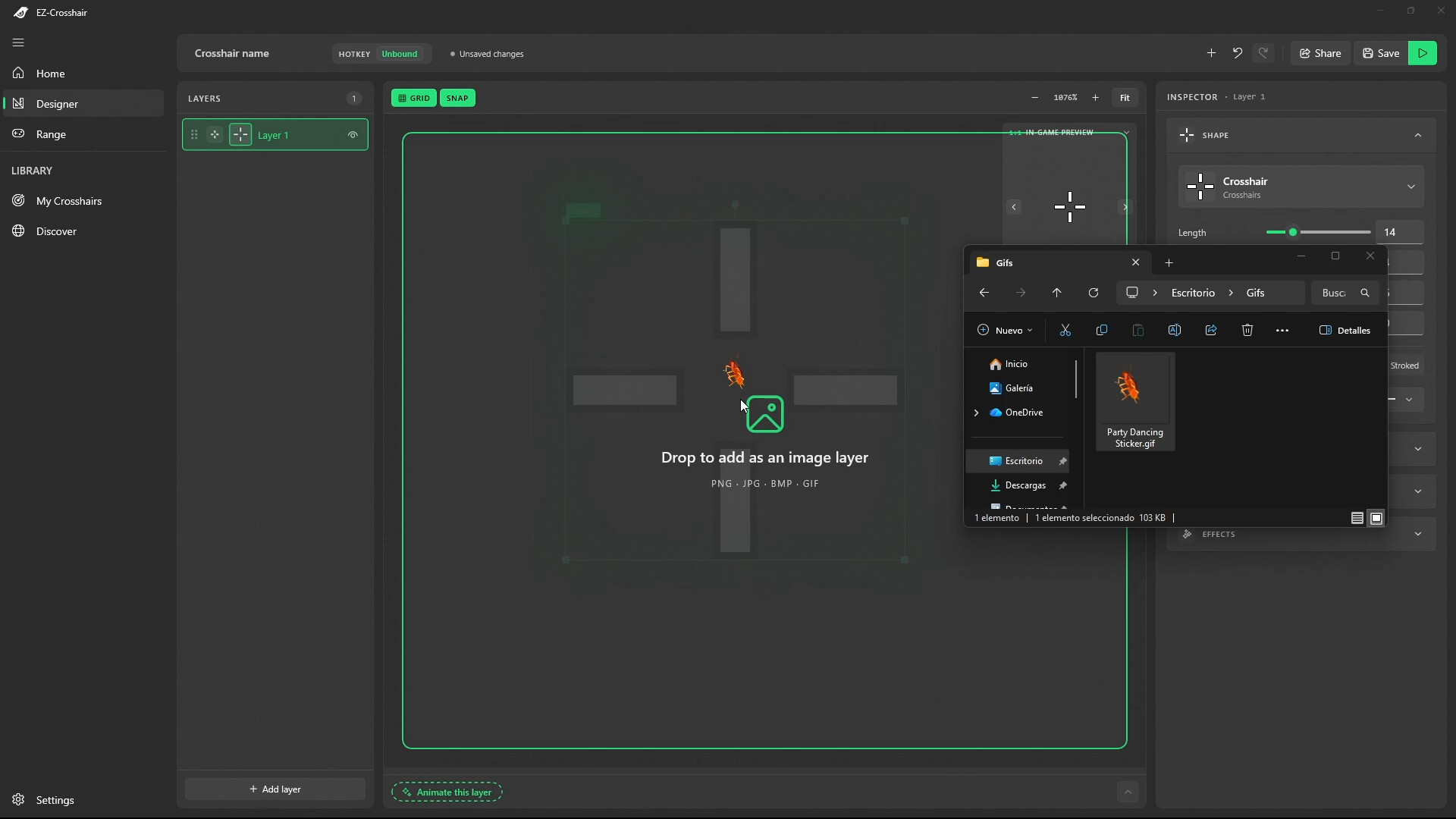
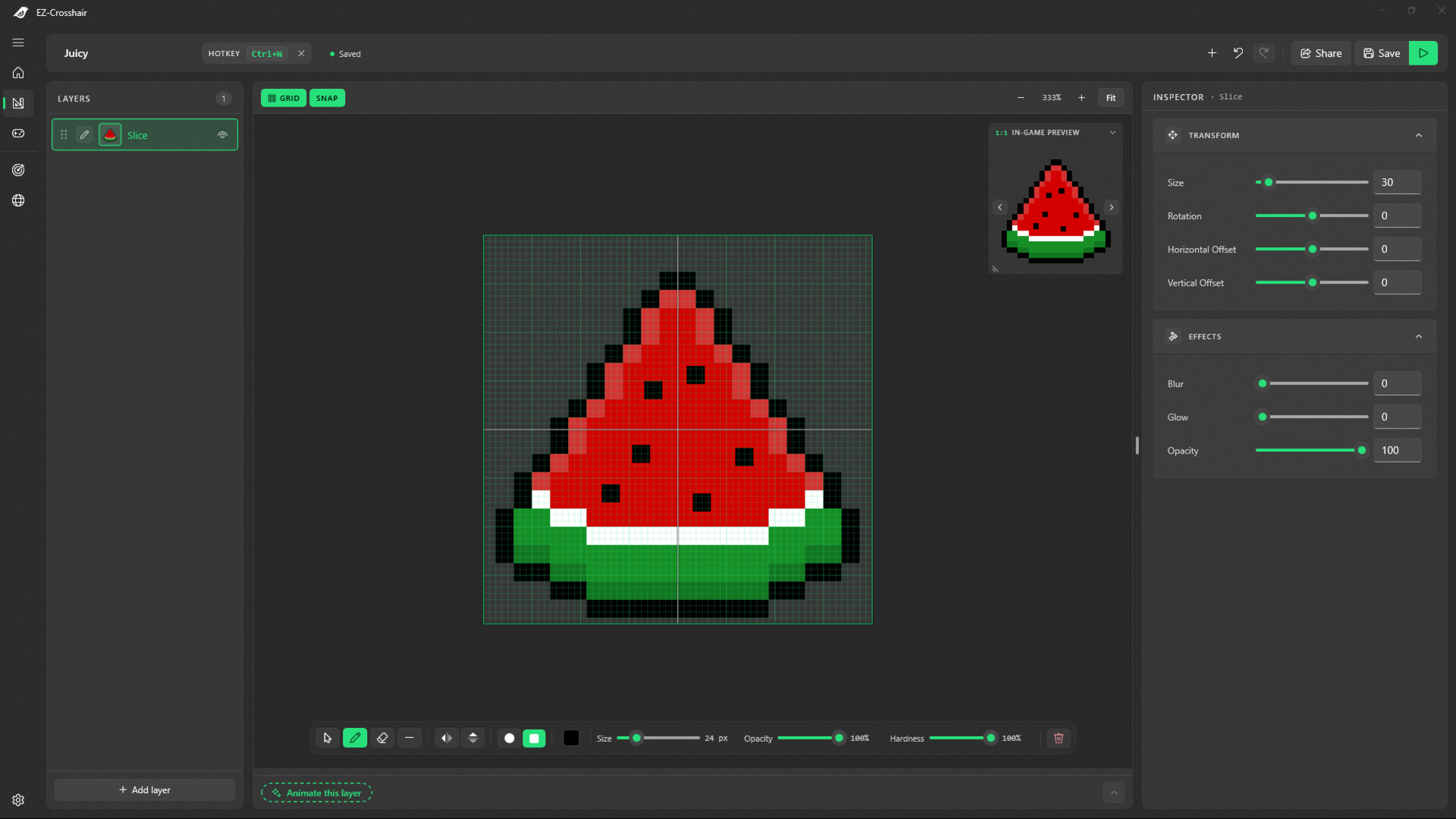
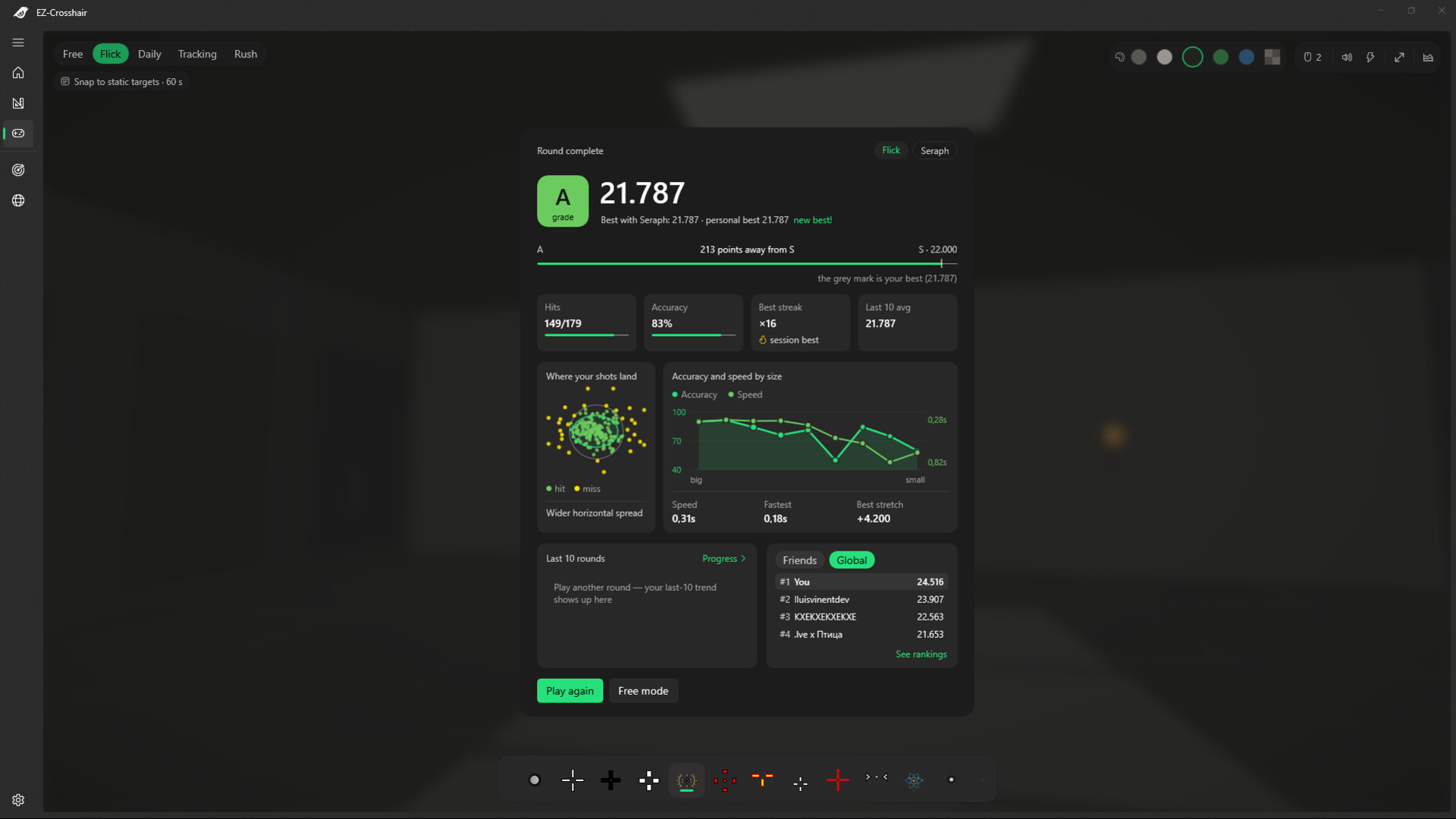
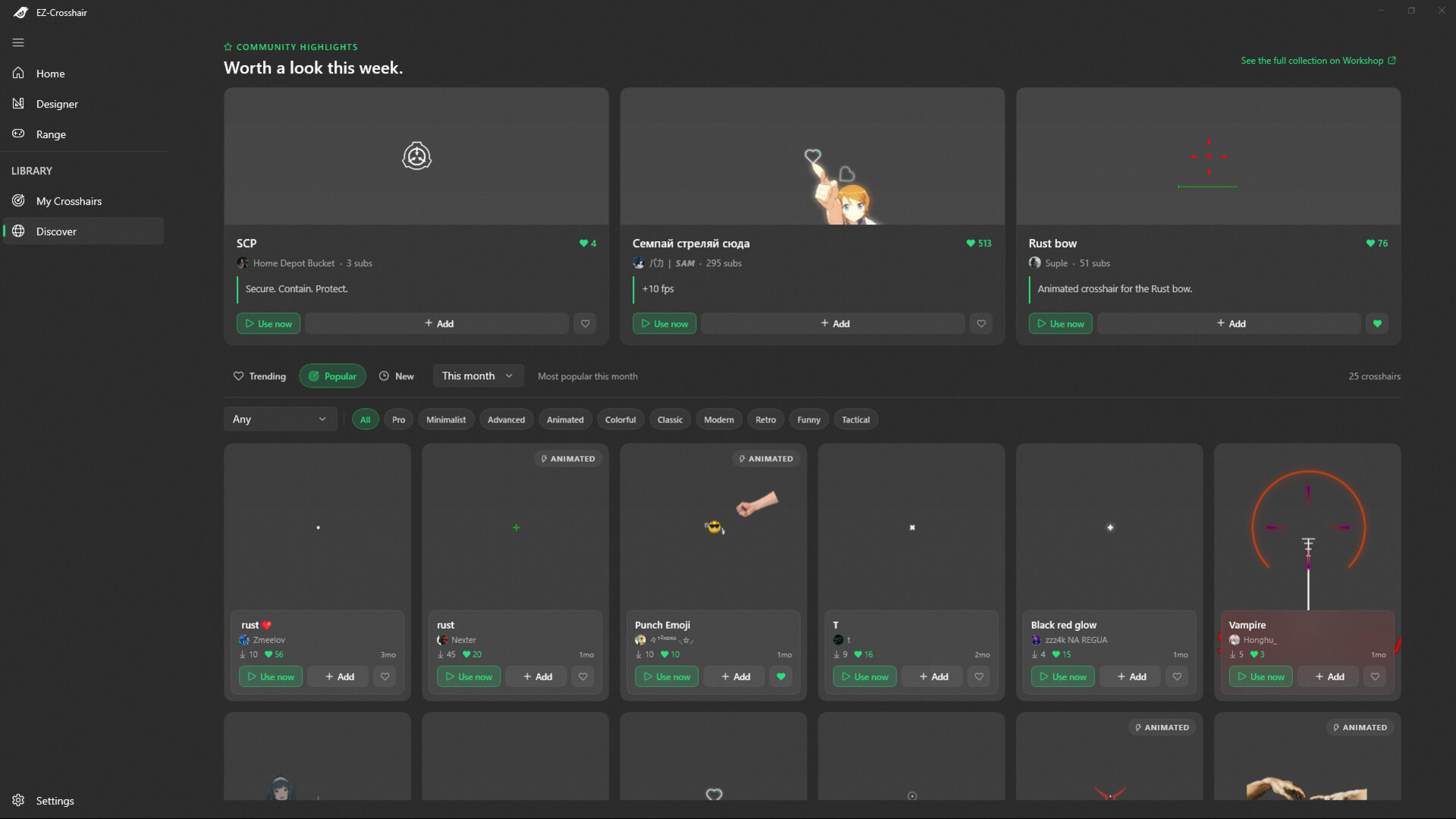
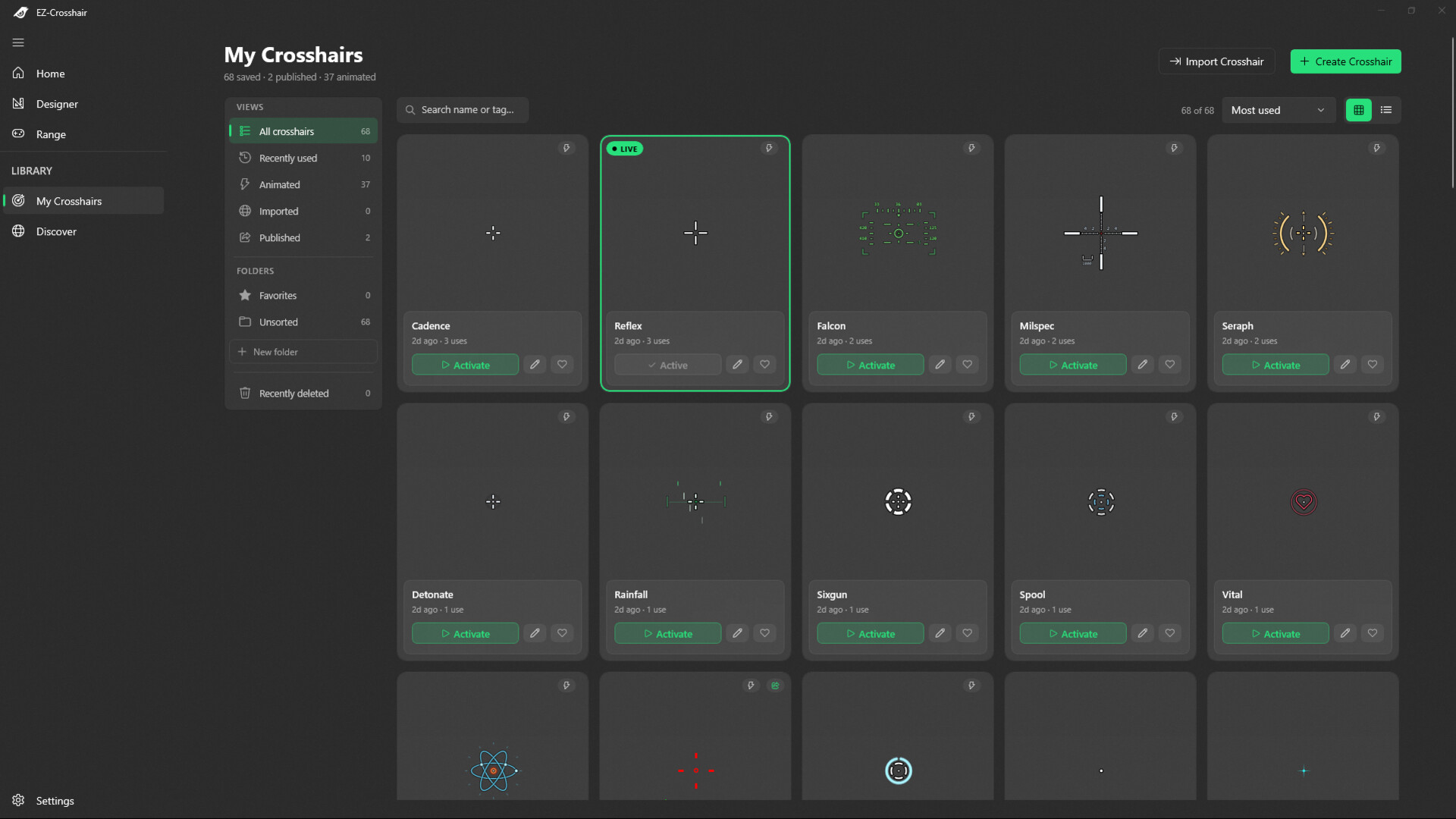
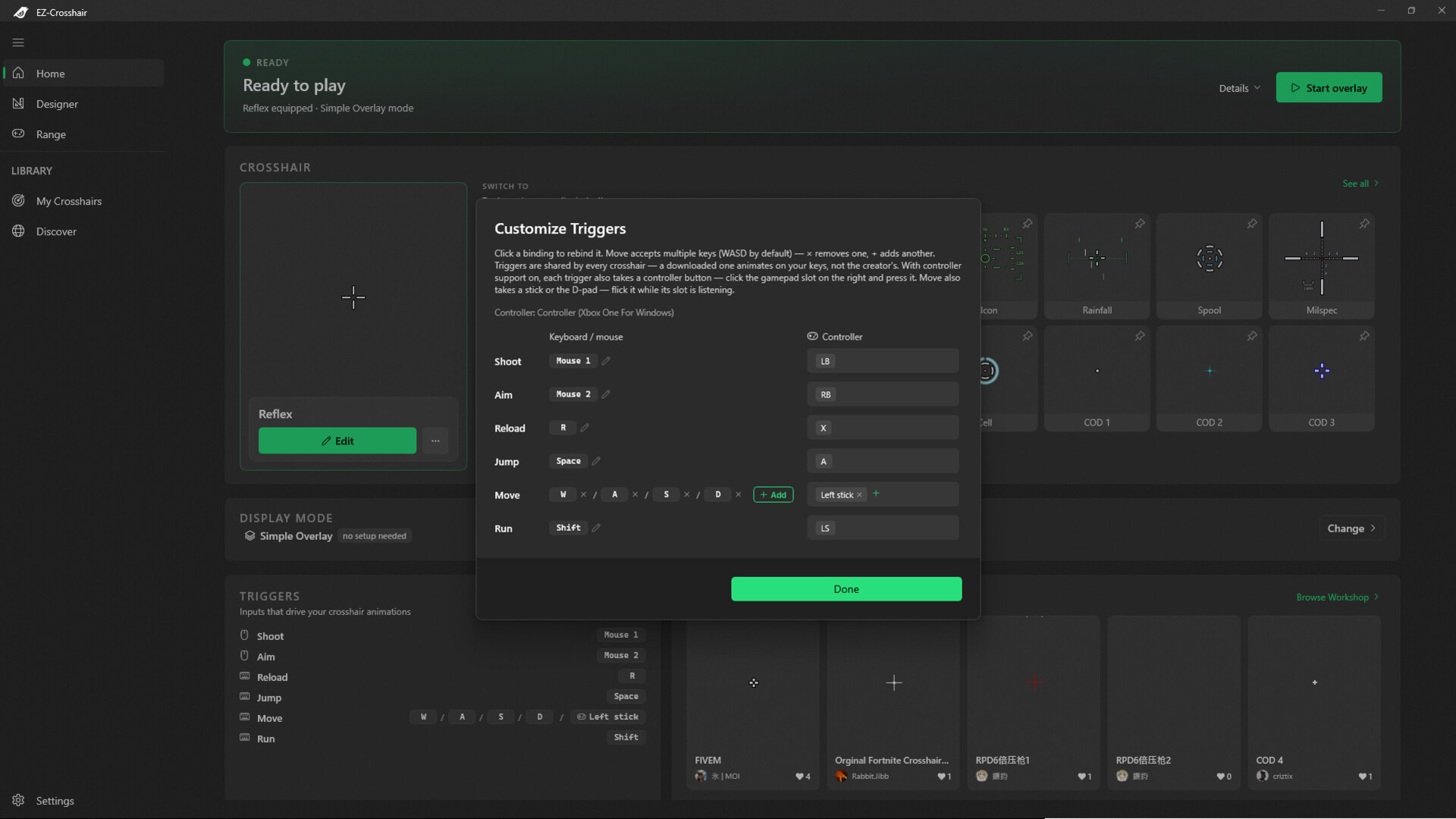
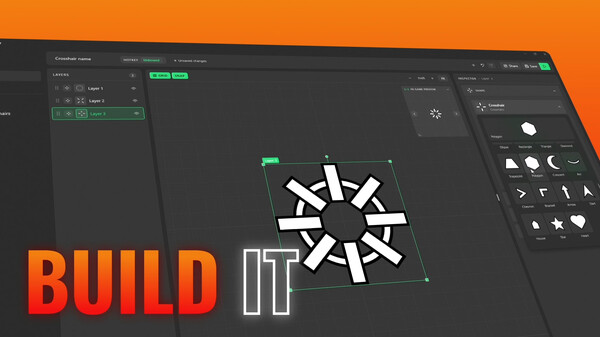
Every other crosshair is a sticker. This one is a machine. Most overlays paste a static image over your screen. EZ-Crosshair runs a live, animated crosshair on top of any PC game — one that fires, snaps and breathes in sync with your real clicks, keys and controller — and ships with a built-in aim trainer to compete with it. ✔ Every PC game | ✔ Windowed, borderless & exclusive fullscreen | ✔ Mouse, keyboard & controller Design a crosshair that reacts The deepest crosshair editor on Steam — an animation tool, not four sliders. States and transitions — idle, aiming, firing… animate what happens in between, with 26 easing curves and interruptions that resume mid-motion instead of snapping. Driven by your real inputs — mouse, keyboard or controller. Fire, ADS, reload, jump, sprint: your crosshair reacts the moment you do. Any art style — clean vector shapes, hand-drawn pixel layers, even animated GIFs. Test while you build — hold your binds in the editor and the real runtime plays back live. Then step into the Range A full aim trainer, built in. Test what you made — then compete with it. Five modes — free warm-up, flicks, tracking, rush… and the Daily: the same seeded targets for everyone, every day. Steam leaderboards — global boards with real profiles. Chase S-grades, streaks and personal bests. The gap nobody else covers — aim trainers can't build crosshairs; crosshair tools can't train aim. Here you try any crosshair under real pressure before you queue. Or grab one and go Hundreds of community crosshairs on the Steam Workshop — one click to equip, yours to tweak. Downloads adapt to YOU — an animated crosshair from the Workshop plays on your keybinds automatically. No setup. Share yours — publish to the Workshop or send a direct link to a friend. Built to be trusted ✔ Anti-cheat safe by design — a pure overlay window. No injection, no hooks, no memory reading, no game files touched. There is nothing inside your game to detect. ✔ Exclusive fullscreen? Covered — pin the included Xbox Game Bar widget (Win+G): it draws on Windows' own overlay layer, above the game. ✔ Full controller support — trigger states from any stick or pad, not just mouse and keyboard. ✔ No DRM, no lock-in — launches with or without Steam running. Your crosshairs are files you own. ✔ Speaks your language — English, Español, Deutsch, Français, Nederlands, Português, Русский, Українська, 简体中文. FAQ Will anti-cheat flag it? No — it draws in its own transparent window and never touches the game's process, memory or files. There is nothing inside the game to detect. Some competitive titles restrict visual aids in their own rules, so check where you play — but nothing is ever injected or modified. Does it work in exclusive fullscreen? The main overlay covers borderless and windowed — what most shooters use today. For exclusive fullscreen, pin the bundled Game Bar widget and Windows renders it above the game. A handful of very old titles force a true exclusive mode where no overlay — ours or anyone's — can draw; switching the game to borderless fixes that in one click. Do I need Steam running? No. The app is DRM-free and runs standalone; Steam powers the Workshop, leaderboards and community extras. Which games does it work with — and which don't? Almost all of them. A handful of games block every overlay, not just ours. Design it. Train with it. Compete with it.
Content & age ratings2 regional ratings

Regional ratings

DEJUSl
IGRS3
System requirementsMinimum and recommended hardware

Minimum

Minimum: OS: 10.0.17763.0 Memory: 4 GB RAM Storage: 500 MB available space

Recommended

Recommended: OS: 10.0.19041.0 Memory: 4 GB RAM Storage: 500 MB available space
Supported languages11 languages
LanguageFull audio
English●
Spanish - Spain●
Spanish - Latin America●
French●
German●
Dutch●
Portuguese - Brazil●
Portuguese - Portugal●
Russian●
Simplified Chinese●
Ukrainian●

A blank audio cell means full audio was not marked in the returned language list.

Screenshots & trailersScreenshots and trailers

Trailers

AchievementsTotal count and selected achievements

14 developer announcements, Jul 2024 to Sep 2026 · times in UTC

September

  1. 2.0 Update — The Whole App, Rebuilt: New Designer, Aim Range, GIF Layers & More

    Your crosshair just came alive.Most crosshair tools give you a sticker: a static shape glued to the middle of your screen. EZ-Crosshair 2.0 gives you a machine — a crosshair that reacts to what you do, the moment you do it.This is the…

    lluisvinentdev

May

  1. v1.1.0 — Quality update

    Behind-the-scenes work to make the app smoother and easier to support. Faster rendering in the designer and overlay Lighter memory, especially on long sessions Modifier keys (Ctrl/Alt/Shift) behave more reliably mid-game App closes cleanly…

    Patch notes

October

  1. Minor Fixes & Improved Drawing Tools!

    🔧 Bug FixesSettings not saving properly: Fixed an issue where your settings were reset to default every time you reopened the app. Now your preferences stay saved as expected.Drawing page interactions: Fixed several interaction bugs that…

    Patch notes

December

  1. Layer Tabs Update: Enhanced Preview and Renaming

    Now, the layer tabs for the crosshairs display a small preview to help you identify them clearly. You can also rename layers by double-clicking or right-clicking the tab. Additionally, when you hover over a tab, it will be highlighted on…

    Patch notes
  2. The App Can Now Be Hidden in the App Tray!

    You can now hide the app in the App Tray to keep your workspace neat. Even when hidden, the crosshair will remain active and fully functional. If you'd prefer to disable this feature, you can do so anytime in the Settings page.

    Patch notes
  3. Hello! ¡Hola! Hallo! Bonjour! Hallo! Olá! Привет! 你好! Привіт! Hello!

    (es-ES) La aplicación está disponible en español. Puedes cambiar el idioma desde la página de ajustes. (fr-FR) L'application est maintenant disponible en français. Vous pouvez changer la langue depuis la page des paramètres. (nl-NL) De app…

    Patch notes

November

  1. New 'Draw' Page

    {STEAM_CLAN_IMAGE}/44971928/5f1879be263908ebf2e098187ccc4a60c5561557.jpg The drawing feature now has its own page, making it more accessible and easier to use. You can also draw in multiple colors and customize your palette.

    lluisvinentdev

October

  1. Import crosshairs from Counter Strike 2

    You can now import crosshairs directly from Counter Strike and use them in any game. To import a CS2 crosshair, click the 'Import from CS2' button and paste the crosshair configuration code. You can then save and edit it from the…

    lluisvinentdev
  2. Custom Themes!

    You can now choose to let the app adapt to your operating system's theme or use your own custom theme.

    Patch notes
  3. Game Bar Extension Bug Fix

    For some players the crosshair was not appearing in the game bar extension widget. This has been fixed in this update.

    Patch notes

September

  1. Export crosshairs as PNG images

    Added functionality to export crosshairs as PNG images.

    Patch notes

August

  1. Exclusive Fullscreen Support!

    An EZ-Crosshair extension has been added, featuring a Widget for the Microsoft Game Bar. This allows you to use the crosshair in 'exclusive fullscreen' mode. To install and configure the widget, go to the app's settings page, there you will…

    lluisvinentdev

July

  1. You can now upload and download crosshairs from the Steam Workshop

    The Steam Workshop API has been integrated into the app, meaning you can see and use the best crosshairs from the community. You can also see your friends' crosshairs :)

    Patch notes
  2. Added support for controllers

    You can now use your controller to animate your crosshairs (Beta).

    Patch notes

All games on this site