STEAMDB NEXUS

Steam app 1389990 · updated 12 Sep 2026, 20:21 UTC

Oblivity - Find your perfect Sensitivity

Oblivity is an advanced aim training software that provides everything you need to improve your aim! Find your perfect, intuitive mouse sensitivity with Oblivity's sensitivity finder. Or detect your bad aiming habits in the extensive analysis and replay space.

Oblivity - Find your perfect Sensitivity Steam header artwork
Poly GamesPoly Games
60playing now
6524-hour peak
1,020all-time peak
61average, last 30 days

The last 30 days

+1.8Gain+3.03%% gain162Peak

720 hourly samples, with the daily peak drawn over them. Weekends are shaded.

0448713117513 Aug18 Aug23 Aug28 Aug02 Sep07 Sep12 SepThursday 13 August 202656 peakFriday 14 August 202672 peakSaturday 15 August 202685 peakSunday 16 August 202684 peakMonday 17 August 2026162 peakTuesday 18 August 2026159 peakWednesday 19 August 2026143 peakThursday 20 August 2026110 peakFriday 21 August 2026118 peakSaturday 22 August 2026102 peakSunday 23 August 2026115 peakMonday 24 August 2026104 peakTuesday 25 August 2026105 peakWednesday 26 August 2026101 peakThursday 27 August 202698 peakFriday 28 August 202698 peakSaturday 29 August 202698 peakSunday 30 August 202693 peakMonday 31 August 2026100 peakTuesday 01 September 202685 peakWednesday 02 September 202689 peakThursday 03 September 202679 peakFriday 04 September 202681 peakSaturday 05 September 202675 peakSunday 06 September 202685 peakMonday 07 September 202683 peakTuesday 08 September 202669 peakWednesday 09 September 202668 peakThursday 10 September 202674 peakFriday 11 September 202673 peakSaturday 12 September 202665 peak
Daily peakEvery hourly sample

All time

55 months, March 2022 to September 2026. The highest number of people in the game at once, each month, on a time axis -- a gap in the record stays a gap.

02755518261kMar 2022Dec 2022Sep 2023Jun 2024Mar 2025Dec 2025Sep 2026March 20221,020 monthly peakApril 2022327 monthly peakMay 2022162 monthly peakJune 2022101 monthly peakJuly 2022155 monthly peakAugust 2022127 monthly peakSeptember 202284 monthly peakOctober 202269 monthly peakNovember 202279 monthly peakDecember 202286 monthly peakJanuary 2023155 monthly peakFebruary 202393 monthly peakMarch 202395 monthly peakApril 202386 monthly peakMay 202369 monthly peakJune 202388 monthly peakJuly 202358 monthly peakAugust 202346 monthly peakSeptember 202343 monthly peakOctober 202344 monthly peakNovember 202362 monthly peakDecember 202345 monthly peakJanuary 202453 monthly peakFebruary 202453 monthly peakMarch 202456 monthly peakApril 202449 monthly peakMay 202446 monthly peakJune 202445 monthly peakJuly 202487 monthly peakAugust 202484 monthly peakSeptember 202480 monthly peakOctober 202470 monthly peakNovember 202482 monthly peakDecember 2024106 monthly peakJanuary 2025106 monthly peakFebruary 202598 monthly peakMarch 202584 monthly peakApril 202568 monthly peakMay 202591 monthly peakJune 202586 monthly peakJuly 202588 monthly peakAugust 202580 monthly peakSeptember 2025118 monthly peakOctober 202594 monthly peakNovember 202573 monthly peakDecember 202579 monthly peakJanuary 2026114 monthly peakFebruary 202688 monthly peakMarch 202697 monthly peakApril 202679 monthly peakMay 202673 monthly peakJune 2026203 monthly peakJuly 202676 monthly peakAugust 2026162 monthly peakSeptember 202689 monthly peak
Monthly peak

The last four months

Show:

The highest number of people in the game at once, each month. Four, because four is as far back as the source keeps anything finer than one figure a month.

04487131175July 2026August 2026September 2026October 2026July 202676 peak — daily detail belowAugust 2026162 peak — hourly detail belowSeptember 202689 peak — hourly detail below
Monthly peakHas finer data

July 2026

31 days, each one the highest figure that day. The source keeps no hourly detail this far back. Weekends are shaded.

02141628201 Jul06 Jul11 Jul16 Jul21 Jul26 Jul31 JulWednesday 01 July 202671 peakThursday 02 July 202674 peakFriday 03 July 202673 peakSaturday 04 July 202673 peakSunday 05 July 202667 peakMonday 06 July 202676 peakTuesday 07 July 202672 peakWednesday 08 July 202670 peakThursday 09 July 202667 peakFriday 10 July 202669 peakSaturday 11 July 202667 peakSunday 12 July 202662 peakMonday 13 July 202671 peakTuesday 14 July 202659 peakWednesday 15 July 202659 peakThursday 16 July 202660 peakFriday 17 July 202657 peakSaturday 18 July 202657 peakSunday 19 July 202661 peakMonday 20 July 202672 peakTuesday 21 July 202654 peakWednesday 22 July 202652 peakThursday 23 July 202656 peakFriday 24 July 202671 peakSaturday 25 July 202670 peakSunday 26 July 202661 peakMonday 27 July 202668 peakTuesday 28 July 202665 peakWednesday 29 July 202658 peakThursday 30 July 202670 peakFriday 31 July 202664 peak

August 2026

31 days as the curve, each the highest figure that day. Behind it, 436 hourly samples from 13 Aug, which is as far back as the source keeps every hour. Weekends are shaded.

0448713117501 Aug06 Aug11 Aug16 Aug21 Aug26 Aug31 AugSaturday 01 August 202673 peakSunday 02 August 202676 peakMonday 03 August 202669 peakTuesday 04 August 202664 peakWednesday 05 August 202667 peakThursday 06 August 202669 peakFriday 07 August 202665 peakSaturday 08 August 202666 peakSunday 09 August 202657 peakMonday 10 August 202664 peakTuesday 11 August 202657 peakWednesday 12 August 202666 peakThursday 13 August 202669 peakFriday 14 August 202672 peakSaturday 15 August 202685 peakSunday 16 August 202684 peakMonday 17 August 2026162 peakTuesday 18 August 2026159 peakWednesday 19 August 2026143 peakThursday 20 August 2026110 peakFriday 21 August 2026118 peakSaturday 22 August 2026102 peakSunday 23 August 2026115 peakMonday 24 August 2026104 peakTuesday 25 August 2026105 peakWednesday 26 August 2026101 peakThursday 27 August 202698 peakFriday 28 August 202698 peakSaturday 29 August 202698 peakSunday 30 August 202693 peakMonday 31 August 2026100 peak

September 2026

12 days as the curve, each the highest figure that day. Behind it, 284 hourly samples. Each dip is a night. Weekends are shaded.

02448729601 Sep03 Sep05 Sep07 Sep09 Sep11 SepTuesday 01 September 202685 peakWednesday 02 September 202689 peakThursday 03 September 202679 peakFriday 04 September 202681 peakSaturday 05 September 202675 peakSunday 06 September 202685 peakMonday 07 September 202683 peakTuesday 08 September 202669 peakWednesday 09 September 202668 peakThursday 10 September 202674 peakFriday 11 September 202673 peakSaturday 12 September 202665 peak

October 2026

Oblivity - Find your perfect Sensitivity was released on 24 Mar, 2022.

Not out yet.There is nothing to draw for this month.
Nothing here is interpolated or estimated; where a sample is missing the line is broken.

Game information

Updated 12 Sep 2026, 20:21 UTC
App ID
1389990
Last updated
04 Mar 2026 build 22131121
Developer
Poly Games
Publisher
Poly Games
Release date
24 Mar, 2022
Platforms
Windows
Download size
225 MB
Install size
1.20 GB
Genres
Action, Casual, Indie, Simulation
Game modes
Single-player
Controller support
Unknown
Achievements
20

Features & support

Steam features

Family Sharing

Controllers & input

Accessibility

Popular tags

SimulationActionFPSIndieShooterSoftware TrainingFirst-PersoneSportsScore AttackAction-AdventureArtificial IntelligenceSingleplayer3DTutorialFast-PacedSoftwareCompetitiveSniperArena ShooterMinimalist
About this gameFull description from Steam
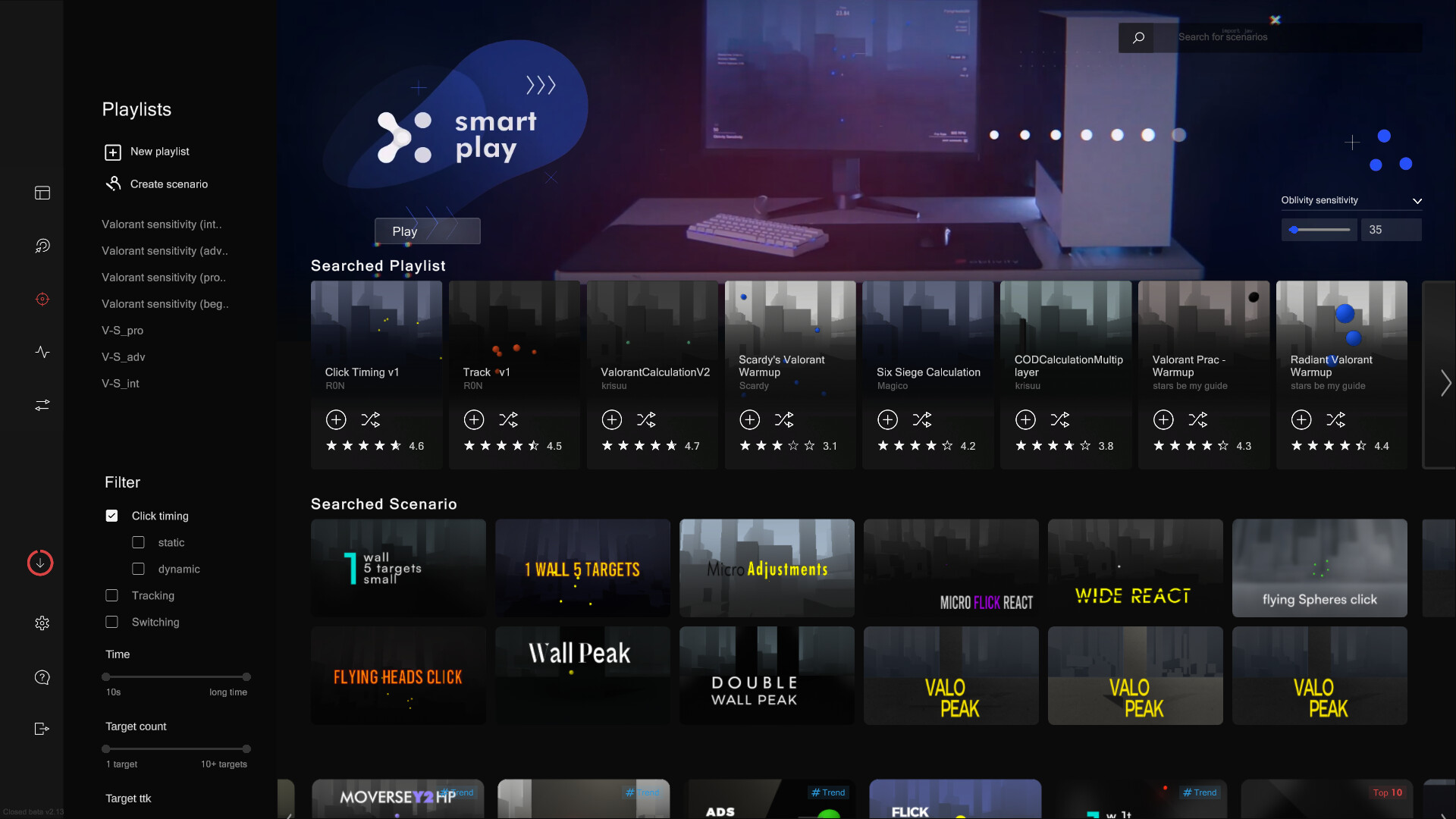
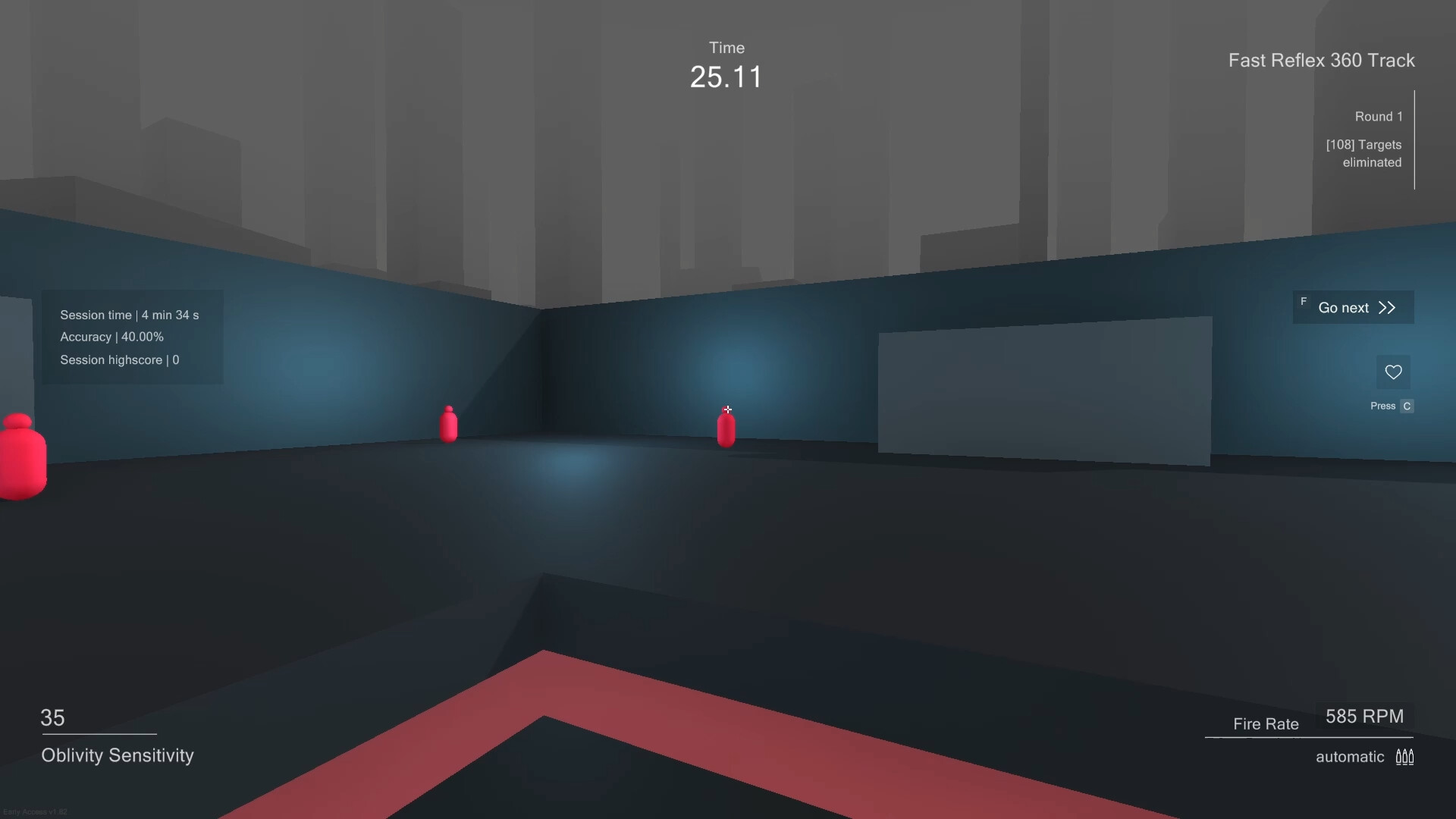
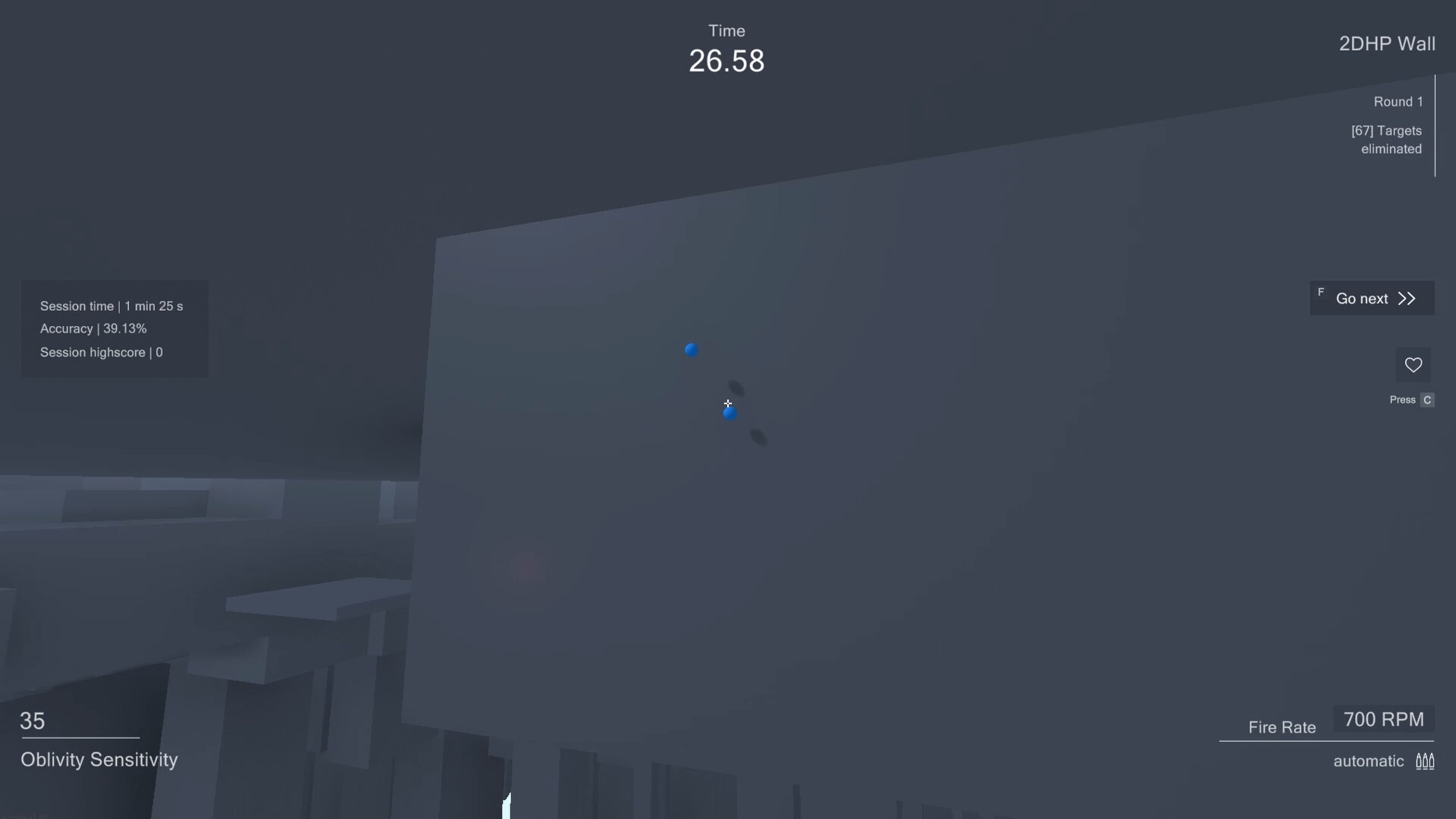
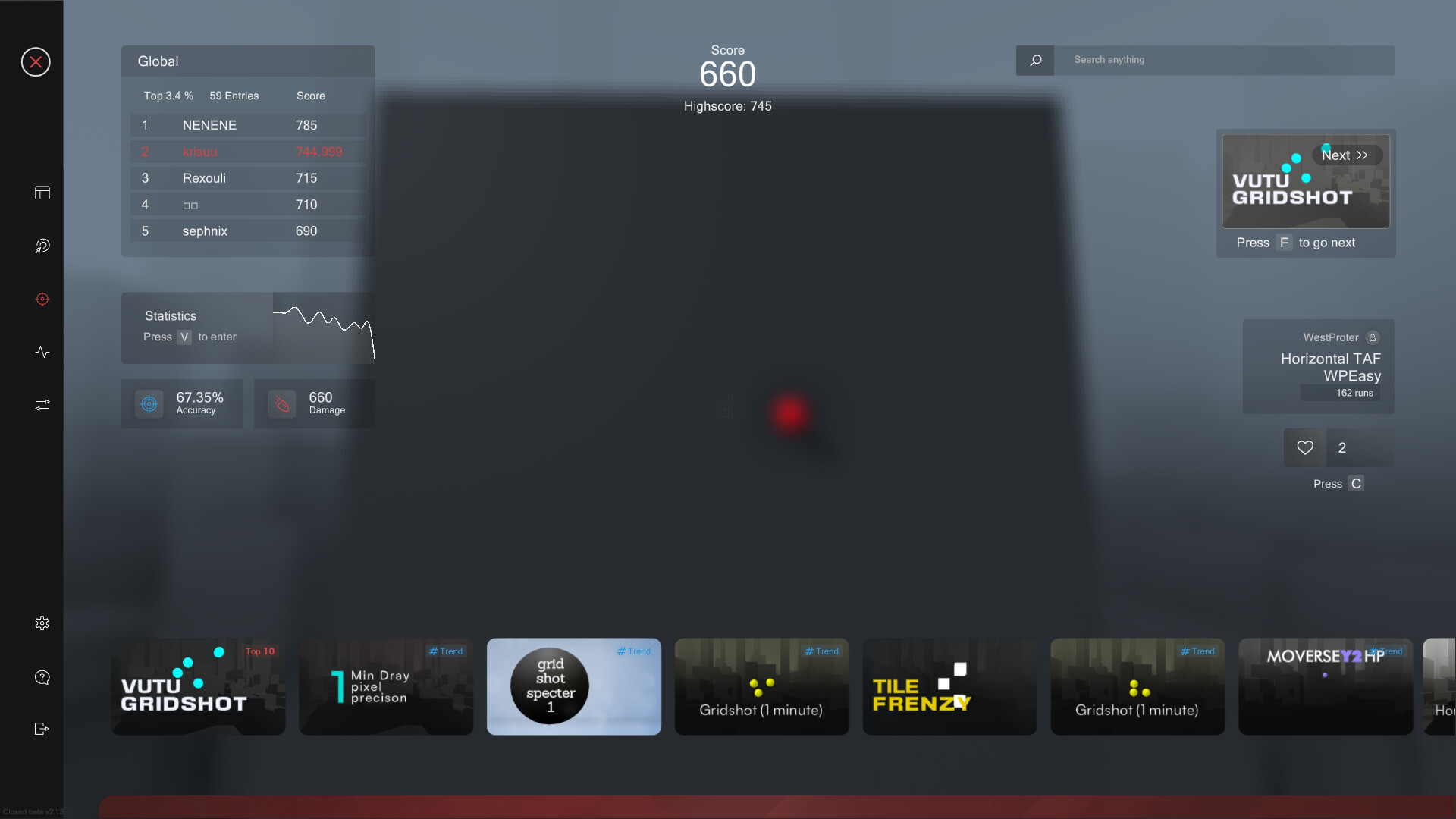
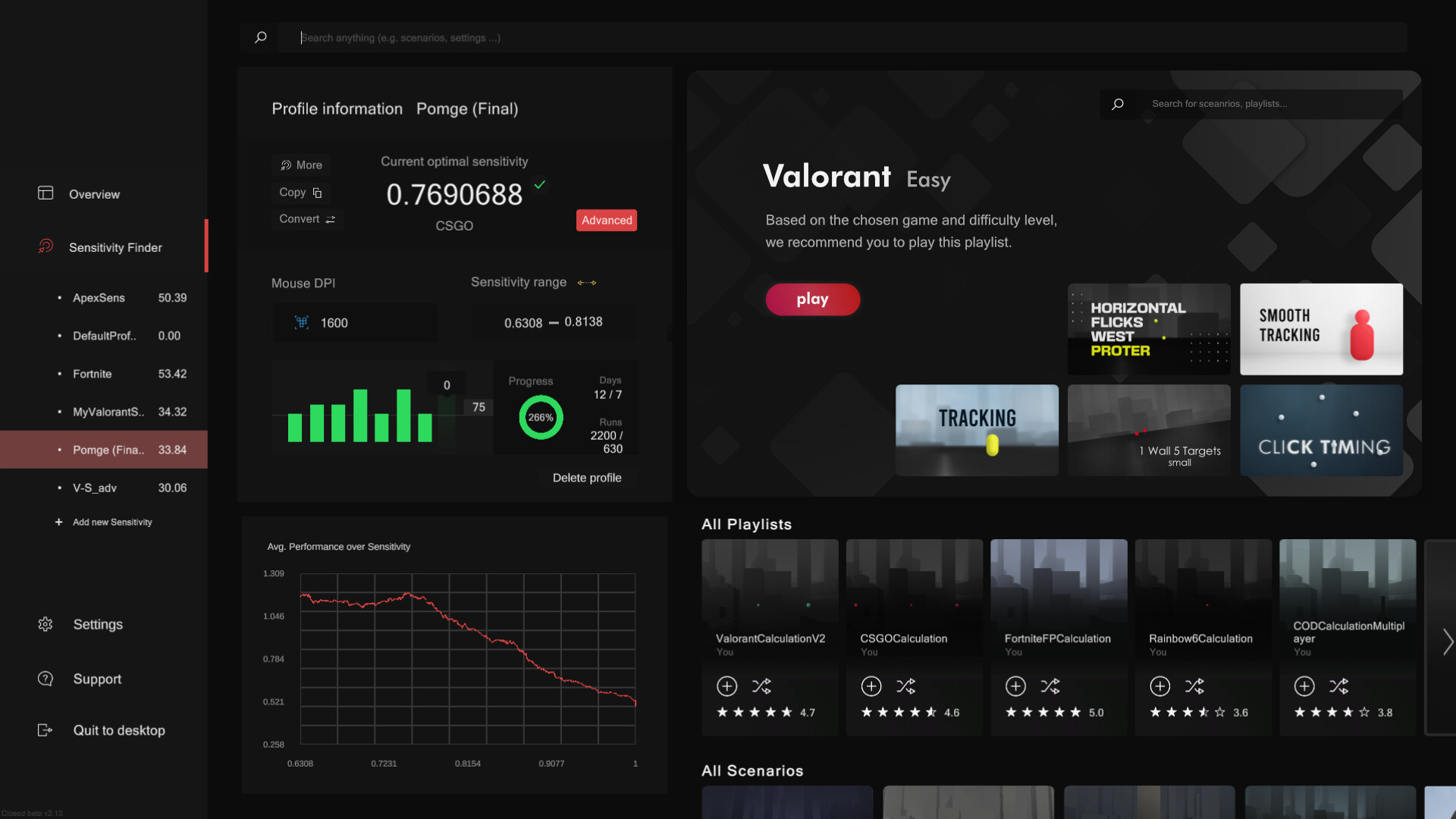
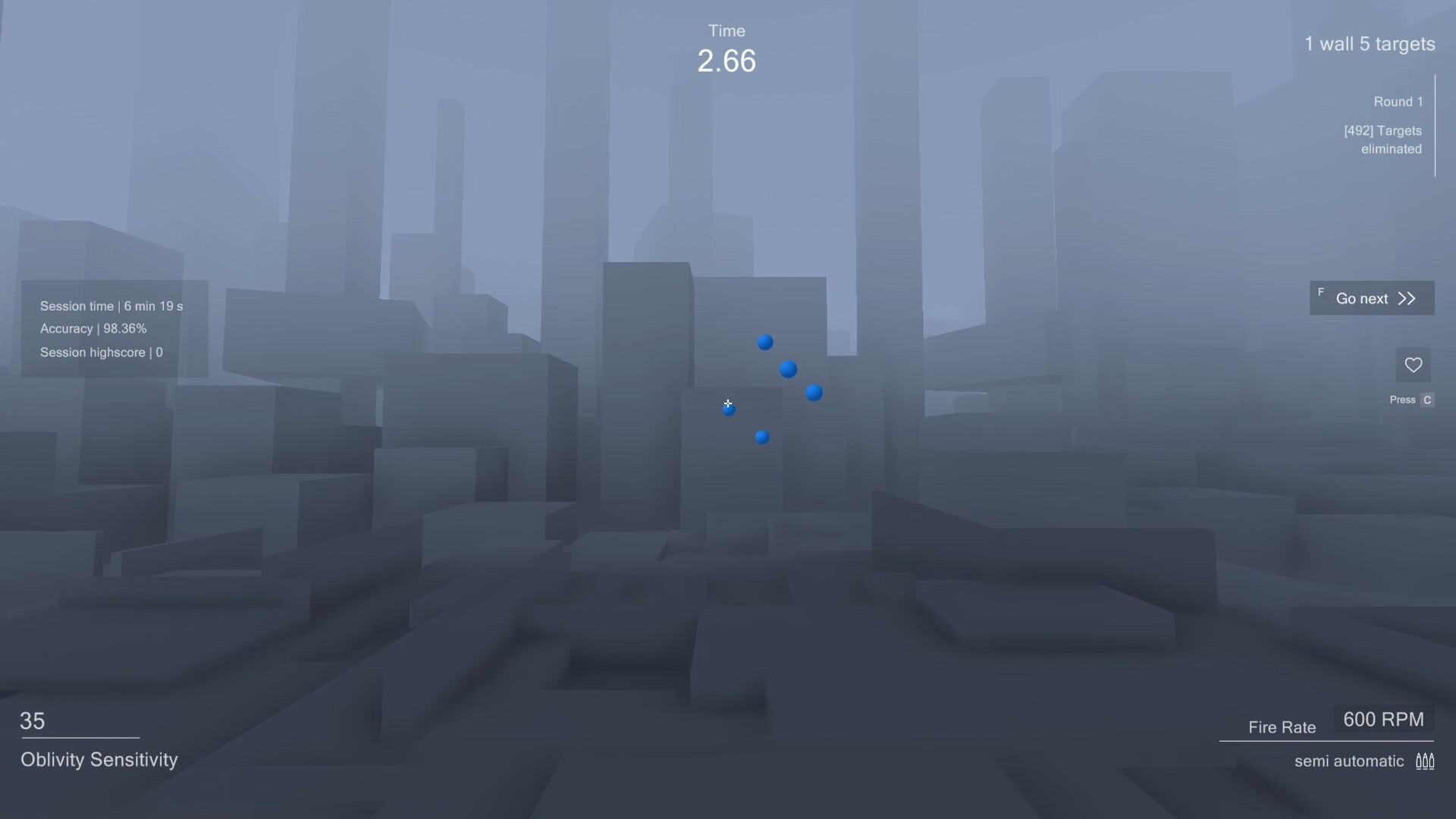
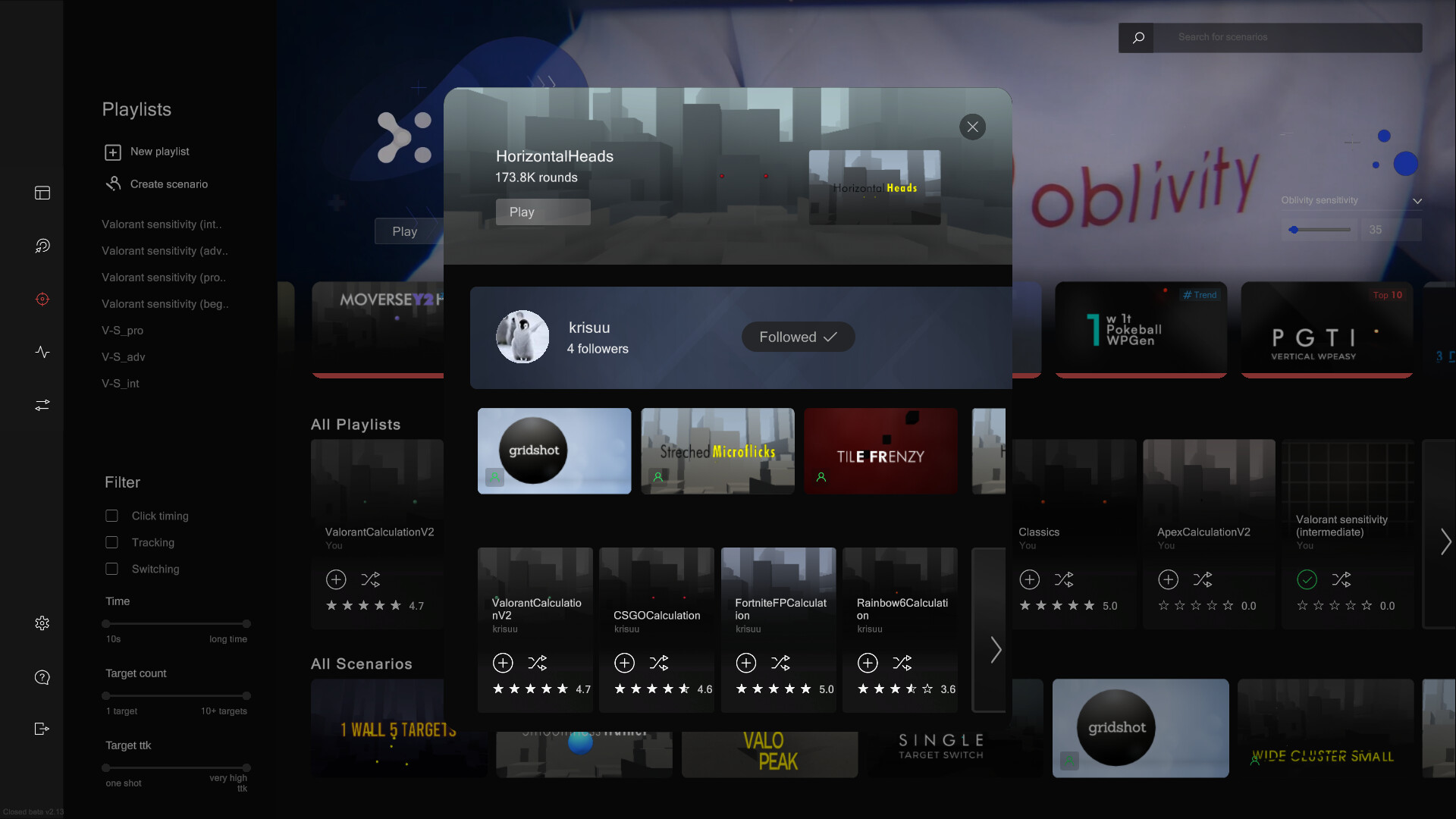
Aim Trainer: In Oblivity's trainer you can try out your new mouse sensitivity right away. You will find anything in the continuously growing online library of scenarios and playlists. How high can you climb the leaderboards against other players and your friends? You can also create scenarios yourself, upload them and share them with the Oblivity community. Special aim training technies such as mouse pathing or metronom aiming are supported as well. Sensitivity Finder: The sensitivity finder is a unique feature Oblivity is especially known for. It will help you to find an optimal mouse sensitivity for your favourite game! You play a selection of scenarios matching your selected FPS game. Each round your mouse sensitivity changes. Oblivitys algorithm tracks your performance and mouse movement data to determine the sensitivity you perform best with. Over a longer playtime, Oblivity can collect enough data to show you exactly how well you perform on different mouse sensitivity levels. Smart Play: Smart Play is the perfect place to discover new scenarios. Just click "Next" and we will pick the following scenario based on your liking and preferences. Analysis: After your training session, you can immediately view the statistics of your runs in the analysis section. Oblivity provides as much data as possible to show where you have weaknesses and do aiming mistakes. This includes the usual information like accuracy, mouse speed and score. But you will also see data such as the deviation from the ideal aiming path, overshoot, undershoot or aiming smoothness. Replay: Every run can be rewatched with the replay tool. The timeline shows, where you did which mistake. Be it over- undershooting the deviation or your overall performance. The playback speed can be adjusted to any level. You can also turn on onscreen indicators that show your aim line compared to the optimal aiming path. Converter: Oblivity also offers a converter. It is not only intended to convert your new Oblivity mouse sensitivity to that of your favorite game. You can very accurately convert the sensitivity of all supported first person shooters to that of any another game. Options: Oblivity is fully customizable! You can adjust anything to create your perfect, individual aim training experience. To name some examples: Change any ingame colour, create your own crosshair, import your own sound effects and customize the ingame HUD. Of course you can also set all technical values. Oblivity supports different FOV types, each keybind can be changed, different monitor resolutions and aspect ratios are supported.
Content & age ratings2 regional ratings

Regional ratings

DEJUSl
IGRS3
System requirementsMinimum and recommended hardware

Minimum

Minimum: OS: Windows 10 Processor: Intel Core i3 Memory: 4 GB RAM Graphics: GTX 560 Storage: 600 MB available space Additional Notes: As long as your pc isn't a potato you shouldn't have any performance issues.

Recommended

Recommended: OS: Windows 10 Processor: Intel Core i5 Memory: 6 GB RAM Graphics: GTX 960 Storage: 1 GB available space Additional Notes: As long as your pc isn't a potato you shouldn't have any performance issues.
Supported languages1 languages
LanguageFull audio
English

A blank audio cell means full audio was not marked in the returned language list.

Screenshots & trailersScreenshots and trailers

Trailers

AchievementsTotal count and selected achievements

20 achievements in total.

Show selected achievements (may contain spoilers)
#1Achievement
Top 10%Achievement
Top 10Achievement
FAST SensitivityAchievement
MEDIUM SensitivityAchievement
ACCURATE SensitivityAchievement
HARDCORE SensitivityAchievement
Warming upAchievement
GrinderAchievement
RelentlessAchievement

View all Steam achievements

50 developer announcements, Mar 2022 to Mar 2026 · times in UTC

March

  1. Patch v2.10.12

    - fixed issues with boxed microflicks - improved the sensitivity finder valorant professional playlist by adding a new better alternative for boxed microflicks. - added 1:1 stretched ratio

    Patch notes

January

  1. Hotfix v2.10.10

    - fixing issues with parts of the Sensitivty Finder UI not rendering correctly

    Patch notes
  2. Big Patch v2.10.9 - 1px Crosshairs, Simulated Stretched Resolution, Bug Fixes

    1px Crosshair Thickness Oblivity now supports true 1px line and dot thickness. To make this work even when monitor resolutions are divisible by 2, we offset the crosshair towards the top-left center pixel (similar to how Valorant handles…

    Patch notes

December

  1. Patch v2.10.4

    - fixed settings saving problems for users with previously multiple settings profiles - fixed Resolution dropdown setting updating correctly on display switch - general improvements to the Behaviour System

    Patch notes
  2. Hotfix v2.10.1

    - fixed fov load problem, leading to zoomed in perspective

    Patch notes
  3. Update v2.10.0 - Settings Rework, Assistance Drawers, Performance Overhaul

    Developer NoteHey Oblivity Community,It’s been a while since our last update, but we are still at work moving towards the Update: Oblivity 3.0 and its upcoming core feature.For this Update (v2.10.0), we focused heavily on refactoring and…

    polygames

May

  1. Update v2.98 - The first step towards Oblivity 3.0

    Developer Note Hey Oblivity Community, It’s been a while since our last update, but we’ve been hard at work on some major new features. This latest update marks the first big step toward the upcoming Oblivity 3.0. As part of this massive…

    polygames

December

  1. Bug Fix Patch v2.97

    - fixed a issue where achievements/progression popups block UI Input - added a delete button to the scenario information screen, that allows you to remove your scenarios from the workshop and locally. - fixed issues leading to spawnareas…

    Patch notes

October

  1. Hotfix v0.96

    - fixed a problem with fovtype in sens finder - fixed a issue with mouse cursor disappearing after a round - fixed the refresh button in teh scenario creator

    Patch notes
  2. Big Patch v2.95 / Bug fixes, Aim Coach, Sensitivity Finder, Behaviour system,

    Bug Fixes & QoL - reworked and improved the download manager with a new UI and faster speed - fixed Achievements appearing while a new round starts - improved saving performance - reworked sensitivity finder setup screen graphics for a…

    Patch notes

September

  1. Oblivity Update 2.9 // Sensitivity Finder Improvements, Routine UI, new Sounds

    Developer Note Hello Oblivity Community, This update focuses on making the Sensitivity finder easier to use. We also reworked some of the Routine ingame interface, and included new sounds. Many of the new features and bug fixes in this…

    polygames

July

  1. v2.88 Patch Bug Fix

    - fixing some bugs, with players not loading in correctly - fixing an issue with sensitivity finder achievements

    Patch notes

June

  1. Patch v2.86 - Bug Fixes

    - fixed issues where online routines not displaying - fixed issues with selecting scenarios for the routine playlists - improved row visibility checks - fixed issues with achievements leading to blue sky - fixed issues with editing online…

    Patch notes

May

  1. New xDefiant & The Finals sensitivity finding playlists

    Explore our new Sensitivity Finding playlists for xDefiant and The Finals! Create a Sensitivity profile for either game and dive into our specially curated playlists. Each game features four distinct playlists tailored to different skill…

    Patch notes
  2. Oblivity Update 2.8 // Setup Screen, Creator Improvements, Training Routines

    Developer Note Hello Oblivity Community, This update focuses on adding a new Setup Screen, that should help new users to quickly input all their settings. You will also find a lot of small changes, and a improved Map and Scenario Creator.…

    polygames

April

  1. Oblivity Update v2.6 - Bug Fixes and Quality of Life

    - improved sensitivity progress display - fixed some sensitivity rounding issues - Fixed some model issues in the scenario creator - Changing Target settings will now instantly update the preview - Added more ActionBlocks to the Behaviour…

    Patch notes
  2. Hotfix v2.61

    - fixed some support system issues - fixed some issues with the wrist exercises

    Patch notes
  3. Oblivity Update 2.6 // Scenario Information Screen, Performance

    Developer Note Hello Oblivity Community, This update focuses on reworking the scenario information screen, enhancing overall performance, and implementing Quality of Life changes. Many of the new features and bug fixes in this update were…

    polygames

March

  1. Path v2.52

    - fixed a spawngroup issue - scenario editor preview now auto refreshes on big changes - added new time between targets setting - fixed a issue with behaviour system scenarios - improved scenario hover

    Patch notes
  2. Patch v2.51

    - added menu fps setting: default is 144 fps - added Normalize Vector Block and Vector Length block to Target Behaviour Editor - fixed multiple graphical bugs, like arrows overlaying settings - fixed a scenario preview bug

    Patch notes
  3. Hotfix v2.51

    - fixed a big routine system issue - small bug fixes

    Patch notes
  4. Oblivity Update 2.5 // Scenario Creator, Target Behaviour System, Support Chat

    Developer Note Hello Oblivity community, this update focuses mainly on improving the Scenario creation process, with better usability and new features. Several of the new features and bug fixes were inspired by your suggestions on our…

    polygames

February

  1. Oblivity Patch 2.41 f1

    - fixed an issue with csgo profiles - fixed a view visual issues

    Patch notes
  2. v2.41 Hot fix

    - fixed new converter games not getting displayed - replaced a loading graphic - fixed some issues with tps

    Patch notes
  3. Oblivity Update 2.4 // TPS, Playlist system, Settings profiles, UI overhaul

    Developer Note Hello Oblivity community, this update focuses on a general cleanup: many bug fixes, system reworks and UI overhauls. Several of the new features and bug fixes were inspired by your suggestions on our official Discord server.…

    polygames

November

  1. Oblivity Update 2.2 // Routine System, Dashboard Redesign, Performance

    Developer Note Hello Oblivity community, Introducing another exciting Oblivity feature update! We added a new way to create a trainings plan in our routine feature. Many of the new features and bug fixes were requested by you on our…

    polygames

October

  1. Bug fixes, Performance improvements and some smaller features

    - In the map editor you can now enable the "Snap" option for repositioning objects. - improved the startup performance of Oblivity (note: the first time starting Oblivity after a new update is always slower) - improved overall menu…

    Patch notes

September

  1. Oblivity Update 2.1 // Wrist-Eye Warmups, Reaction Trainer, Steam Achievements

    Developer Note Hello Oblivity community, Introducing another exciting Oblivity feature update! You can look forward to exclusive wrist and eye exercises, a new achievement system and our new progress chart! Many of the new features and bug…

    polygames

August

  1. v2.07 - Hotfix, Replay problems

    - fixed replay issues

    Patch notes
  2. v2.06 - Bug fixes, new Movement system, smart play improvements

    Movement System We reworked the old movement system, to allow for more customization and an overall better feeling. - old scenarios get converted to the new player movement settings - reworked the playermovement widget in the scenario…

    Patch notes

July

  1. Performance Update / Scenario Creator improvements / Bug Fixes

    Features - added an option to spawnpoints, to work like a spawn area - added a new randomize toggle to the scenario queue, allowing randomized spawn order for targets. - added new sound effects for: -- liking a scenario -- using Go Next…

    Patch notes

June

  1. v2.02

    - fixed the leaderboard bug - adjusted the go next in the sens finder. You will be redirected to the sens finder playlists. - added loading animation for opening the author screen - reworked the analytics screen (replaced some widgets)…

    Patch notes
  2. Bug Fixes v2.01

    fixed problems with the author window not opening playlist names on the left now get removed after deleting a scenario fixed graphical issues with the timer after pressing next

    Patch notes
  3. Oblivity Update 2.0 // Thumbnail System, Smart Play, Social Media System ....

    Developer Note Hello Oblivity community, this is by far our biggest update yet. We heard your feedback and complaints about our old interface, so we reworked large parts of the UI. many of the new features and bug fixes were requested by…

    polygames

October

  1. v1.81 Bug fixes

    - fixed a bug leading to a Audio Folder - fixed some problems with steam cloud save

    Patch notes
  2. Oblivity Update v1.8 // settings profile system / options menu rework

    Developer Note Hello Oblivity community, many of the new features and bug fixes were requested by you on our official Discord server. So feel free to join and help us to improve Oblivity! We are also searching for new testers on the discord…

    Poly Games

August

  1. Bug fix Patch 1.66

    - fixed the sensitivity finder bug (min sensitivity gets chosen) - fixed a issues with deactivating all scenarios in a sens profile - fixeddifferent typos - other issues

    Patch notes

July

  1. Hotfix for 1.6

    - fixed an issue with the sensitivity information widget - fixed some typos

    Patch notes
  2. Oblivity Update v1.6 // new Sensitivity Finder Algorithm & Screen

    Developer Note Hello, Oblivity community, many of the new features and bug fixes were requested by you on our official Discord server. You also helped us rework the sensitivity finder algorithm, thank you to our testers! So feel free to…

    Poly Games

May

  1. Oblivity Update v1.5 // ADS system & Target glow

    Developer Note Hello Oblivity community, many of the new features were requested by you on our official Discord server. So feel free to join and help us to improve Oblivity! Cheers Poly Games Change Logs New Features ADS - Aim Down Sights…

    Poly Games
  2. Oblivity Update v1.45 // Spray Patterns & Bullet Tracers

    Developer Note Hello Oblivity community, many of the new features were requested by you on our official Discord server. So feel free to join and help us to improve Oblivity! Cheers Poly Games Change Logs New Features Spray Patterns / Recoil…

    Poly Games
  3. v1.42 Bug fixes and small changes

    Features and changes - The crosshair editor now behaves like valorant. It should be easy to copy your crosshair from Valorant to Oblivity. - added basic post processing for better visibility - added the option to deactivate the floor in the…

    Patch notes
  4. v1.37 - added weapon reloading system, support integration, a lot of bug fixes

    Features Reloading Scenario editor settings - reload time - magazinsize - reload on kill Added support tab With the support tab, you can quickly acces our discord Oblivity support. You can report bugs, get help, add feedback or write…

    Patch notes

April

  1. Oblivity Update v1.32 // Feature & Trainer Update

    Developer Note Hello Oblivity community, many of the new features were requested by the community on our official Discord server. So feel free to join and help us to improve Oblivity! Cheers Poly Games Change Logs New Features Trainer…

    Poly Games
  2. Oblivity Update v1.24 // Feature Update

    Developer Note Hello Oblivity community, This update focuses on improving the crosshair editor and clearing up some of the confusing UI. Most of the new features were requested by the community on our official Discord server. So feel free…

    Poly Games
  3. v1.09 map editor features and bug fixes

    - Map Editor - added bounciness propertie to walls (for popcorn scenarios) - added force areas to the map editor. - fixed some problems with pausing a scenario - added short pauses between rounds, so you don't start the next round by…

    Patch notes
  4. Oblivity Update v1.18 // Feature and performance Update

    Developer Notes Hello Oblivity community, Since the beginning of Oblivity, it has always been most important for us to work as closely as possible with the community and make the adjustments you have recommended. All the new features…

    Poly Games

March

  1. v1.09

    - Minimap deactivated on default - added inverted mouse support - sensitivity conversion update - fixed cm360 - slightly adjusted all sensitivity conversions

    Patch notes
  2. v1.08

    - sensitivity converter got more accurate - sensitivity converter: Battlefiled V & 2042 got fixed - fixed overview not loading correctly - slight changes to the sens range scanner - added metronome audio settings - fixed some leaderboard…

    Patch notes
  3. v1.07

    - fixed that clicking to start counts as shot - added more Display Mode settings: Now you can choose between: - Exclusive Fullscreen - Fullscreen Window - Maximized Window - Windowed - added more information to the Leaderboard widget…

    Patch notes

All games on this site